Freedom251 › Code Snippet Managers
Scripet
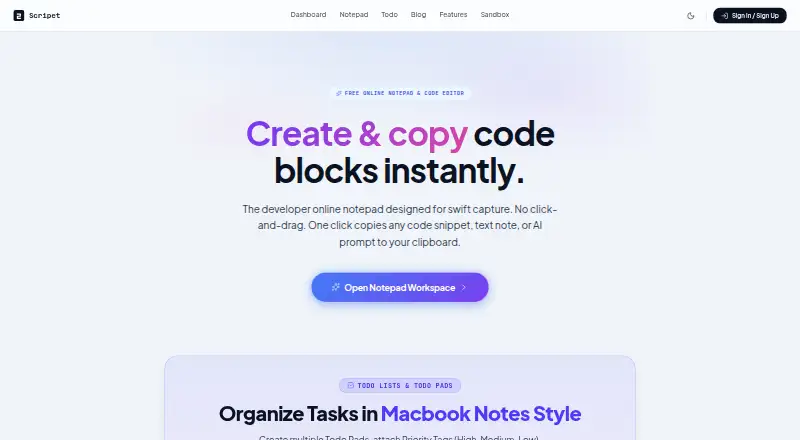
What Scripet is
Scripet is a browser-based notepad and code snippet manager that keeps text and code in separate blocks. Blocks have copy controls for transferring notes, snippets, or AI prompts to the clipboard. It detects programming-language syntax and supports Markdown text blocks. Todo Pads let users assign High, Medium, or Low priority tags to tasks and move checked items into a DONE section. Without an account, pad names and blocks are saved in local browser storage; the sandbox allows unlimited notes. An account enables cloud pad syncing, with changes written to Supabase, and cloud backup pads are tied to user profiles. The Free plan costs nothing and includes up to five named pads, unlimited sandbox notes, and local storage backup. The maker describes it for developers, programmers, writers, prompt designers, and AI creators. Its privacy policy says block data is not sold, analyzed, or distributed to third parties, and lists SSL transmission encryption, security headers, and role-based validation. Cloud sync is accessible through desktop or mobile browsers.
Who it suits
Scripet may suit people who want to keep notes, code snippets, prompts, and tasks in browser-based pads. It fits users who prefer local browser storage or want account-based cloud syncing across desktop and mobile browsers.
What it does well
- Separate blocks keep text and code organized.
- Copy controls transfer blocks to the clipboard.
- Syntax detection and Markdown text blocks are supported.
- Sandbox supports unlimited notes without login.
- Cloud sync works from desktop or mobile browsers.
What to know first
- Free plan allows up to five named pads.
- Without an account, storage stays in the local browser.
- Cloud backup pads require a user profile.
Limits
The Free plan includes up to five named pads, while sandbox notes are unlimited. Without an account, pad names and blocks use local browser storage instead of cloud syncing.
Plans
| Plan | Billed and limits | Price |
|---|---|---|
| Free | up to 5 named pads · unlimited sandbox notes · local-storage backup | Free |
As scripet.com lists them, read 15 Oct 2026. The maker's own page has the final word.
Getting started
- Open Scripet in a web browser
- Use the sandbox without an account for local pads and notes
- Create separate text or code blocks
- Add Markdown notes or let Scripet detect code syntax
- Create Todo Pads and assign task priorities
- Create an account to enable cloud pad syncing
Verdict
Scripet combines note-taking, snippet copying, and basic task tracking in a browser. Choose local storage without an account, or use an account for cloud pad syncing.
Questions
Is Scripet free?
Yes. The Free plan costs nothing and includes up to five named pads, unlimited sandbox notes, and local storage backup.
Do I need an account to use Scripet?
No. The sandbox works locally without an account. An account is needed for cloud backup pads and syncing.
Which devices can access Scripet?
Scripet runs in a web browser, and account cloud sync is available from desktop or mobile browsers.
Does Scripet support Markdown and code syntax?
Yes. It supports Markdown text blocks and detects programming-language syntax in code blocks.
How does cloud syncing work?
An account enables cloud pad syncing, and the homepage says changes are written to Supabase.
How is block data handled?
The privacy policy says block data is not sold, analyzed, or distributed to third parties. It lists SSL transmission encryption, standard security headers, and role-based validation.
Facts from Scripet's own pages
- Acceptable use
- The terms prohibit malware distribution, illegal content hosting and denial-of-service activity. · scripet.com, 15 Oct 2026
- Account requirement
- The local sandbox works without registration, while cloud backup pads require a user profile. · scripet.com, 15 Oct 2026
- Ad policy
- The free online notepad page says the service has no banner ads or popups. · scripet.com, 15 Oct 2026
- AI prompts
- Scripet is positioned for storing ChatGPT, Claude and Midjourney prompts in text or code blocks. · scripet.com, 15 Oct 2026
- API and SDKs
- The opened maker pages describe no public API, SDK, webhook or developer documentation. · scripet.com, 15 Oct 2026
- Auto-save
- The web notepad says it saves every keystroke in real time to local storage. · scripet.com, 15 Oct 2026
- Block editing
- Content is organized into separate text and code blocks instead of one continuous editor. · scripet.com, 15 Oct 2026
- Clipboard copying
- Each block has a copy control that transfers its contents to the clipboard without manual selection. · scripet.com, 15 Oct 2026
- Cloud provider
- The homepage says cloud syncing writes changes to Supabase. · scripet.com, 5 Oct 2026
- Cloud sync
- Registered users can synchronize cloud pads through Supabase. · scripet.com, 15 Oct 2026
- Compliance
- The opened privacy and terms pages describe security practices but do not claim SOC 2, ISO 27001, GDPR or other compliance certification. · scripet.com, 15 Oct 2026
- Content ownership
- The terms say users retain ownership of their text and code blocks and grant only technical hosting and synchronization rights. · scripet.com, 15 Oct 2026
- Copying
- Each block has a copy control for copying snippets, notes, or AI prompts to the clipboard. · scripet.com, 5 Oct 2026
- Cross-device access
- The maker describes cloud-synced access from desktop or mobile web browsers. · scripet.com, 15 Oct 2026
- Data handling
- The privacy policy says block data is not sold, analyzed, or distributed to third parties. · scripet.com, 5 Oct 2026
- Data sharing
- The privacy policy says block data is not sold, analyzed or distributed to third parties. · scripet.com, 15 Oct 2026
- Developer use cases
- The scratchpad page lists JSON/API responses, .env variables, Docker and Kubernetes commands, Git commands, SQL queries and database schemas. · scripet.com, 15 Oct 2026
- Formatting
- The product detects programming language syntax and supports Markdown text blocks. · scripet.com, 5 Oct 2026
- Free access
- The basic notepad is described as free, with up to five named pads and unlimited sandbox notes. · scripet.com, 15 Oct 2026
- Licence
- The opened maker pages do not identify an open-source licence or publish source-code licensing terms. · scripet.com, 15 Oct 2026
- Local saving
- Unauthenticated sandbox pads and blocks are saved in browser local storage. · scripet.com, 15 Oct 2026
- Markdown
- Text blocks support Markdown-style notes, lists and headings. · scripet.com, 15 Oct 2026
- Privacy data handling
- The privacy policy says cloud accounts store profile email, pad metadata and note contents, while sandbox content stays in the browser. · scripet.com, 15 Oct 2026
- Product
- Scripet is a browser based online notepad and code snippet manager with separate text and code blocks. · scripet.com, 5 Oct 2026
Where Scripet stands on Freedom251
- Code Snippet Managers#23 of 33