Freedom251 › Citation generators
Scribbr Citation Generator
What Scribbr Citation Generator is
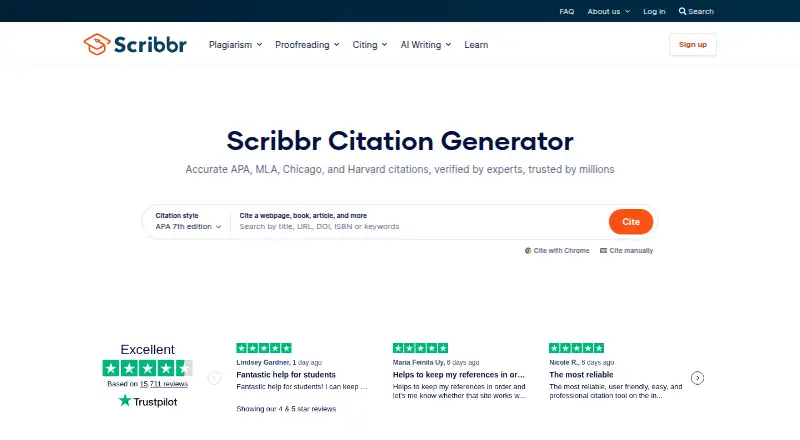
Scribbr Citation Generator creates citations and in-text citations for webpages, books, articles, and other sources. It supports APA, MLA, Chicago, Harvard, and many other citation rules. To find source details automatically, users can enter a title, URL, ISBN, DOI, or keywords. Completed reference lists can be exported to Microsoft Word with official formatting or in Bib(La)TeX format for LaTeX editors such as Overleaf. Users can maintain separate reference lists, group them into folders, and create annotated bibliographies from source annotations. The Chrome and Edge extension can generate a citation from a webpage and retrieve its bibliographic details; citation lists can also be synced with Google Docs. The generator is free, with a plan listed as free and no costs, ads, or limitations. Unlogged-in lists are removed after 30 days of inactivity, while logged-in users’ lists remain accessible indefinitely. Scribbr was founded in 2012 and is now part of QuillBot within the Learneo family.
Who it suits
It suits students and other writers who need to cite varied sources, organize reference lists, or export bibliographies. The browser extension and Google Docs sync may help people who work with sources in those tools.
What it does well
- Supports APA, MLA, Chicago, Harvard, and more.
- Looks up sources using titles, URLs, ISBNs, DOIs, or keywords.
- Exports reference lists to Word and Bib(La)TeX.
- Organizes lists into folders and creates annotated bibliographies.
- Free plan has no costs, ads, or limitations.
What to know first
- Unlogged-in lists are removed after 30 days of inactivity.
- There is no Word add-in.
Limits
The free plan is listed as free with no costs, ads, or limitations. Lists for users who are not logged in are removed after 30 days of inactivity, while logged-in lists remain accessible indefinitely.
Plans
| Plan | Billed and limits | Price |
|---|---|---|
| Free | no costs · no ads · no limitations | Free |
As scribbr.com lists them, read 1 Oct 2026. The maker's own page has the final word.
Getting started
- Open the Scribbr Citation Generator website
- Enter a title, URL, ISBN, DOI, or keywords for source lookup
- Use the Chrome or Edge extension to capture a webpage citation
- Create reference lists and organize them in folders
- Sync citation lists with Google Docs or export to Word or Bib(La)TeX
Verdict
Scribbr Citation Generator combines source lookup, citation formatting, reference organization, and export in a free tool. Log in if you want lists to remain accessible beyond 30 days of inactivity.
Questions
How much does Scribbr Citation Generator cost?
The Free plan is listed as free, with no costs, ads, or limitations.
Which citation styles are supported?
It supports APA, MLA, Chicago, Harvard, and many other citation rules.
Can it find source details automatically?
Yes. Autocite can look up information using a title, URL, ISBN, DOI, or keywords.
What export options are available?
Reference lists can be exported to Microsoft Word with official formatting or in Bib(La)TeX format for LaTeX editors such as Overleaf.
Does it work with browsers and Google Docs?
The tool is available on the web and as Chrome and Edge extensions, and citation lists can be synced with a Google Document.
Facts from Scribbr Citation Generator's own pages
- Annotations
- Generates formatted annotated bibliographies from source annotations. · app.cgs.scribbr.com, 1 Oct 2026
- Audience
- Scribbr describes the Citation Generator as accessible for all students and says it is recommended by teachers and universities. · scribbr.com, 1 Oct 2026
- Autocite
- Finds source information automatically using a title, URL, ISBN, DOI, or keywords. · scribbr.com, 1 Oct 2026
- BibLaTeX export
- Exports references in Bib(La)TeX format for LaTeX editors such as Overleaf. · scribbr.com, 1 Oct 2026
- Browser extension
- The Chrome and Edge extension can create a citation from a webpage with one click and automatically retrieve bibliographic details. · help.scribbr.com, 1 Oct 2026
- Citation styles
- Supports APA, MLA, Chicago, Harvard, and many other citation rules. · scribbr.com, 1 Oct 2026
- Company history
- Scribbr was founded in 2012 by two students and is now part of QuillBot within the Learneo family of businesses. · scribbr.com, 1 Oct 2026
- Data retention
- Lists are removed after 30 days of inactivity when users are not logged in and remain accessible indefinitely when users are logged in. · help.scribbr.com, 1 Oct 2026
- Founded
- 2012 · scribbr.com, 28 Sept 2026
- Google Docs integration
- Users can sync their citation lists with a Google Document. · help.scribbr.com, 1 Oct 2026
- Lists and folders
- Lets users create separate reference lists and group related lists into folders. · scribbr.com, 1 Oct 2026
- Purpose
- Creates accurate citations and in-text citations for webpages, books, articles, and other sources. · scribbr.com, 1 Oct 2026
- Security
- Learneo says it uses vulnerability scanning, patch management, least-privilege access controls, data minimization, and other industry-standard security measures for Scribbr services. · scribbr.com, 1 Oct 2026
- Support
- Scribbr offers live chat from 9:00 to 23:00 CET and support by email at [email protected]. · scribbr.com, 1 Oct 2026
- Underlying technology
- The generator uses the open-source Citation Style Language project and citeproc-js, the same technology used by Mendeley and Zotero. · scribbr.com, 1 Oct 2026
- Word export
- Exports completed reference lists to Microsoft Word with official formatting applied. · scribbr.com, 1 Oct 2026
Where Scribbr Citation Generator stands on Freedom251
- Citation generators#29 of 57
- Citation Generator Tools#24 of 29