Freedom251 › Digital Signage Software
screenTAP
What screenTAP is
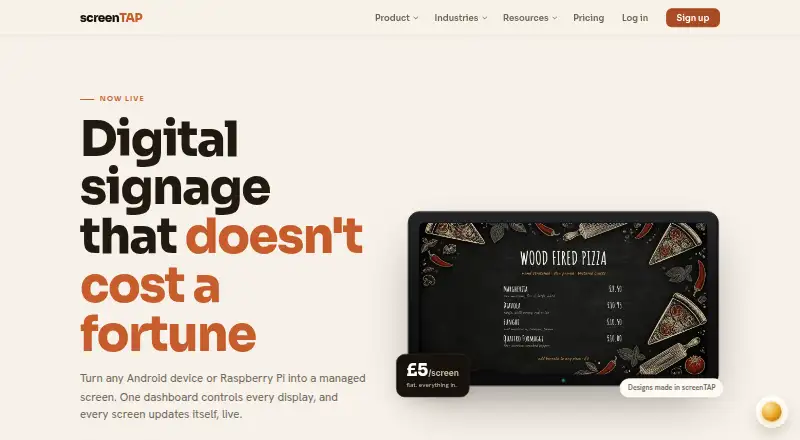
screenTAP is cloud-managed digital-signage software for controlling business screens from a central dashboard. Users can create playlists, schedule content by time of day, and manage campaigns. Supported material includes images, video, graphics, RSS, social walls, weather, clocks, countdowns, stock tickers, Google Sheets, Power BI, live web pages, YouTube, Canva, and Google Slides, plus 35+ ready-made news and sport feeds. Screens cache content locally, continue playback offline, and synchronize changes after reconnection. Management tools include remote screenshots, resyncs, reboots, and emergency broadcasts. AI tools generate or edit images and turn a paper-menu photo into an editable menu board; each screen has a monthly AI credit allowance. Players run on Android devices and Raspberry Pi, while Samsung Tizen TVs can use the web player; any browser can display a screen. Security includes a separate cryptographic key per paired screen and encrypted connections. The plan costs £5.00 per month per screen, billed monthly, with every feature included.
Who it suits
It suits hospitality, retail, gyms, offices, hotels, and restaurants managing multiple screens. Teams should note the listed Power BI display requires a publicly viewable Publish to web link and is not interactive.
What it does well
- Offline playback continues during outages
- Supports varied media and data sources
- Remote screenshots, reboots, and broadcasts
- AI image and menu-board tools
- Every feature included at £5.00 monthly
What to know first
- No free plan
- Power BI link is publicly viewable
- Power BI display is not interactive
- Price is per screen
Plans
| Plan | Billed and limits | Price |
|---|---|---|
| screenTAP | Billed monthly · Per screen · every feature included · 2 months free on first 3 screens · cancel any time · no contract | £5 a month |
As screentap.app lists them, read 12 Oct 2026. The maker's own page has the final word.
Verdict
screenTAP brings playlist creation, scheduling, offline playback, and remote screen controls into one service. Its broad content support is balanced by the Power BI publishing limitation and per-screen billing.
Facts from screenTAP's own pages
- AI design
- AI tools can generate or edit images and turn a photo of a paper menu into an editable menu board; each screen includes a monthly AI credit allowance. · screentap.app, 12 Oct 2026
- Content tools
- Users can create playlists, schedule content by time of day, and manage campaigns. · screentap.app, 12 Oct 2026
- Content types
- images,video,graphics,RSS,social walls,weather,clocks,countdowns,stock ticker,Google Sheets,Power BI,live web pages,YouTube,Canva,Google Slides · screentap.app, 22 Sept 2026
- Feeds
- The pricing page lists 35+ ready-made news and sport feeds, Facebook and social walls, weather, clocks, countdowns, and a stock ticker. · screentap.app, 12 Oct 2026
- Free plan
- No · screentap.app, 22 Sept 2026
- Integrations
- The product supports Google Sheets and CSV data boards, Power BI dashboards, live web pages, YouTube, Canva, and Google Slides. · screentap.app, 12 Oct 2026
- Notable limits
- The Power BI dashboard feature requires a Publish to web link, which is publicly viewable, and is not interactive on screen. · screentap.app, 12 Oct 2026
- Offline playback
- Yes · screentap.app, 22 Sept 2026
- Playback
- Screens cache content locally and keep playing offline, then sync changes when the connection returns. · screentap.app, 12 Oct 2026
- Screen management
- The dashboard supports remote screenshots, resyncs, reboots, and emergency broadcasts across screens. · screentap.app, 12 Oct 2026
- Security
- Each paired screen gets its own cryptographic key, and content is delivered over encrypted connections. · screentap.app, 12 Oct 2026
- Supported devices
- The player runs on Android devices and Raspberry Pi, and the web player runs on Samsung Tizen TVs; the site also says any browser can display a screen. · screentap.app, 12 Oct 2026
- User roles
- advanced · screentap.app, 22 Sept 2026
- What it does
- screenTAP is cloud-managed digital-signage software that lets businesses manage screens from a central dashboard. · screentap.app, 12 Oct 2026
- Who it is for
- The maker describes use cases including hospitality, retail, gyms, offices, hotels, and restaurants. · screentap.app, 12 Oct 2026
Where screenTAP stands on Freedom251
- Digital Signage Software#88 of 207