Freedom251 › Screen Recording Software
Screen Recorder
What Screen Recorder is
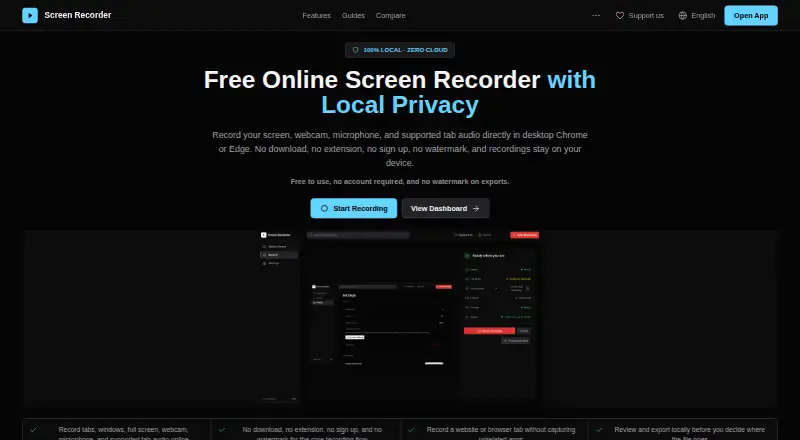
Screen Recorder is a free web app for recording activity in desktop Chrome or Edge. It can capture a browser tab, window, or full screen, along with webcam video, microphone input, and supported tab audio. An optional webcam overlay can appear in the recording. The built-in editor trims and splits clips, reorders sections, and exports recordings locally. Captures are processed and stored in browser storage unless you explicitly export, move, or share them. The app uses Google Analytics 4 for product events and says recordings, titles, search text, and device labels are not included in those analytics payloads. Desktop Chrome and Edge are the strongest fit; mobile browser recording is more limited and inconsistent. System audio is not always available, and tab audio depends on the browser share dialog exposing audio for the selected tab. Recording duration and very large sessions can be constrained by browser behavior, local disk capacity, browser storage, and local processing. The maker positions it for bug reports, walkthroughs, onboarding, internal process recordings, and short product demos, not as a full production suite or team video hub. No account is required and recordings have no watermark.
Who it suits
Screen Recorder suits people making short bug reports, walkthroughs, onboarding videos, internal process recordings, or product demos in desktop Chrome or Edge. It is less suited to mobile capture or full production workflows.
What it does well
- Free with no account required
- Captures screen, webcam, microphone, and supported tab audio
- Built-in trimming, splitting, and reordering
- Stores recordings locally in browser storage
- No watermark
What to know first
- Mobile browser recording is limited and inconsistent
- System audio capture is not universal
- Large sessions depend on browser and disk capacity
- Not intended as a production suite or team video hub
Plans
| Plan | Billed and limits | Price |
|---|---|---|
| Free | Free to use · no account required · no watermark · recordings stored locally in browser | Free |
As screenrecorder.dev lists them, read 12 Oct 2026. The maker's own page has the final word.
Verdict
Screen Recorder offers straightforward local browser capture and basic editing without an account or watermark. Desktop Chrome and Edge provide the clearest fit, while audio availability and very long recordings depend on browser conditions.
Facts from Screen Recorder's own pages
- Analytics
- The app uses Google Analytics 4 for product events and says it does not send recordings, recording titles, search text, or device labels as analytics payloads. · screenrecorder.dev, 12 Oct 2026
- Audio limits
- System audio capture is not universal; tab audio depends on whether the browser share dialog exposes audio for the selected tab. · screenrecorder.dev, 12 Oct 2026
- Best suited for
- The maker says the product is strongest for bug reports, walkthroughs, onboarding, internal process recordings, and short product demos. · screenrecorder.dev, 12 Oct 2026
- Browser limits
- Desktop Chrome and Edge are the strongest fit, while mobile browser recording is described as more limited and inconsistent. · screenrecorder.dev, 12 Oct 2026
- Capture sources
- Users can record a browser tab, window, or full screen, with an optional webcam overlay. · screenrecorder.dev, 12 Oct 2026
- Editing and export
- The built-in editor supports trimming, splitting clips, reordering sections, and exporting locally. · screenrecorder.dev, 12 Oct 2026
- Free plan
- Yes · screenrecorder.dev, 22 Sept 2026
- Integrations
- The privacy page says optional sharing integrations may involve third-party services, but they are not part of the default recording path. · screenrecorder.dev, 12 Oct 2026
- Local storage
- Recordings are captured, processed, and stored in browser storage unless the user explicitly exports, moves, or shares them. · screenrecorder.dev, 12 Oct 2026
- Microphone recording
- Yes · screenrecorder.dev, 22 Sept 2026
- Notable fit limitation
- The maker says the product is not intended to replace a full production suite or a team video hub. · screenrecorder.dev, 12 Oct 2026
- Supported platforms
- web · screenrecorder.dev, 22 Sept 2026
- Recording limits
- Recording duration depends on browser and local disk capacity, and browser storage and local processing can limit very large sessions. · screenrecorder.dev, 12 Oct 2026
- Support
- The contact page accepts product questions, bug reports, and feedback, and asks users not to include private recording content. · screenrecorder.dev, 12 Oct 2026
- System audio
- Yes · screenrecorder.dev, 22 Sept 2026
- Webcam recording
- Yes · screenrecorder.dev, 22 Sept 2026
- What it does
- Screen Recorder records screen, webcam, microphone, and supported tab audio in desktop Chrome or Edge. · screenrecorder.dev, 12 Oct 2026
Where Screen Recorder stands on Freedom251
- Screen Recording Software#94 of 131