Freedom251 › Exam Scheduling Software
SchoolKit Exam Timetable Builder
What SchoolKit Exam Timetable Builder is
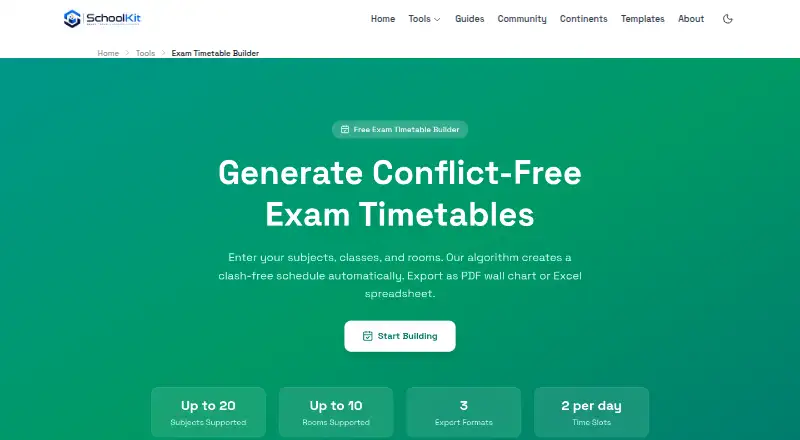
SchoolKit Exam Timetable Builder is a free web tool that creates exam schedules from subjects, classes, rooms, and dates. It checks for clashes involving student groups, teachers, and rooms, then assigns rooms according to capacity. Schedules can be exported as PDF wall charts, Excel spreadsheets, or raw JSON. The timetable uses fixed morning slots from 9:00–11:00 and afternoon slots from 13:00–15:00. Generation takes place in the browser; data is not sent to a server unless you explicitly save it. Subjects, groups, rooms, and date ranges can be kept in browser local storage for later use. After the initial page load, the tool works offline. The Free plan permits up to 20 subjects and 10 rooms, with two time slots per day. SchoolKit identifies administrators, teachers, department heads, principals, and school IT coordinators among the users of its tools.
Who it suits
It suits school administrators, teachers, department heads, principals, and school IT coordinators arranging exam schedules.
What it does well
- Checks student-group, teacher, and room clashes
- Assigns rooms based on capacity
- Exports PDF, Excel, and JSON schedules
- Works offline after the initial page load
What to know first
- Uses fixed morning and afternoon time slots
- Free plan is limited to 20 subjects and 10 rooms
Limits
The free plan allows up to 20 subjects, up to 10 rooms, and two time slots per day. The available slots are fixed at 9:00–11:00 in the morning and 13:00–15:00 in the afternoon.
Plans
| Plan | Billed and limits | Price |
|---|---|---|
| Free | up to 20 subjects · up to 10 rooms · 2 time slots per day | Free |
As schoolkit.tools lists them, read 1 Oct 2026. The maker's own page has the final word.
Getting started
- Visit https://schoolkit.tools/tools/exam-timetable-builder in a web browser.
- Enter the subjects, classes or groups, rooms, and dates for the schedule.
- Generate the timetable using the fixed morning and afternoon slots.
- Export the result as a PDF wall chart, Excel spreadsheet, or raw JSON.
- Save subjects, groups, rooms, and date ranges in browser local storage if you want to reuse them later.
Verdict
SchoolKit Exam Timetable Builder offers browser-based scheduling, conflict checks, and several export formats at no cost. Its fixed daily slots and published subject and room limits are important to consider.
Questions
What does SchoolKit Exam Timetable Builder cost?
The Free plan costs nothing. SchoolKit says its tools are free forever, with no trials, usage limits, or hidden fees.
What are the free plan limits?
It allows up to 20 subjects, up to 10 rooms, and two time slots per day.
Which platforms does it support?
It is a web tool. It also works offline after the initial page load.
What formats can I export?
Timetables can be exported as PDF wall charts, Excel spreadsheets, or raw JSON.
Does it check for scheduling conflicts?
Yes. Generation checks for clashes involving student groups, teachers, and rooms, and assigns rooms based on capacity.
Where is timetable data processed?
Generation takes place in the browser. Data is not sent to a server unless the user explicitly saves it.
Facts from SchoolKit Exam Timetable Builder's own pages
- Audience
- School administrators, teachers, department heads, principals and school IT coordinators are identified as users of SchoolKit tools. · schoolkit.tools, 1 Oct 2026
- Availability
- SchoolKit states that its tools are free forever with no trials, usage limits or hidden fees. · schoolkit.tools, 1 Oct 2026
- Compliance position
- SchoolKit says its local-processing architecture is designed to support privacy principles including GDPR and FERPA, while schools must assess their own obligations. · schoolkit.tools, 1 Oct 2026
- Conflict detection
- The algorithm prevents student-group, teacher and room clashes. · schoolkit.tools, 1 Oct 2026
- Data processing
- Timetable generation runs entirely in the browser and data is not sent to a server unless the user explicitly saves it. · schoolkit.tools, 1 Oct 2026
- Exports
- Timetables can be exported as PDF wall charts, Excel spreadsheets or raw JSON. · schoolkit.tools, 1 Oct 2026
- Offline use
- The tool works fully offline after the initial page load. · schoolkit.tools, 1 Oct 2026
- Purpose
- Generates conflict-free exam timetables from subjects, classes, rooms and dates. · schoolkit.tools, 1 Oct 2026
- Room assignment
- Rooms are assigned based on capacity so groups fit comfortably. · schoolkit.tools, 1 Oct 2026
- Security
- SchoolKit serves its website over HTTPS with TLS 1.2 or later and uses Content Security Policy headers. · schoolkit.tools, 1 Oct 2026
- Storage
- The tool can save subjects, groups, rooms and date ranges in browser local storage for later use. · schoolkit.tools, 1 Oct 2026
- Support
- General inquiries are targeted for response within 48 hours, while security reports are reviewed within 24 hours. · schoolkit.tools, 1 Oct 2026
- Third-party services
- SchoolKit lists Google Analytics, Google Fonts and OpenStreetMap tiles as third-party services used on its website or other tools. · schoolkit.tools, 1 Oct 2026
- Time slots
- The tool currently uses fixed morning 9:00–11:00 and afternoon 13:00–15:00 slots. · schoolkit.tools, 1 Oct 2026
Where SchoolKit Exam Timetable Builder stands on Freedom251
- Exam Scheduling Software#7 of 37