Freedom251 › Code Formatting Tools

Scalafmt
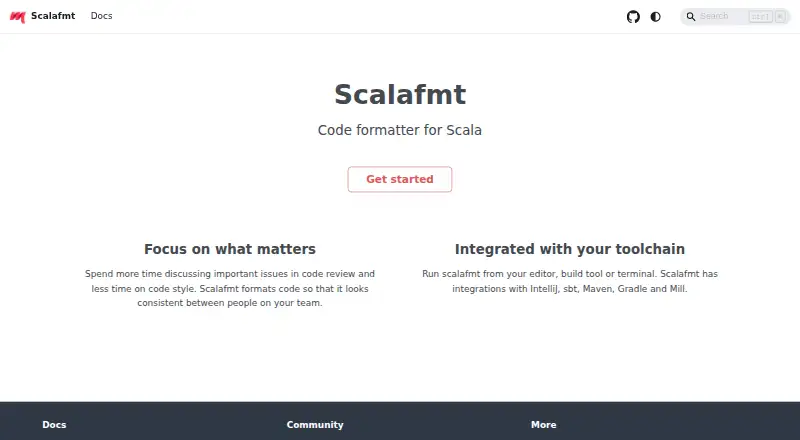
What Scalafmt is
Scalafmt is a free, open-source formatter for Scala code that helps teams apply consistent formatting. It handles Scala 2 and Scala 3, as well as sbt files and Scala scripts. Each file uses one selected dialect. Formatting options are kept in a plain text `.scalafmt.conf` file written in HOCON syntax; since version 3.1.0, configuration must explicitly state the version and `runner.dialect`. Scalafmt can run from an editor, a build tool, or a terminal. Documented editor integrations include IntelliJ, VS Code, Vim, NeoVim, Emacs, Sublime Text, and Eclipse, and Metals supports formatting requests from editors. For builds, it integrates with sbt and documents integrations for Maven, Gradle, and Mill. The command-line check and test modes identify misformatted code without writing changes. Additional capabilities include ignoring files, formatting changed lines, and using Scalafmt as a library. IntelliJ uses its own formatter for range formatting by default: Scalafmt is primarily designed for whole text files, and selected ranges may produce undesirable results. The project identifies its license as Apache-2.0. The project site links to community Discord and GitHub, and CLI help directs bug reports to GitHub issues.
Who it suits
Scalafmt suits Scala developers and teams who want formatting rules applied consistently through editors, builds, or the terminal. Its supported Scala dialects, build integrations, and check modes make it useful across different development workflows.
What it does well
- Formats Scala 2, Scala 3, sbt files, and Scala scripts.
- Runs from editors, build tools, or the terminal.
- Offers check and test modes that do not write changes.
- Supports ignoring files and formatting changed lines.
- Apache-2.0 licensed and open source.
What to know first
- IntelliJ range formatting uses IntelliJ’s own formatter by default.
- Configuration must explicitly set version and runner.dialect since 3.1.0.
Plans
| Plan | Billed and limits | Price |
|---|---|---|
| Free | Code formatter for Scala | Free |
As scalameta.org lists them, read 7 Oct 2026. The maker's own page has the final word.
Getting started
- Visit the Scalafmt project website.
- Choose an editor, build tool, or terminal workflow.
- Create a plain text `.scalafmt.conf` file using HOCON syntax.
- Set the version and `runner.dialect` explicitly.
- Run Scalafmt on Scala, sbt, or Scala script files.
Verdict
Choose Scalafmt if you need a free, open-source formatter for Scala projects and want to run it through editors, builds, or the command line. Its main caveat is IntelliJ range formatting, which defaults to IntelliJ’s formatter and may not suit Scalafmt’s whole-file approach.
Questions
How much does Scalafmt cost?
The Free plan costs nothing. Scalafmt is open source under the Apache-2.0 license.
Which languages and files does it format?
It supports Scala 2, Scala 3, sbt, and Scala scripts, including Scala files, `.sbt` files, and `.sc` files.
Which editors can use Scalafmt?
Documented integrations cover IntelliJ, VS Code, Vim, NeoVim, Emacs, Sublime Text, and Eclipse. Metals supports formatting requests from editors.
Can it run as part of a build?
Yes. Scalafmt integrates with sbt and documents integrations for Maven, Gradle, and Mill.
Does it change files in check mode?
The CLI check and test modes report misformatted code without writing changes.
What should an IntelliJ user know about range formatting?
IntelliJ range formatting uses its own formatter by default. Scalafmt is primarily designed for whole files, and selected ranges may produce undesirable results.
Facts from Scalafmt's own pages
- Build integrations
- Scalafmt integrates with sbt and has documented integrations for Maven, Gradle, and Mill. · scalameta.org, 7 Oct 2026
- Configuration
- Formatting options are set in a plain text .scalafmt.conf file using HOCON syntax. · scalameta.org, 7 Oct 2026
- Editor integrations
- The documentation describes use with IntelliJ, VS Code, Vim, NeoVim, Emacs, Sublime Text, and Eclipse, with Metals supporting formatting requests from editors. · scalameta.org, 7 Oct 2026
- File support
- Scalafmt can format Scala files as well as .sbt and .sc files. · scalameta.org, 7 Oct 2026
- Formatting checks
- The CLI offers check and test modes that report misformatted code without writing changes. · scalameta.org, 7 Oct 2026
- How to run it
- Scalafmt can run from an editor, build tool, or terminal. · scalameta.org, 7 Oct 2026
- IntelliJ limitation
- IntelliJ range formatting uses its own formatter by default because Scalafmt is primarily designed to format entire text files and selected ranges may produce undesirable results. · scalameta.org, 7 Oct 2026
- License
- The GitHub repository identifies the project license as Apache-2.0. · github.com, 7 Oct 2026
- Purpose
- Scalafmt is a code formatter for Scala that formats code consistently across a team. · scalameta.org, 7 Oct 2026
- Scala dialects
- The formatter supports Scala 2, Scala 3, and sbt-specific dialects, with one dialect selected for each file. · scalameta.org, 7 Oct 2026
- Security
- The official Scalafmt pages opened for this research do not state security certifications or compliance claims. · scalameta.org, 7 Oct 2026
- Support
- The project site links to a community Discord and GitHub, and the CLI help directs bug reports to GitHub issues. · scalameta.org, 7 Oct 2026
- Version requirement
- Since version 3.1.0, the version and runner.dialect settings must be specified explicitly in configuration. · scalameta.org, 7 Oct 2026
Where Scalafmt stands on Freedom251
- Code Formatting Tools#17 of 34