Freedom251 › ROM Management Software
SabreTools Studio
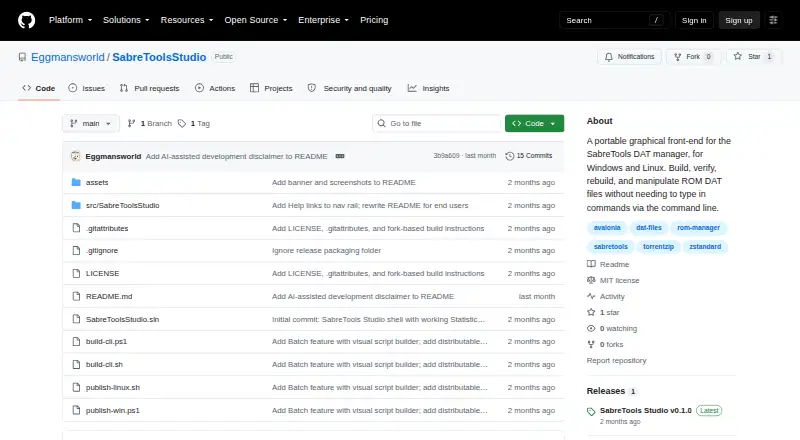
What SabreTools Studio is
SabreTools Studio is a free, MIT-licensed graphical companion for managing ROM DAT files with SabreTools. Its interface can create DATs by scanning folders containing loose files or archives, while allowing hash selection and DAT header controls. Sort / Rebuild produces organized folders, TorrentZip, Zstandard Zip, TorrentGZ, or TAR output. Verify checks folders against one or more DATs and records missing items in a fixdat. DAT editing tools convert formats, merge, compare, deduplicate, apply 1G1R filtering, clean names, and split DATs by extension, hash, size, or item type. Statistics exports text, CSV, HTML, SSV, or TSV reports. Batch can run SabreTools scripts or help build them visually. The application shows the exact command it will run, streams output in a log, and can cancel an operation. Windows installation is portable and self-contained; Linux and Windows x64 are listed requirements. The GUI covers seven primary features, not every command-line option.
Who it suits
It suits ROM-collection managers on Windows or Linux who want graphical DAT creation, verification, rebuilding, editing, reporting, or batch workflows. Users needing options outside the interface can run the bundled SabreTools command line directly.
What it does well
- Graphical DAT creation and verification
- Rebuilds into several folder and archive formats
- DAT merging, deduplication, filtering, and cleanup
- Exports multiple report formats
- Portable Windows installation
What to know first
- Does not expose every command-line option
- Zstandard output is not RomVault RVZSTD-compatible
- Unofficial and unaffiliated with SabreTools
Verdict
SabreTools Studio brings major SabreTools collection workflows into a graphical interface, including verification, rebuilding, DAT editing, reports, and batch scripts. Its limited GUI coverage and distinct Zstandard output make the bundled command line important for advanced cases.
Facts from SabreTools Studio's own pages
- Archives
- Sort/Rebuild supports folders, TorrentZip, Zstandard Zip, TorrentGZ, and TAR; the release notes say its Zstandard output is not byte-identical to RomVault RVZSTD archives. · github.com, 11 Oct 2026
- Collection tools
- The app can verify folders against DATs, produce fixdats for missing items, and rebuild files into organized sets. · github.com, 11 Oct 2026
- Command preview
- The app displays the exact SabreTools command it will run, streams output in a log, and lets users cancel a running operation. · github.com, 10 Oct 2026
- Command visibility
- The command bar shows the exact SabreTools command to run, and its copy button copies that command to the clipboard. · github.com, 11 Oct 2026
- DAT creation
- DAT From Dir scans folders of loose ROM files or archives and creates DATs with selectable hashes and configurable header fields. · github.com, 11 Oct 2026
- DAT editing
- Update DATs supports format conversion, merging, deduplication, diffs, 1G1R filtering, and name cleanup. · github.com, 11 Oct 2026
- DAT tools
- Update DATs supports format conversion, merging, diffing, deduplication, 1G1R filtering, and name cleanup; Split DATs can split by extension, hash, size, or item type. · github.com, 10 Oct 2026
- License
- The repository identifies the Studio GUI as MIT licensed. · github.com, 10 Oct 2026
- Notable limit
- The GUI does not expose every SabreTools command-line option; the bundled CLI can be run directly for uncovered options. · github.com, 11 Oct 2026
- Portability
- The app stores settings and presets in a config file beside the application and says it does not use the Windows registry, user profile, or temporary folders. · github.com, 11 Oct 2026
- Presets
- Feature pages support saved presets, and the settings and presets are stored in SabreToolsStudio.config beside the application. · github.com, 10 Oct 2026
- Presets and help
- Feature pages support named presets, and options have hover tooltips drawn from SabreTools documentation. · github.com, 11 Oct 2026
- Purpose
- SabreTools Studio is a graphical front end for the SabreTools DAT manager that helps manage ROM DAT files without typing command-line commands. · github.com, 11 Oct 2026
- Rebuilding
- Sort / Rebuild can output organized sets as folders, TorrentZip, Zstandard Zip, TorrentGZ, or TAR. · github.com, 10 Oct 2026
- Relationship
- Studio is described as an unofficial companion to SabreTools and is not affiliated with or endorsed by the SabreTools project. · github.com, 10 Oct 2026
- Relationship and intended users
- Studio is an unofficial companion, not affiliated with or endorsed by SabreTools, and its described workflow is for managing ROM collections, including workflows familiar to RomVault users. · github.com, 11 Oct 2026
- Reports and batch
- Statistics can export text, CSV, HTML, SSV, or TSV reports, and Batch can run SabreTools batch scripts or build them visually. · github.com, 10 Oct 2026
- Requirements
- The project lists Windows 10/11 x64 and Linux x64 with an X11 or Wayland desktop as requirements, and says no .NET installation is needed to run the self-contained app. · github.com, 11 Oct 2026
- Statistics and batch
- Statistics can export text, CSV, HTML, SSV, or TSV, and Batch can run SabreTools batch scripts with a visual script builder. · github.com, 11 Oct 2026
- Verification
- Verify checks folders against one or more DATs and writes missing items to a fixdat. · github.com, 10 Oct 2026
- Zstandard support
- The bundled SabreTools build reads Zstandard-compressed zips and can write them, but Studio-created Zstandard zips are not deterministic and are not the same as RomVault RVZSTD archives. · github.com, 10 Oct 2026
Where SabreTools Studio stands on Freedom251
- ROM Management Software#39 of 39