Freedom251 › ROM Management Software
rom64
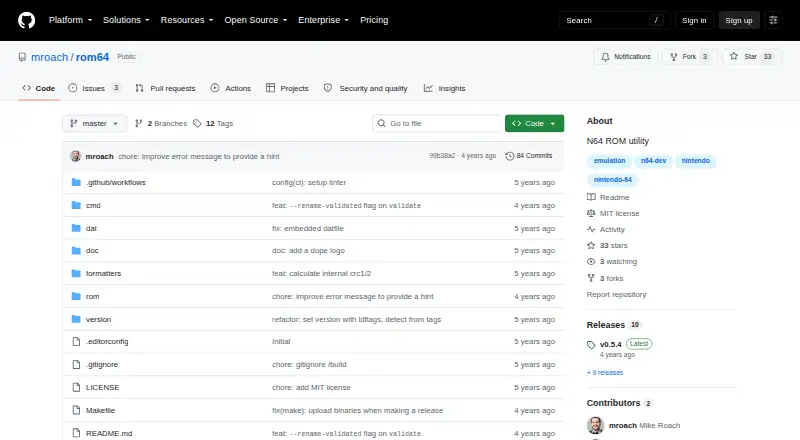
What rom64 is
rom64 is a free, open-source Nintendo 64 ROM utility written in Go for Linux, macOS, and Windows. Its commands list ROMs in a directory, display ROM information, convert file formats, and validate checksums. Listings can show title, ID, region, video system, CIC chip type, version, format, and file details, with table, text, JSON, CSV, tab-delimited, or XML output. rom64 calculates MD5 and SHA-1 file hashes and CRC values. The convert command changes non-native files into native big-endian Z64 format and then checks SHA-1 against known-good values. The validate command compares SHA-1 values with a datfile, but validation works only for ROMs already in native big-endian Z64 format. A recent datfile is included, and another can be selected with the --datfile flag. The --rename-validated option renames validated files to match datfile names. The repository uses the MIT license. Building requires Go, module dependencies, and make all.
Who it suits
rom64 suits users managing Nintendo 64 ROM collections on Linux, macOS, or Windows. It is useful for inspecting metadata, converting formats, checking hashes, and renaming validated files.
What it does well
- Lists detailed ROM metadata in six output formats
- Calculates MD5, SHA-1, and CRC values
- Converts files to native big-endian Z64
- Includes a known-ROM datfile
- MIT-licensed and free to use
What to know first
- Validation works only with native big-endian Z64 files
- Building requires Go and running make all
- Checksum results depend on the selected datfile
Limits
Validation checksums work only with ROM files in native big-endian Z64 format. Building from source requires installing Go, fetching dependencies, and running make all.
Getting started
- Open the rom64 GitHub repository
- Install Go for your operating system
- Fetch the module dependencies
- Run make all to build the project
- Use the listing, information, convert, or validate commands on your ROM files
Verdict
rom64 is a focused command-line utility for Nintendo 64 ROM inspection and verification. Its format conversion, multiple export options, and datfile-based checks are practical for collection maintenance, with validation limited to Z64 files.
Questions
What does rom64 cost?
rom64 is free and open source under the MIT license.
Which operating systems are supported?
rom64 supports Linux, macOS, and Windows.
What information can it show for a ROM?
It can report title, ID, region, video system, CIC chip type, version, format, file details, MD5, SHA-1, and CRC values.
Which output formats are available?
Listings can be printed as table, text, JSON, CSV, tab-delimited, or XML output.
How does checksum validation work?
The validate command checks a ROM’s SHA-1 against known-good values in a datfile. Validation applies only to native big-endian Z64 ROM files.
Can rom64 rename files?
Yes. The --rename-validated option renames a validated ROM to match its name in the datfile.
Facts from rom64's own pages
- Build
- The README says to install Go, fetch module dependencies, and run make all to build the project. · github.com, 4 Oct 2026
- Build instructions
- The README’s build instructions say to install Go for the relevant platform, fetch module dependencies, and run `make all`. · github.com, 11 Oct 2026
- Checksum limitation
- The README says validation checksums work only for ROM files in native big-endian Z64 format. · github.com, 11 Oct 2026
- Checksums
- The utility can calculate file MD5 and SHA-1 checksums and CRC values. · github.com, 4 Oct 2026
- Commands
- It provides `ls` to list ROMs, `info` to show information about one ROM, `convert` to convert a ROM, and `validate` to check a ROM’s SHA-1 checksum. · github.com, 11 Oct 2026
- Datfile
- The binary includes a recent datfile, and users can specify a different one with the --datfile flag. · github.com, 4 Oct 2026
- File checksums
- File checksum fields include MD5, SHA-1, and CRC values, and checksum calculation can be requested when listing ROMs. · github.com, 11 Oct 2026
- Format conversion
- The `convert` command converts non-native ROM formats to native big-endian Z64 format. · github.com, 11 Oct 2026
- License
- The repository lists an MIT license. · github.com, 4 Oct 2026
- Maintainer
- The GitHub profile identifies the maintainer as Mike Roach and lists Denmark as the location. · github.com, 11 Oct 2026
- Open source license
- The repository identifies its license as MIT. · github.com, 11 Oct 2026
- Output formats
- The listing command supports table, text, JSON, CSV, tab-delimited, and XML output. · github.com, 4 Oct 2026
- Purpose
- rom64 is a Nintendo 64 ROM utility written in Go. · github.com, 11 Oct 2026
- Release
- The releases page lists v0.5.4 as the latest release and describes its `--rename-validated` flag. · github.com, 11 Oct 2026
- Rename option
- The `validate --rename-validated` option renames a validated ROM to the filename listed in the datfile. · github.com, 11 Oct 2026
- ROM conversion
- The convert command converts ROMs from non-native formats to native big-endian Z64 format and then checks the SHA-1 against known good checksums. · github.com, 4 Oct 2026
- ROM details
- ROM information includes metadata such as image name, region, video system, version, CIC chip type, and CRC values. · github.com, 11 Oct 2026
- ROM listing
- The `ls` command supports table, text, JSON, CSV, tab, and XML output formats. · github.com, 11 Oct 2026
- ROM metadata
- Its listing command can report ROM title, ID, region, video system, CIC chip type, version, format, and file details. · github.com, 4 Oct 2026
- Validation
- The validate command checks a ROM’s SHA-1 against known-good checksums from a datfile. · github.com, 4 Oct 2026
- Validation data
- The binary includes a recent datfile of known ROMs and SHA-1 checksums, and users can specify their own datfile with `--datfile`. · github.com, 11 Oct 2026
- Validation limit
- Checksum validation works only on ROM files in native big-endian Z64 format. · github.com, 4 Oct 2026
Where rom64 stands on Freedom251
- ROM Management Software#38 of 39