Freedom251 › Routine Planner Apps
RoutineLab Universal Interval Timer
Visit RoutineLab Universal Interval Timer Alternatives Pricing
What RoutineLab Universal Interval Timer is
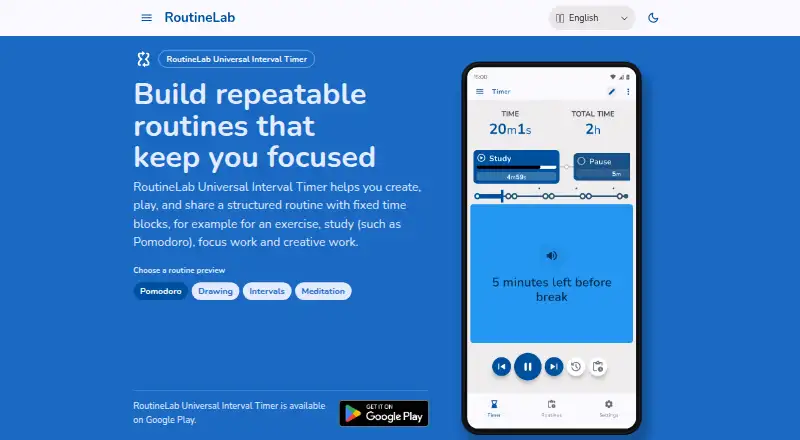
RoutineLab Universal Interval Timer is an Android app for building and running structured routines from fixed time blocks. It supports exercise, study, focus work, and creative work, with an editor for steps, repeating cycles, durations, and guided actions. Users can begin with templates, organize routines, and reuse them. Actions can deliver spoken text, beeps, vibration, or displayed text; spoken guidance can temporarily lower other audio. The app also has light and dark themes, recurring schedules, custom reminders, and step timers. Routines can be exported to PDF, and RoutineLab PDFs can be imported as working routines. The Free plan includes a fully functional routine builder and player, but limits PDF export and does not include backup or restore. Routines, templates, and preferences are stored on the device. The app says it has no access to that data and has no ads, tracking, analytics, or personal-data collection. It is available through Google Play and is intended for users aged 13 and older, primarily adults.
Who it suits
RoutineLab suits Android users who want timed routines for exercise, study, focus work, or creative work, with customizable guidance and reusable templates. It also fits people who want to share routines as PDFs, while those needing backup or unlimited sharing would need Premium.
What it does well
- Build routines with steps, cycles, durations, and guided actions.
- Choose spoken text, beeps, vibration, or displayed prompts.
- Reuse templates and organize routines.
- Export routines and import RoutineLab PDFs as working routines.
- Routine data and preferences stay on the device.
- No ads, tracking, analytics, or personal-data collection, according to the app.
What to know first
- Free includes only limited PDF export.
- Free has no backup or restore.
- Available platform listed is Android.
Limits
The Free plan has limited PDF export and no backup or restore.
Plans
| Plan | Billed and limits | Price |
|---|---|---|
| Free | fully functional routine builder and player · limited PDF export · no backup or restore | Free |
| Premium | one-time purchase · backup and restore · unlimited routine sharing · smart PDF export and import | $36, paid once |
As routinelab.app lists them, read 15 Oct 2026. The maker's own page has the final word.
Getting started
- Open the RoutineLab website at https://routinelab.app/.
- Get Universal Interval Timer through Google Play on Android.
- Start with a template or create a routine in the editor.
- Set steps, repeating cycles, durations, and guidance actions.
- Choose the Free plan or make the one-time Premium upgrade through Google Play Billing.
Verdict
Choose RoutineLab if you want a structured interval timer with editable routines, varied guidance, and reusable templates. The Free plan includes the routine builder and player; look elsewhere or consider Premium if you need backup, restore, unlimited sharing, or smart PDF tools.
Questions
What does RoutineLab Universal Interval Timer do?
It creates, plays, and shares structured routines built from fixed time blocks for exercise, study, focus work, and creative work.
Is there a free plan?
Yes. The Free plan costs nothing and includes a fully functional routine builder and player, limited PDF export, and no backup or restore.
Which platform is supported?
The app is available on Android through Google Play.
Does RoutineLab collect personal data?
The app says it collects no personal data and contains no ads, tracking, or analytics. Routines, templates, and preferences are stored on the device.
How does Premium billing work?
The one-time upgrade is processed through Google Play Billing. RoutineLab receives a transaction ID and Google Account Identifier to manage Premium status and restore it after reinstall.
Facts from RoutineLab Universal Interval Timer's own pages
- Account model
- The product is advertised without accounts and subscriptions. · routinelab.app, 15 Oct 2026
- Advertising
- The product is advertised as ad-free. · routinelab.app, 15 Oct 2026
- Audio ducking
- Other audio is temporarily lowered while spoken instructions play. · routinelab.app, 15 Oct 2026
- Availability
- The maker says Universal Interval Timer is available on Google Play. · routinelab.app, 8 Oct 2026
- Bulk editing
- Selection mode can copy, paste, rename, change duration, repeat or delete multiple items. · routinelab.app, 15 Oct 2026
- Data collection
- The app policy says no personal data is collected and no third-party data sharing occurs. · routinelab.app, 15 Oct 2026
- Documentation scope
- The help center documents routine management, editing, timer playback, import/export and keyboard shortcuts; some tutorials are marked coming soon. · routinelab.app, 15 Oct 2026
- Google Play billing
- Premium is a one-time upgrade processed through Google Play Billing; the policy says RoutineLab receives a transaction ID and Google Account Identifier to manage premium status and restore it after reinstall. · routinelab.app, 8 Oct 2026
- Guidance actions
- Routine steps can trigger spoken text, beeps, vibration and displayed text. · routinelab.app, 15 Oct 2026
- Independent directory classification
- AlternativeTo categorizes it under Sport & Health, Office & Productivity and Education & Reference. · alternativeto.net, 15 Oct 2026
- Independent directory features
- AlternativeTo lists dark mode, ad-free operation, offline use, custom workouts, no tracking, Pomodoro timing and no registration. · alternativeto.net, 15 Oct 2026
- Independent directory properties
- AlternativeTo marks it lightweight, privacy focused, theme supporting and distraction-free. · alternativeto.net, 15 Oct 2026
- Independent listing date
- AlternativeTo says the product was added on August 20, 2026 and the page was last updated that day. · alternativeto.net, 15 Oct 2026
- Independent review availability
- AlternativeTo showed zero likes, zero comments and no reviews when its page was opened. · alternativeto.net, 15 Oct 2026
- Intended audience
- Terms state the app is intended for people aged 13 and older and primarily targets adults. · routinelab.app, 15 Oct 2026
- Keyboard controls
- The help page lists shortcuts for play/pause, navigation, reset, editing, saving and deleting steps. · routinelab.app, 15 Oct 2026
- License status
- AlternativeTo classifies the product as proprietary and freemium rather than open source. · alternativeto.net, 15 Oct 2026
- Limit: device-dependent security
- Because data remains local, the privacy policy says protection depends on the security of the user’s own device. · routinelab.app, 15 Oct 2026
- Limit: free tier
- The free tier limits PDF export and excludes backup and restore. · routinelab.app, 15 Oct 2026
- Limit: platform scope
- The official site says the app is available on Google Play, and AlternativeTo lists only Android. · alternativeto.net, 15 Oct 2026
- Limit: service availability
- Terms say uninterrupted availability is not guaranteed and the app may be restricted or taken offline for maintenance, updates or security reasons. · routinelab.app, 15 Oct 2026
- Local storage
- Routines, templates and preferences are stored on the device and are not accessible to RoutineLab. · routinelab.app, 15 Oct 2026
- Maker country
- Terms and privacy materials identify the provider’s country of establishment as the Netherlands. · routinelab.app, 15 Oct 2026
- Offline use
- The product is advertised as usable offline. · routinelab.app, 15 Oct 2026
Where RoutineLab Universal Interval Timer stands on Freedom251
- Routine Planner Apps#16 of 27