Freedom251 › Kitchen design software
RoomToDo
What RoomToDo is
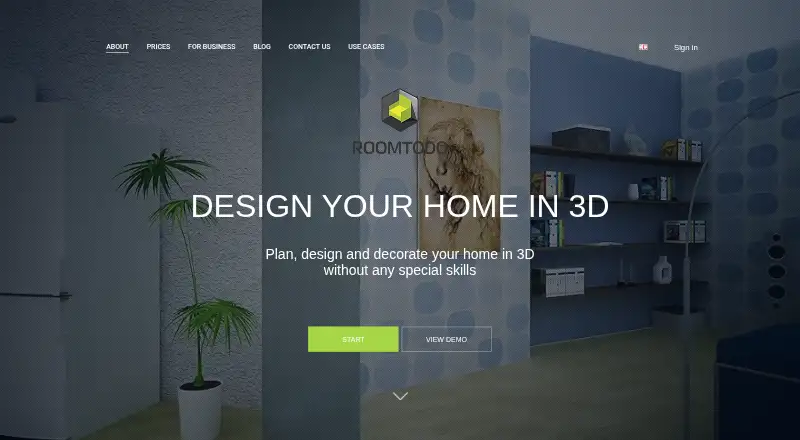
RoomToDo is an online interior design tool for planning and decorating apartments, houses, offices, and other spaces in 3D. Its drawing tools support detailed layouts, including angled walls and walls with uneven thickness. You can upload an apartment plan, trace its room outlines, and use that as the basis for a 3D design. The catalog includes customizable furniture and decorative objects, along with wall, floor, and ceiling finishes such as wallpaper, laminate, tile, mosaic, wood, and stone. Projects can be viewed while drawing, in 2D or 3D, and from a first-person perspective. You can save project versions, share a project link, or post it on Facebook. The service also offers renders and 360-degree panoramas; render credits are sold separately. Free accounts allow 3 saved projects. Basic and Pro include 2D floor-plan PDF export. Pro also includes 3D project export and uploads of custom 3D models in GLB format. RoomToDo runs on the web. Basic costs $10 a month when billed monthly or $5/mon when billed annually; Pro costs $20 a month or $10/mon annually. Basic and Pro are also available per project for 4.99 USD and 9.99 USD, respectively.
Who it suits
RoomToDo suits people planning room layouts or decorating a home, apartment, office, or other space who want to work from an imported plan or draw a layout themselves. Its furniture catalog, multiple viewing modes, and project sharing also suit people preparing designs to review with others.
What it does well
- Draw layouts with angled walls and uneven wall thickness.
- Import apartment plans and trace room outlines.
- Choose customizable furniture, objects, and surface finishes.
- View designs in 2D, 3D, or first-person mode.
- Share project links or post projects on Facebook.
- Basic and Pro include 2D floor-plan PDF export.
What to know first
- The Free plan allows 3 saved projects.
- Render credits are sold separately.
- 3D project export and GLB model uploads are Pro features.
Limits
The Free plan allows 3 saved projects and includes the initial product and material catalog. Basic and Pro include 2D floor-plan PDF export; Pro adds 3D project export and GLB model uploads. Renders and 360-degree panoramas use credits sold separately.
Plans
| Plan | Billed and limits | Price |
|---|---|---|
| Free | 3 saved projects · initial product and material catalog | Free |
| Basic | $10/mon payment monthly; $5/mon payment annually · Unlimited projects · advanced catalog · baseboard editor · custom pictures, textures, and rugs · 2D floor plan PDF export | $10 a month |
| Pro | $20/mon payment monthly; $10/mon payment annually · Unlimited projects · commercial products · advanced features · 3D project export · upload 3D models in GLB format | $20 a month |
| Basic per project | $4.99/project · Basic features in selected project | $4.99, paid once |
| Pro per project | $9.99/project · Pro features in selected project | $9.99, paid once |
As roomtodo.com lists them, read 7 Oct 2026. The maker's own page has the final word.
Getting started
- Open https://roomtodo.com/en/ in a web browser.
- Start with the Free plan or choose a Basic or Pro option.
- Draw a room layout or upload an apartment plan and trace its room outlines.
- Add furniture, decorative objects, and finishes from the catalog.
- Switch between drawing, 2D, 3D, and first-person views.
- Save a project version and share its link or post it on Facebook.
Verdict
Choose RoomToDo if you want a web-based way to turn a floor plan or drawn layout into a furnished 3D design. Look at Pro if you need 3D project export or GLB model uploads; Basic and Pro are paid options, and render credits are sold separately.
Questions
Is RoomToDo free?
Yes. The Free plan costs nothing and allows 3 saved projects with the initial product and material catalog.
How much do the paid plans cost?
Basic costs $10 a month when billed monthly or $5/mon when billed annually. Pro costs $20 a month or $10/mon annually. Basic per project is 4.99 USD once, and Pro per project is 9.99 USD once.
Which platforms does RoomToDo support?
RoomToDo is available on the web.
Can I export a floor plan?
Basic and Pro include 2D floor-plan PDF export. Pro also includes 3D project export.
Can I upload my own 3D models?
Pro includes custom 3D-model uploads in GLB format.
How do I cancel a subscription?
You can cancel through account settings. Cancellation takes effect at the end of the current subscription period; the site says to cancel at least 24 hours before renewal to avoid automatic renewal.
Facts from RoomToDo's own pages
- 2D plans
- Its drawing tools support complex room layouts, including angled walls and walls with uneven thickness. · roomtodo.com, 7 Oct 2026
- Blueprints
- Users can upload an apartment plan and trace room outlines to prepare a design in 3D. · roomtodo.com, 7 Oct 2026
- Business use
- Roomtodo describes business use for real estate, renovation, interior design, furniture, and home-decor companies, with integration options tailored to a company's needs. · roomtodo.com, 7 Oct 2026
- Export and uploads
- Basic and Pro include 2D floor-plan PDF export; Pro also includes 3D project export and custom 3D-model uploads in GLB format. · roomtodo.com, 7 Oct 2026
- Furniture and finishes
- The catalog includes customizable furniture and decorative objects, plus wall, floor, and ceiling finishes such as wallpaper, laminate, tile, mosaic, wood, and stone. · roomtodo.com, 7 Oct 2026
- Privacy and payment security
- The privacy policy says sensitive credit information is encrypted with SSL and transactions are handled by a payment gateway rather than stored or processed on Roomtodo's servers. · roomtodo.com, 7 Oct 2026
- Project visibility
- Projects appear in the gallery and may be indexed by search engines only when users enable “Show in gallery”; marketing use requires separate consent. · roomtodo.com, 7 Oct 2026
- Purpose
- Roomtodo is an online interior design tool for planning, designing, and decorating apartments, houses, offices, and other spaces in 3D. · roomtodo.com, 7 Oct 2026
- Refund limit
- The terms say purchases of credits, Basic, and Pro are non-refundable except for unauthorized purchases, for which a refund can be requested within 14 calendar days. · roomtodo.com, 7 Oct 2026
- Renders
- The site offers renders and 360-degree panoramas, with render credits sold separately on the pricing page. · roomtodo.com, 7 Oct 2026
- Subscription cancellation
- Users can cancel through account settings, and cancellation takes effect at the end of the current subscription period; the site says to cancel at least 24 hours before renewal to avoid automatic renewal. · roomtodo.com, 7 Oct 2026
- Support
- The site directs users with questions about Roomtodo features to its contact form or listed email address. · roomtodo.com, 7 Oct 2026
- Views and sharing
- Users can switch between drawing, 2D, 3D, and first-person views, save project versions, and share a project link or post it on Facebook. · roomtodo.com, 7 Oct 2026
Where RoomToDo stands on Freedom251
- Kitchen design software#13 of 23
- 3D Home Design Software#24 of 39
- Bathroom design software#11 of 14
- Interior Design Software#15 of 19
- Floor Plan Software#20 of 25