Freedom251 › Configuration Management Tools

Rex
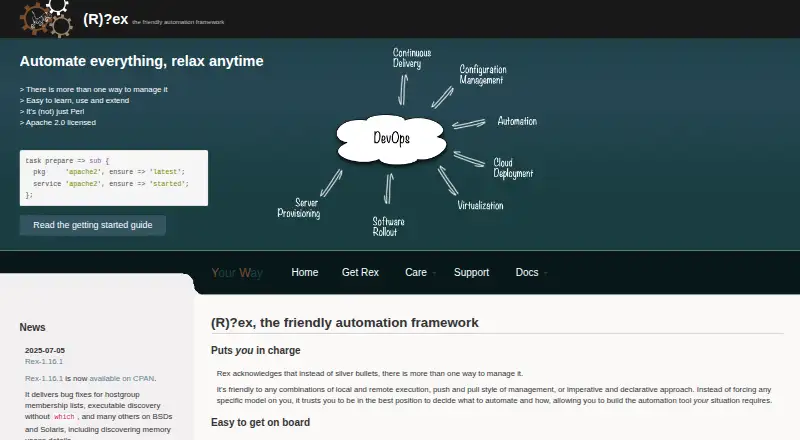
What Rex is
Rex is a free, open-source automation framework for managing local machines and remote machines over SSH. It is self-hosted and agentless, and supports combinations of local and remote execution, push and pull management, and imperative and declarative approaches. A project records its inventory, environments, authentication details, and tasks in a Rexfile. Tasks can install packages, upload configuration files, start services, or run an action when a file changes. Rex uses a DSL with syntax compatible with Perl, and it can be extended with Perl modules or custom code. Its authentication options include passwords, SSH keys, passphrases, external credential sources, and ssh-agent. The control host requires Perl and its dependencies; managed hosts need a Perl 5 interpreter and valid SSH account. Guides cover managing OpenWrt devices and Amazon EC2 instances. The supported-platform list includes Linux, Windows, RHEL/CentOS, Fedora, OpenWRT, BSDs, and Solaris. The recommended installation route is CPAN, with operating-system package managers and source also available. Rex and all its parts use the Apache 2.0 license. Community support is available through GitHub Discussions, Matrix, IRC, a mailing list, and maintainer office hours; the site also lists consulting, training, custom development, and professional support.
Who it suits
Rex suits administrators who want a self-hosted, agentless framework for automating local and remote systems over SSH. Its range of execution styles, Perl-compatible DSL, and documented authentication options may fit teams building automation incrementally.
What it does well
- Combines local and remote execution with push or pull management.
- Tasks can install packages, upload files, start services, and react to file changes.
- Agentless management connects to remote machines over SSH.
- Supports password, SSH key, passphrase, and external credential authentication.
- Guides cover OpenWrt devices and Amazon EC2 instances.
What to know first
- The control host requires Perl and its dependencies.
- Managed hosts require a Perl 5 interpreter and valid SSH account.
- The recommended installation method is CPAN.
Plans
| Plan | Billed and limits | Price |
|---|---|---|
| Rex | Apache 2.0 licensed open-source framework | Free |
As rexify.org lists them, read 8 Oct 2026. The maker's own page has the final word.
Getting started
- Install Rex through CPAN, an operating-system package manager, or from source.
- Ensure the control host has Perl and its dependencies.
- Ensure each managed host has a Perl 5 interpreter and valid SSH account.
- Create a Rexfile with inventory, environments, authentication information, and tasks.
- Choose the authentication method and execution approach for your tasks.
Verdict
Choose Rex if you want a free, Apache 2.0 licensed framework that runs locally and manages remote machines over SSH without agents. Look elsewhere if your managed hosts cannot meet the Perl and SSH requirements.
Questions
How much does Rex cost?
The Rex plan costs nothing and is Apache 2.0 licensed.
Which platforms does Rex support?
The supported-platform list includes Linux, Windows, RHEL/CentOS, Fedora, OpenWRT, BSDs, and Solaris.
Does Rex require an agent on managed machines?
No. Rex is described as agentless and manages remote machines over SSH.
What does Rex require on the control host and managed hosts?
The control host requires Perl and its dependencies. Managed hosts need a Perl 5 interpreter and a valid SSH account.
How do I install Rex?
CPAN is the recommended method. Rex is also distributed through operating-system package managers and from source.
What license does Rex use?
Rex and all its parts are released under the Apache 2.0 license.
Facts from Rex's own pages
- Authentication
- Rex documents password and SSH key authentication, passphrases, external credential sources, and ssh-agent. · rexify.org, 8 Oct 2026
- Commercial support
- The site lists consulting, training, and custom development from a core developer, as well as professional support from inovex. · rexify.org, 8 Oct 2026
- Community support
- Community support is available through GitHub Discussions, Matrix, IRC, a mailing list, and maintainer office hours. · rexify.org, 8 Oct 2026
- Configuration management
- Rex tasks can install packages, upload configuration files, start services, and run an action when a file changes. · rexify.org, 8 Oct 2026
- Execution choices
- Rex supports combinations of local and remote execution, push and pull management, and imperative and declarative approaches. · rexify.org, 8 Oct 2026
- Installation
- The recommended installation method is CPAN, and Rex is also distributed through operating-system package managers and from source. · rexify.org, 8 Oct 2026
- Integrations
- The guides include managing OpenWrt devices and Amazon EC2 instances. · rexify.org, 8 Oct 2026
- Intended use
- The site describes Rex as suitable for incremental automation because it runs locally while managing remote systems over SSH. · rexify.org, 8 Oct 2026
- Language
- Rex uses a simple DSL that is syntax-compatible with Perl, and users can extend it with Perl modules or their own code. · rexify.org, 8 Oct 2026
- License
- Rex and all its parts are released under the Apache 2.0 license. · rexify.org, 8 Oct 2026
- Purpose
- Rex is an automation framework for managing local machines and remote machines over SSH. · rexify.org, 8 Oct 2026
- Requirements
- The control host requires Perl and its dependencies; managed hosts need a Perl 5 interpreter and a valid SSH account. · rexify.org, 8 Oct 2026
- Task files
- Rex projects define inventory, environments, authentication information, and tasks in a Rexfile. · rexify.org, 8 Oct 2026
- Windows support
- The project’s release notes say Rex 1.16.0 added features for running commands on Windows. · rexify.org, 8 Oct 2026
Where Rex stands on Freedom251
- Configuration Management Tools#18 of 26