Freedom251 › Code review software
Review Assistant
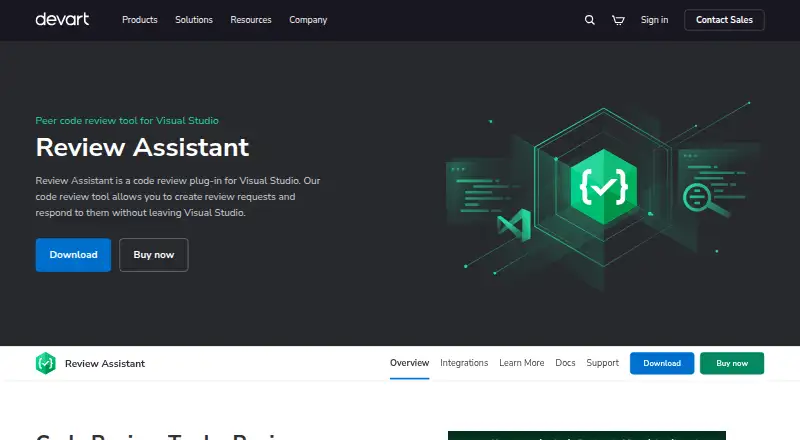
What Review Assistant is
Review Assistant is a self-hosted code-review plug-in for Visual Studio. Developers create review requests and answer comments without leaving the IDE, while teams can choose simple or strict workflows and start post-commit reviews on selected revisions. Comments can attach to source lines, code blocks, files, or an entire review, and can be marked as defects. Reviews support repeated comment, fix, and verification rounds, with reviewers able to inspect changes made in response. Supported version-control connections include Azure DevOps Server TFVC, Azure DevOps Git, Git, Subversion, Mercurial, and Perforce. Listed build integrations include Jenkins, CruiseControl.NET, and MSBuild. Reports cover review status, code coverage, printable review details, and author and reviewer statistics. The server sends email notifications, while the Visual Studio client shows pop-ups. The free version costs nothing for three users and one project after a 30-day unlimited trial. One-time paid licenses start at $349.95, paid once for 10 users and reach $3,149.95, paid once for unlimited users.
Who it suits
Review Assistant suits small development teams and organisations needing self-hosted reviews integrated with Visual Studio and several version-control systems.
What it does well
- Supports simple and strict review workflows
- Threaded comments can mark defects
- Handles iterative fix-and-verification cycles
- Integrates with multiple code hosts
- Provides review and coverage reports
What to know first
- Free version is limited to three users
- Free version allows one project
- Paid licenses are one-time purchases
- Self-hosted installation is required
Limits
After the 30-day trial, the free version allows 3 users and 1 project. Paid options range from $349.95, paid once for 10 users to $3,149.95, paid once for unlimited users.
Plans
| Plan | Billed and limits | Price |
|---|---|---|
| Free (3 users) | 3 users · 1 project | Free |
| 50 Users | 50 users | $1,049.95, paid once |
| 100 Users | 100 users | $1,579.95, paid once |
| Unlimited | Unlimited users | $3,149.95, paid once |
| 10 Users | 10 users | $349.95, paid once |
| 25 Users | 25 users | $699.95, paid once |
As devart.com lists them, read 11 Oct 2026. The maker's own page has the final word.
Getting started
- Open the Review Assistant website
- Download the Windows, self-hosted installer
- Install Review Assistant, with or without Visual Studio
- Start the 30-day trial for unlimited users and projects
- Choose the free plan or a paid user tier
- Connect a supported version-control system and configure review workflows
Verdict
Review Assistant provides structured reviews, threaded discussions, reports, notifications, and broad repository integrations in a self-hosted package. Its free tier targets small teams, while paid licenses expand user capacity.
Questions
Is there a free plan?
Yes. The Free (3 users) plan costs nothing and covers 3 users and 1 project after the trial.
How long is the trial?
Review Assistant includes a 30-day trial with unlimited users and projects.
What platforms does it support?
The listed platforms are self-hosted and Windows. It can be installed without Visual Studio.
Which code hosts integrate with Review Assistant?
Integrations include Team Foundation Server, Azure DevOps, Git, Subversion, Mercurial, and Perforce.
What do paid plans cost?
One-time plans are $349.95, paid once for 10 users, 699.95 USD for 25, 1049.95 USD for 50, 1579.95 USD for 100, and 3149.95 USD for unlimited users.
Does it provide build integrations?
Yes. Listed integrations include Jenkins, CruiseControl.NET, and MSBuild for review controls and build protection.
Facts from Review Assistant's own pages
- Build integrations
- The integrations page describes integrations with Jenkins, CruiseControl.NET, and MSBuild for controlling reviews or preventing unreviewed code from entering builds. · devart.com, 11 Oct 2026
- Company
- Devart says it was founded in 1997. · devart.com, 11 Oct 2026
- Discussions
- Review Assistant supports threaded comments on source lines, code blocks, files, or an entire review, and comments can be flagged as defects. · devart.com, 11 Oct 2026
- Download
- The download page lists Review Assistant version 4.3.11, released 06-Mar-2026. · devart.com, 11 Oct 2026
- Founded
- 1997 · devart.com, 28 Sept 2026
- Free tier limit
- After the 30-day trial for unlimited users and projects expires, the free version is limited to 3 users and 1 project. · devart.com, 11 Oct 2026
- Headquarters
- Prague, Czech Republic · devart.com, 28 Sept 2026
- Installation
- Review Assistant can be installed without Visual Studio. · devart.com, 11 Oct 2026
- Intended audience
- Devart describes the free version as a code review tool for small development teams. · devart.com, 11 Oct 2026
- Iterative reviews
- A review can go through multiple comment, fix, and verification cycles, with reviewers able to see changes made in response to comments. · devart.com, 11 Oct 2026
- Notifications
- The server can send email notifications about review events, while the client provides pop-up notifications within Visual Studio. · devart.com, 11 Oct 2026
- Purpose
- Review Assistant is a code review plug-in for Visual Studio that lets developers create review requests and respond to them without leaving the IDE. · devart.com, 11 Oct 2026
- Reports
- The product provides review status, code coverage, detailed printable review, and author and reviewer statistics reports. · devart.com, 11 Oct 2026
- TFS features
- TFS integration includes importing projects and users, pre-commit reviews using shelvesets, and a check-in policy that can prevent check-ins without a review. · devart.com, 11 Oct 2026
- Version control
- The product supports Azure DevOps Server TFVC, Azure DevOps Git, Git, Subversion, Mercurial, and Perforce integrations. · devart.com, 11 Oct 2026
- Workflows
- Teams can choose a simple or strict review workflow, and developers can start post-commit reviews on selected revisions. · devart.com, 11 Oct 2026
Where Review Assistant stands on Freedom251
- Code review software#33 of 51