Freedom251 › Photo Editing Software
Retouch4me
by Retouch4me
What Retouch4me is
Retouch4me is a set of AI photo and video retouching tools, plugins, and apps from Retouch4me, a company based in Tallinn, Estonia. Its photo tools handle skin retouching, eye enhancement, teeth whitening, background cleanup, dust removal, and cropping. Apex brings the maker’s retouching tools into one application; Arams is for automatic photo analysis, culling, and batch retouching. Listed capabilities include RAW photo support, layer editing, masking, batch editing, and cloud sync.
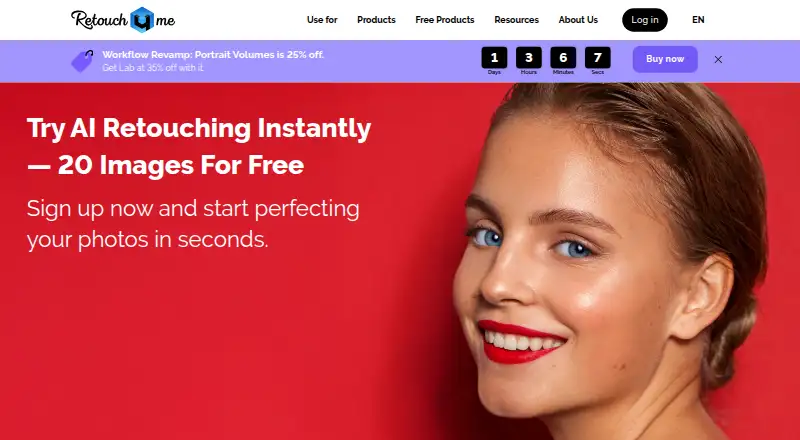
Photo plugins work with Adobe Photoshop, Lightroom, Capture One, and Affinity Photo. Video OFX plugins work with compatible editors such as DaVinci Resolve and VEGAS Pro; Color Match is also available for Adobe Premiere and Final Cut. Perpetual plugin licenses allow unlimited file processing offline, and the Photoshop Panel page describes on-device processing without an internet connection. Cloud users can start with 20 free photo retouches without a credit card. Annual plans include retouching and culling credits plus cloud storage. The cloud API requires a token from an authorized, verified account. Retouch4me lists Android, iOS, macOS, Windows, web, API, and extension platforms.
Who it suits
Retouch4me suits portrait, wedding, event, and product photographers who want AI tools for retouching or batch workflows. It also fits users working in the listed photo and video editors, with separate options for offline plugin processing and cloud services.
What it does well
- Photo tools cover skin, eyes, teeth, backgrounds, dust, and cropping.
- Supports RAW photos, layers, masking, batch editing, and cloud sync.
- Plugins work with Photoshop, Lightroom, Capture One, and Affinity Photo.
- Perpetual plugin licenses allow unlimited offline file processing.
- Cloud trial includes 20 photo retouches without a credit card.
What to know first
- Cloud API access requires an authorized, verified account token.
- Canceled annual plans forfeit unused credits without a refund.
- Annual subscriptions begin at $169 a year.
Limits
The free cloud trial provides 20 photo retouches, and the free plugins plan includes Frequency Separation and Color Match Free. Annual plans have fixed yearly credit and cloud storage allowances; unused credits are forfeited without refund if the subscription is canceled.
Plans
| Plan | Billed and limits | Price |
|---|---|---|
| Start (annual subscription) | Billed yearly · 2,400 retouching credits/year · 108,000 culling credits/year · 20 GB cloud storage | $169 a year |
| Pro (annual subscription) | Billed yearly · 6,000 retouching credits/year · 300,000 culling credits/year · 40 GB cloud storage | $299 a year |
| Business (annual subscription) | Billed yearly · 18,000 retouching credits/year · 1,200,000 culling credits/year · 100 GB cloud storage | $759 a year |
| Trial pack | 20 cloud photo retouches | Free |
| Free Plugins | Frequency Separation · Color Match Free | Free |
| Video Plugins | One-time purchase · 5 plugins for video color matching and skin retouching | $124, paid once |
| Photo Plugins | One-time purchase · 15 AI plugins for portrait, events and product photography | $145, paid once |
| Start | Billed yearly; $14.08/month shown · 2 400 retouching credits/year · 108 000 culling credits/year · 20 GB MyShot storage | $169 a year |
The first 8 of 13 plans, as retouch4.me lists them, read 23 Sept 2026. The maker's own page has the final word. Every plan
Getting started
- Visit https://retouch4.me/.
- Choose among the free trial, free plugins, plugin purchases, credit packs, or annual subscriptions.
- For a cloud trial, start with the 20 free photo retouches; no credit card is required.
- For photo plugins, use a listed editor such as Photoshop, Lightroom, Capture One, or Affinity Photo.
- For video OFX plugins, use an OFX-compatible editor; Color Match is also available for Premiere and Final Cut.
- For API access, obtain a token from an authorized and verified account.
Verdict
Choose Retouch4me if you want photo or video retouching tools across its listed apps, plugins, and integrations. Its offline perpetual plugin licenses suit workflows that need unlimited file processing without an internet connection. Look elsewhere if you need cloud API access without an authorized account token or want to retain annual-plan credits after cancellation.
Questions
How much does Retouch4me cost?
The listed annual subscriptions are Start at $169 a year, Pro at $299 a year, and Business at $759 a year. Other listed options include one-time plugin purchases and credit packs, including Starter Pack at $24 a month, billed as a one-time payment.
Is there a free plan or trial?
Yes. The Trial pack is free and includes 20 cloud photo retouches. Free Plugins includes Frequency Separation and Color Match Free.
Which platforms does it support?
The listed platforms are Android, iOS, macOS, Windows, web, API, and extension.
Which photo and video editors are supported?
Photo plugins work with Adobe Photoshop, Lightroom, Capture One, and Affinity Photo. Video OFX plugins work with OFX-compatible editors such as DaVinci Resolve and VEGAS Pro; Color Match is also available for Adobe Premiere and Final Cut.
Can plugins process files offline?
Perpetual plugin licenses allow unlimited file processing without an internet connection. The Photoshop Panel page also describes on-device processing without an internet connection.
Who makes Retouch4me?
The maker is Retouch4me. The website identifies RELU OÜ in Tallinn, Estonia, as the company, and RELU-FZCO in Dubai as its sales representative.
Facts from Retouch4me's own pages
- AI retouching
- Yes · global.retouch4.me, 23 Sept 2026
- Apps
- Apex combines Retouch4me retouching tools in one application, while Arams is described as an app for automatic photo analysis, culling, and batch retouching. · global.retouch4.me, 5 Oct 2026
- Audience
- The maker describes the tools as created by photographers for photographers and highlights portrait, wedding, and other professional photography workflows. · retouch4.me, 5 Oct 2026
- Batch editing
- Yes · global.retouch4.me, 23 Sept 2026
- Cloud API
- Retouch4me provides a cloud AI retouching API that requires a token from an authorized and verified account. · retouch4.me, 5 Oct 2026
- Cloud sync
- Yes · global.retouch4.me, 23 Sept 2026
- Cloud trial
- The maker offers 20 free cloud retouches, and the pack page says no credit card is required. · retouch4.me, 5 Oct 2026
- Company
- The website identifies RELU OÜ in Tallinn, Estonia, as the company and lists RELU-FZCO in Dubai as its sales representative. · global.retouch4.me, 5 Oct 2026
- Free plan
- No · global.retouch4.me, 23 Sept 2026
- Headquarters
- Tallinn, Estonia · retouch4.me, 19 Oct 2026
- Integrations
- The maker says its plugins work with Adobe Photoshop, Lightroom, Capture One, and Affinity Photo. · retouch4.me, 5 Oct 2026
- Layer editing
- Yes · global.retouch4.me, 23 Sept 2026
- Limits
- Annual plan credits roll over for up to five years while the subscription is active, and unused credits are forfeited without refund if it is canceled. · global.retouch4.me, 5 Oct 2026
- Local processing
- Perpetual plugin licenses allow unlimited file processing without an internet connection. · global.retouch4.me, 5 Oct 2026
- Masking tools
- Yes · global.retouch4.me, 23 Sept 2026
- Photo edits
- Its photo plugins include tools for skin retouching, eye enhancement, teeth whitening, background cleanup, dust removal, and cropping. · global.retouch4.me, 5 Oct 2026
- Platform
- multi-platform · global.retouch4.me, 23 Sept 2026
- Privacy
- The Photoshop Panel page describes on-device processing as providing complete confidentiality and requiring no internet connection. · retouch4.me, 5 Oct 2026
- Purpose
- Retouch4me offers AI-powered photo and video retouching tools and plugins. · retouch4.me, 5 Oct 2026
- RAW photo support
- Yes · global.retouch4.me, 23 Sept 2026
- Paid from
- 14.08 · global.retouch4.me, 23 Sept 2026
- Support
- The pricing page lists [email protected] and +372 54420584 for contact. · global.retouch4.me, 5 Oct 2026
- Video integrations
- Video OFX plugins work with OFX-compatible editors such as DaVinci Resolve and VEGAS Pro, and Color Match is also available for Adobe Premiere and Final Cut. · retouch4.me, 5 Oct 2026
Where Retouch4me stands on Freedom251
- Photo Editing Software#27 of 159