Freedom251 › eBPF Observability Tools
Retina
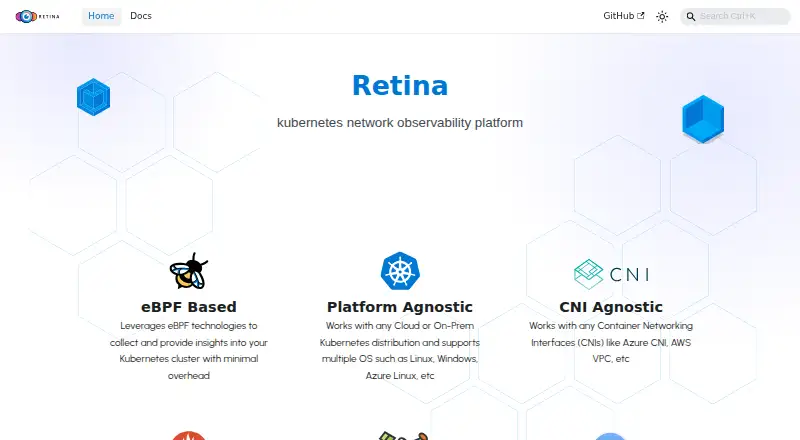
What Retina is
Retina is a free, open-source, self-hosted Kubernetes network observability platform that is cloud-agnostic. It uses eBPF plugins to collect network telemetry enriched with Kubernetes context, then exposes Prometheus metrics for traffic, dropped packets, DNS, API server latency, and other signals. Distributed packet captures can run across nodes hosting selected pods and upload results to storage. Retina works with cloud or on-premises Kubernetes distributions and multiple CNIs, including Azure CNI and AWS VPC. Integrations include Hubble, Prometheus, Grafana, Azure Monitor, and Azure Log Analytics. Installation uses Helm in an existing cluster; requirements include Helm 3.8.0 or later and Linux kernel 5.4.0 or later. The CLI supports Linux, Windows, and macOS on x86_64 and ARM64. Retina targets cluster network and security administrators and DevOps teams. It is MIT-licensed.
Who it suits
Retina suits cluster network or security administrators and DevOps teams handling DevOps, SecOps, or compliance work. It requires an existing Kubernetes cluster for deployment.
What it does well
- Open-source and self-hosted
- eBPF telemetry includes Kubernetes context
- Prometheus metrics cover network signals
- Distributed packet captures supported
- CLI runs on Linux, Windows, and macOS
What to know first
- Requires an existing Kubernetes cluster
- Requires Helm 3.8.0 or later
- Capture resource needs Standard control plane and operator
- Performance concerns on 32-plus CPU cores under high load
Limits
Capture resources need the Standard control plane and a running Retina operator, although the CLI can trigger captures without the operator. The project reports performance considerations for Advanced metrics with packetparser on systems with 32 or more CPU cores under sustained, high-volume network load.
Getting started
- Open the Retina website and prepare an existing Kubernetes cluster
- Install Helm version 3.8.0 or later
- Check that Linux nodes meet the documented 5.4.0 kernel minimum
- Install Retina into the cluster with Helm
- Use the CLI or a Capture resource to start packet captures
- Export telemetry to Prometheus or Azure Monitor and visualize it with supported tools
Verdict
Retina provides Kubernetes network visibility through eBPF metrics and distributed captures, with integrations for common monitoring tools. Deployment prerequisites and documented high-load performance considerations should shape planning.
Questions
Is Retina free?
Yes. Retina is free, open-source software using the MIT License, with a self-hosted deployment model.
Which platforms does Retina support?
The project supports Linux, Windows, Azure Linux, macOS, and self-hosted deployments. Its CLI supports Linux, Windows, and macOS on x86_64 and ARM64.
What does Retina require for installation?
You need an existing Kubernetes cluster and Helm 3.8.0 or later. Retina documents Linux kernel 5.4.0 as its minimum.
Where can Retina send telemetry?
Telemetry can be exported to Prometheus and Azure Monitor, with Grafana and Azure Log Analytics available for visualization.
Can Retina capture packets?
Yes. Distributed captures can target nodes hosting selected pods and upload results to storage, using the CLI or a Kubernetes Capture resource.
Does Retina support Windows Server 2019?
No. The project directs Windows workloads to Windows Server 2022 instead.
Facts from Retina's own pages
- Capture limitation
- The Capture CRD requires the Standard control plane and a running Retina operator, while captures can also be triggered with the CLI without the operator. · retina.sh, 9 Oct 2026
- CLI platforms
- The Retina CLI supports Linux, Windows, and macOS on x86_64 and ARM64. · retina.sh, 9 Oct 2026
- Cloud and CNI support
- The project says it works with cloud or on-premises Kubernetes distributions and multiple CNIs, including Azure CNI and AWS VPC. · retina.sh, 9 Oct 2026
- Data collection
- It uses eBPF plugins to collect and enrich network telemetry with Kubernetes context. · retina.sh, 9 Oct 2026
- Deployment
- Retina is installed into an existing Kubernetes cluster using Helm. · retina.sh, 9 Oct 2026
- eBPF
- Retina uses eBPF to collect network telemetry from Kubernetes workloads. · retina.sh, 9 Oct 2026
- Integrations
- Retina integrates with Cilium Hubble for additional network insights, including flow logs and DNS information. · retina.sh, 9 Oct 2026
- Intended users
- Retina is aimed at cluster network administrators, cluster security administrators, and DevOps engineers working on DevOps, SecOps, and compliance use cases. · github.com, 9 Oct 2026
- License
- The repository uses the MIT License, which grants permission to use, copy, modify, distribute, sublicense, and sell copies of the software subject to its terms. · github.com, 9 Oct 2026
- Metrics
- It provides Prometheus metrics for traffic, dropped packets, DNS, and API server latency, among other network signals. · retina.sh, 9 Oct 2026
- Metrics destinations
- Retina telemetry can be exported to Prometheus and Azure Monitor and visualized with tools such as Grafana and Azure Log Analytics. · github.com, 9 Oct 2026
- Notable limitation
- The project reports performance considerations for Advanced metrics with the packetparser plugin on nodes with 32 or more CPU cores under high network load. · github.com, 9 Oct 2026
- Packet capture
- Retina can run distributed packet captures across nodes hosting selected pods and upload the results to storage. · retina.sh, 9 Oct 2026
- Packet captures
- It supports distributed packet captures initiated through its CLI or a Kubernetes Capture resource. · retina.sh, 9 Oct 2026
- Performance limitation
- The documentation reports community concerns about performance on systems with 32 or more CPU cores under sustained, high-volume network load when using Advanced metrics with packetparser. · retina.sh, 9 Oct 2026
- Product
- Retina is an open-source Kubernetes network observability platform for monitoring application health, network health, and security. · github.com, 9 Oct 2026
- Requirements
- Installation requires an existing Kubernetes cluster and Helm version 3.8.0 or later; Retina documents Linux kernel 5.4.0 as its minimum. · retina.sh, 9 Oct 2026
- Security
- The project states that Retina images published to GHCR are cryptographically signed and provides cosign verification instructions. · github.com, 9 Oct 2026
- Support
- The project lists [email protected] as a contact address and publishes community office hours every Friday at 11:30 AM PST. · retina.sh, 9 Oct 2026
- Supported environments
- The project says it works with cloud or on-premises Kubernetes distributions and multiple operating systems, including Linux and Windows. · retina.sh, 9 Oct 2026
- Windows limitation
- Retina no longer supports Windows Server 2019 nodes; the project directs users to Windows Server 2022 for Windows workloads. · github.com, 9 Oct 2026
Where Retina stands on Freedom251
- eBPF Observability Tools#20 of 29