Freedom251 › Regular Expression Testers
Retest
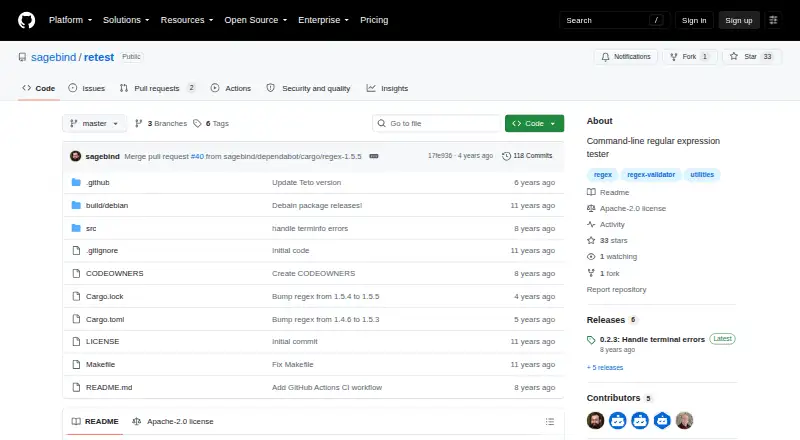
What Retest is
Retest is a free, open-source terminal utility for developing and checking regular expressions on Linux. A subject string can be supplied as an argument or piped in through standard input, so it can fit into shell workflows. Retest finds all non-crossing matches and highlights nested capture groups in colors distinct from the whole match. An optional formatted list presents matches in order with their string indexes. Release 0.2.2 added a flag for reading the subject directly from a file. The project provides Linux release binaries, including a 64-bit Debian installer package listed for that release. Its README also describes compiling from source with Cargo and installing through a Makefile. The source code and documentation are licensed under Apache License 2.0. The project presents Retest as a terminal-based alternative to regex101, with a focus on building and checking patterns from the command line. No paid plans or usage limits are listed.
Who it suits
Retest suits developers who want to inspect regular-expression matches from a Linux terminal. Its standard-input support may also suit people who want to check patterns as part of shell pipelines.
What it does well
- Accepts subject text through arguments or standard input
- Highlights nested capture groups distinctly
- Can display match order and string indexes
- Offers Linux binaries and source installation instructions
What to know first
- The listed platform is Linux
- The project is terminal-based
Plans
| Plan | Billed and limits | Price |
|---|---|---|
| Free | No paid plans or usage limits are listed | Free |
As github.com lists them, read 9 Oct 2026. The maker's own page has the final word.
Getting started
- Open the Retest GitHub project page.
- Choose a Linux release binary, including the 64-bit Debian installer listed for release 0.2.2.
- Alternatively, compile from source with Cargo and install through the Makefile.
- Provide a subject as an argument, through standard input, or with the file-input flag.
Verdict
Retest provides match highlighting and an optional indexed match list in a Linux terminal workflow. It is a focused option for developers comfortable working from the command line.
Questions
How much does Retest cost?
The Free plan costs nothing. The project lists no paid plans or usage limits.
Is Retest open source?
Yes. Its source code and documentation are licensed under Apache License 2.0.
Which platforms does Retest support?
The listed platform is Linux desktop. Linux release binaries are available.
How can I provide text to match?
You can pass a subject string as an argument, pipe it through standard input, or use the file-input flag.
How can I install Retest?
The project provides Linux release binaries and describes compiling with Cargo and installing through a Makefile.
Facts from Retest's own pages
- Build
- The README describes compiling from source with Cargo and installing through a Makefile. · github.com, 4 Oct 2026
- Feature requests
- Users can suggest features by opening a GitHub issue or emailing the maintainer. · github.com, 9 Oct 2026
- Feedback
- Users can suggest features by opening a GitHub issue or emailing the maintainer. · github.com, 4 Oct 2026
- File input
- The v0.2.2 release added a command flag to read a subject directly from a file. · github.com, 9 Oct 2026
- Highlighting
- It highlights nested capture groups in colors distinct from the whole match. · github.com, 4 Oct 2026
- Input
- A subject string can be piped to Retest through standard input or supplied as an argument. · github.com, 9 Oct 2026
- Installation
- The project provides Linux release binaries and instructions for compiling and installing from source with Cargo or Make. · github.com, 9 Oct 2026
- Integration
- Retest accepts input through standard input, so it can be used with shell pipes. · github.com, 9 Oct 2026
- Intended users
- The README presents Retest as a developer utility for building and checking regular expressions in a terminal. · github.com, 9 Oct 2026
- License
- The source code and documentation are licensed under Apache License 2.0. · github.com, 9 Oct 2026
- Linux downloads
- The project provides Linux binaries for releases, and release 0.2.2 also lists a 64-bit Debian installer package. · github.com, 4 Oct 2026
- Matches
- It finds all non-crossing matches in the subject string. · github.com, 4 Oct 2026
- Matching
- Retest finds all non-crossing matches in the subject string. · github.com, 9 Oct 2026
- Match list
- An optional formatted list shows match order and string indexes. · github.com, 9 Oct 2026
- Nested highlighting
- Capture groups and subgroups are highlighted in different colors from the whole match. · github.com, 9 Oct 2026
- Piping
- It can read the subject string to match from standard input. · github.com, 4 Oct 2026
- Purpose
- Retest is a terminal regular expression tester intended as a simple, quick utility for developing regular expressions. · github.com, 4 Oct 2026
- Support
- The maintainer invites questions by email and asks users to include “retest” in the subject line. · github.com, 9 Oct 2026
- Use case
- The README compares Retest to regex101, describing Retest as a terminal-based alternative. · github.com, 4 Oct 2026
- What it does
- Retest is a terminal regular expression tester intended as a simple, quick utility for developing regular expressions. · github.com, 9 Oct 2026
Where Retest stands on Freedom251
- Regular Expression Testers#14 of 23