Freedom251 › Regular Expression Testers
Regex Tester Pro
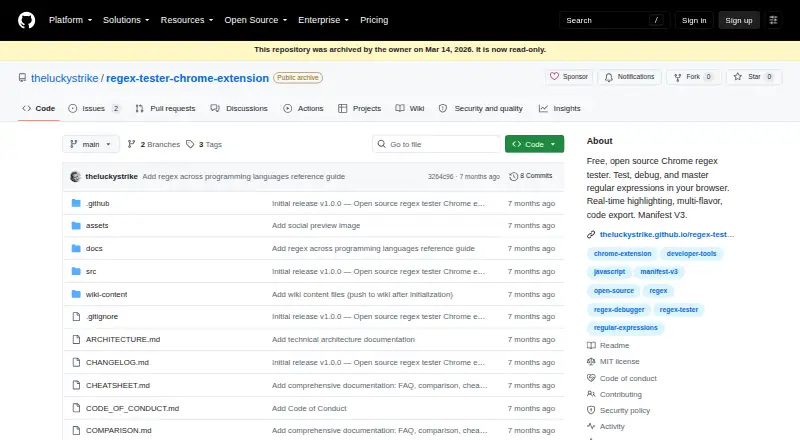
What Regex Tester Pro is
Regex Tester Pro is a browser extension for building, checking, and debugging regular expressions. It highlights matches in real time, extracts named and numbered capture groups with labels, and previews Find and Replace results, including capture-group backreferences such as $1 and $2. It supports global, case-insensitive, multiline, dotall, unicode, and sticky flags, and can run a pattern against multiple strings. The extension also provides a plain-English pattern explanation, a ReDoS safety analyzer, more than 40 examples, and a quick-insert palette. It generates code for JavaScript, Python, Java, PHP, Go, Ruby, C#, and Rust. A right-click context menu can send selected webpage text to the tester. The project says the extension processes patterns locally and works offline; its listed permissions are storage, activeTab, and contextMenus. A free plan is available. Zovo Pro adds unlimited AI-powered regex generation, multi-flavor support, unlimited pattern history, and priority support. Zovo Pro costs $4.99 a month, billed monthly and renewing until cancelled; Zovo Lifetime costs 99.00 USD as one payment. The project is maintained by solo developer Michael Lip, who publishes as theluckystrike on GitHub. Its repository is archived and read-only.
Who it suits
Regex Tester Pro suits people who want to inspect matches, capture groups, and replacements while working with regular expressions in a browser. Its code generation, pattern explanation, multiple-string testing, and offline operation also serve developers who need a browser-based regex utility.
What it does well
- Highlights matches in real time and labels named and numbered capture groups.
- Previews replacements, including capture-group backreferences.
- Generates code for eight listed programming languages.
- Includes a pattern explainer, ReDoS analyzer, examples, and quick-insert palette.
- Works offline and processes patterns locally, according to the project.
What to know first
- The GitHub repository is archived and read-only.
- Unlimited AI generation, unlimited history, and priority support require Pro access.
Limits
The free plan is available; unlimited AI-powered regex generation, unlimited pattern history, multi-flavor support for Python, Go, Java, PCRE, and .NET engines, and priority support are listed as Pro features.
Plans
| Plan | Billed and limits | Price |
|---|---|---|
| Zovo Pro | Monthly; renews until cancelled · Pro features across included extensions while subscription is active | $4.99 a month |
| Zovo Lifetime | One payment; no subscription renewals · Lifetime Pro access across included extensions | $99, paid once |
As github.com lists them, read 7 Oct 2026. The maker's own page has the final word.
Getting started
- Open the project website on GitHub.
- Install the extension from the Chrome Web Store.
- Alternatively, follow the project's manual installation steps using Chrome developer mode.
- Use the free plan, or choose Zovo Pro at $4.99 a month or Zovo Lifetime at $99 as a one-time payment.
Verdict
Choose Regex Tester Pro for browser-based pattern debugging, replacement previews, and code generation, with offline use and a free plan. Look elsewhere if you need an actively maintained repository, or if the Pro features do not fit your plan or budget.
Questions
Is Regex Tester Pro free?
Yes. The project lists a free plan. Zovo Pro is $4.99 a month, billed monthly and renewing until cancelled; Zovo Lifetime is 99.00 USD as one payment.
Which platforms does it support?
It is listed as an extension, and the project links to the Chrome Web Store and provides manual installation steps for Chrome developer mode.
Which regex flavors does it support?
The listed flavors are JavaScript, Python, Go, Java, PCRE, and .NET. Code generation is also available for PHP, Ruby, C#, and Rust.
Who makes Regex Tester Pro?
It is maintained by solo developer Michael Lip, who publishes under theluckystrike on GitHub.
Does it work offline?
The project says the extension works completely offline and processes regular expressions locally in the browser.
Is the project still maintained?
GitHub says the repository was archived by its owner on March 14, 2026, and is read-only.
Facts from Regex Tester Pro's own pages
- Additional tools
- Features include a plain-English pattern explainer, a ReDoS safety analyzer, 40+ examples, a quick-insert palette, and multi-string testing. · github.com, 7 Oct 2026
- Availability
- The project links to the Chrome Web Store and gives manual installation steps for Chrome developer mode. · github.com, 7 Oct 2026
- Browser integration
- A right-click context menu lets users select text on a webpage and test it with Regex Tester. · github.com, 7 Oct 2026
- Capture groups
- It extracts named and numbered capture groups and displays them with labels. · github.com, 7 Oct 2026
- Code export
- It generates regex code for JavaScript, Python, Java, PHP, Go, Ruby, C#, and Rust. · github.com, 7 Oct 2026
- Flags
- It supports global, case-insensitive, multiline, dotall, unicode, and sticky regex flags. · github.com, 7 Oct 2026
- Maker
- Zovo is described as a solo operation built and maintained by developer Michael Lip, who publishes under theluckystrike on GitHub. · zovo.one, 7 Oct 2026
- Offline use
- The repository says the extension works completely offline and processes regex locally in the browser. · github.com, 7 Oct 2026
- Privacy and permissions
- The repository states it collects or transmits no user data and lists storage, activeTab, and contextMenus as its permissions. · github.com, 7 Oct 2026
- Pro features
- The repository lists unlimited AI-powered regex generation, multi-flavor support for Python, Go, Java, PCRE, and .NET engines, unlimited pattern history, and priority support as Pro features. · github.com, 7 Oct 2026
- Project status
- GitHub says the repository was archived by its owner on March 14, 2026 and is read-only. · github.com, 7 Oct 2026
- Purpose
- Regex Tester lets users test and debug regular expressions in the browser with real-time match highlighting and code export. · github.com, 7 Oct 2026
- Replace preview
- Find and Replace provides a live preview and supports capture-group backreferences such as $1 and $2. · github.com, 7 Oct 2026
- Support
- The project directs users to GitHub to report bugs or request features and says suggestions are read. · github.com, 7 Oct 2026
Where Regex Tester Pro stands on Freedom251
- Regular Expression Testers#12 of 23