Freedom251 › Interactive Product Demo Software
Rendemo
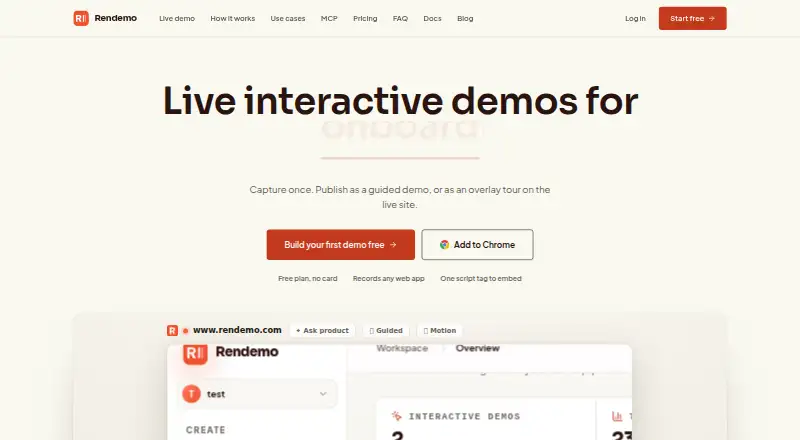
What Rendemo is
Rendemo turns recordings of web products into interactive walkthroughs, which can be shared as guided demos or shown as overlay tours on a live product. Its Chrome extension captures a product’s HTML along with clicks, navigation, visual state, and cursor movement. Finished recordings can be shared by link, embedded with one script tag, or exported as video. Embeds can appear inline or behind a button and are stated to work with plain HTML, React, Vue, and Svelte. Pro includes step funnels and content-gap analytics to show where viewers progress or pause. An MCP server for Claude Code, Claude.ai, and other compatible agents is available on every plan, including free. The maker lists onboarding, sales, support, product-led growth pages, internal training, and release announcements as uses. Recording starts only after a user selects a source and begins; users can pause or stop, disable microphone and camera capture, export locally, review and redact material, and delete recordings or generated content. Free includes one published demo or tour and up to 1,000 views per month. Pro costs $39 per month; Scale costs $129 per month.
Who it suits
Rendemo may suit teams creating product walkthroughs for onboarding, sales, support, training, or release announcements. Its plans also offer analytics, branching, lead capture, and higher view allowances for teams with those needs.
What it does well
- Recordings can be shared, embedded, or exported as video.
- Embeds support plain HTML, React, Vue, and Svelte.
- MCP server is available on every plan.
- Free plan includes one demo and 1,000 monthly views.
- Recording and captured-content controls include pausing and redaction.
What to know first
- Free plan is limited to one published demo or tour.
- Free plan includes the Rendemo badge.
- Pro costs $39 per month.
- Scale allows up to 150,000 monthly views.
Limits
Free includes one published demo or tour, up to 1,000 views per month, and a Rendemo badge. Pro raises the allowance to 25,000 views monthly, while Scale allows up to 150,000; Enterprise includes unlimited views with custom pricing.
Plans
| Plan | Billed and limits | Price |
|---|---|---|
| Free | $0 forever · 1 published demo or tour · Up to 1,000 views / mo · Rendemo badge | Free |
| Scale | $129/ month · Up to 150,000 views / mo · Live Guide overlay demos · Localization · Roles and permissions · Priority rendering | $129 a month |
| Pro | $39/ month · Unlimited creators and published demos · Up to 25,000 views / mo · No Rendemo badge · Brand kit · Step funnels and content-gap analytics · Persona variants · Branching · Lead capture | $39 a month |
| Enterprise | Custom · Unlimited views · SSO / SAML · Security review and SLA · Dedicated support | On request |
As rendemo.com lists them, read 2 Oct 2026. The maker's own page has the final word.
Getting started
- Open Rendemo in a web browser
- Install its Chrome extension
- Select a web product source
- Start recording interactions
- Review and redact captured material if needed
- Publish by link, embed, or video export
- Choose a plan based on demos and monthly views
Verdict
Rendemo combines interactive walkthrough creation with several publishing options and user controls for recordings. The free plan is limited to one published demo or tour, while analytics and higher view allowances are part of paid plans.
Questions
What can Rendemo publish?
Recordings can be shared as links, embedded with one script tag, or exported as video. They can appear inline or behind a button.
Which frameworks support embeds?
The embed is stated to work with plain HTML, React, Vue, and Svelte.
What does the free plan include?
Free costs $0.00 forever and includes one published demo or tour, up to 1,000 views per month, and a Rendemo badge.
What does Pro add?
Pro costs $39 per month and includes unlimited creators and published demos, up to 25,000 views monthly, no badge, a brand kit, funnels, content-gap analytics, persona variants, branching, and lead capture.
Is an MCP integration available?
Yes. Rendemo provides an MCP server for Claude Code, Claude.ai, and other MCP-compatible agents on every plan, including free.
How is recording controlled?
Recording starts after a user selects a source and starts it. Users can pause or stop, disable microphone and camera capture, export locally, review and redact material, and delete recordings or generated content.
Facts from Rendemo's own pages
- Analytics
- Pro includes step funnels and content-gap analytics, and the site says teams can see where viewers progress or pause. · rendemo.com, 2 Oct 2026
- Automation
- Rendemo includes an MCP server for Claude Code, Claude.ai, and other MCP-compatible agents, and says it is available on every plan, including free. · rendemo.com, 2 Oct 2026
- Capture
- Its Chrome extension captures the real HTML of a web product and records interactions such as clicks, navigation, visual state, and cursor movement. · rendemo.com, 2 Oct 2026
- Data handling
- The privacy policy says captured information is not sold or used for targeted advertising and is sent over encrypted HTTPS to Rendemo and its infrastructure providers. · rendemo.com, 2 Oct 2026
- Embedding
- Published demos can render inline or behind a button and the embed is stated to work with plain HTML, React, Vue, and Svelte. · rendemo.com, 2 Oct 2026
- Enterprise
- Enterprise pricing includes unlimited views, SSO / SAML, security review and SLA, and dedicated support. · rendemo.com, 2 Oct 2026
- Privacy
- Recording starts only after a user selects a source and starts recording; the policy says the extension does not continuously record browsing. · rendemo.com, 2 Oct 2026
- Product
- Rendemo creates interactive walkthroughs that can be published as guided demos or overlay tours on a live product. · rendemo.com, 2 Oct 2026
- Publishing
- A recording can be shared as a link, embedded with one script tag, or exported as video. · rendemo.com, 2 Oct 2026
- Use cases
- The maker lists customer onboarding, sales and pre-sales, support and help centers, product-led growth pages, internal training, and release announcements as use cases. · rendemo.com, 2 Oct 2026
- User controls
- Users can pause or stop recording, disable microphone and camera capture, export locally, review and redact captured material, and delete recordings or generated content. · rendemo.com, 2 Oct 2026
Where Rendemo stands on Freedom251
- Interactive Product Demo Software#21 of 42