Freedom251 › Remote desktop software
Remote Control Desktop
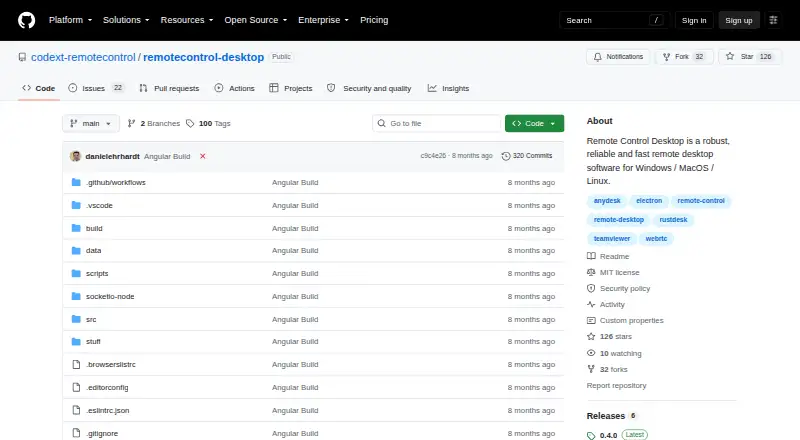
What Remote Control Desktop is
Remote Control Desktop is free, open-source software for remotely accessing and controlling Windows, macOS, and Linux computers. It uses WebRTC and supports remote maintenance, unattended access, an address directory, file transfer, and clipboard synchronization. The project targets IT professionals providing remote assistance and people reaching their own desktops. The app requires no installation, configuration, or registration, and is listed as multilingual with English and German support. Its README says there is no data collection, advertising, or tracking. Users can use a free server or run their own server for secure connections. Self-hosting suggests coturn; changing server settings currently requires rebuilding the clients. File transfer and clipboard synchronization operate only from local to remote. Keyboard input may be unreliable, and sound is not transmitted. The Free plan costs nothing and includes free remote maintenance, a free server, and support for the three listed desktop platforms.
Who it suits
It suits IT professionals providing remote assistance and people accessing their own Windows, macOS, or Linux desktops. It is also relevant to users wanting a free server or self-hosted connections without registration.
What it does well
- Free, open-source remote access
- No installation or registration required
- No data collection, ads, or tracking
- Supports Windows, macOS, and Linux
- Includes unattended access and file transfer
What to know first
- Keyboard input can be unreliable
- Sound is not transmitted
- File transfer is local-to-remote only
- Clipboard synchronization is one-way
Plans
| Plan | Billed and limits | Price |
|---|---|---|
| Free | Free remote maintenance · free server available · Windows, MacOS, Linux | Free |
As github.com lists them, read 12 Oct 2026. The maker's own page has the final word.
Verdict
Remote Control Desktop offers straightforward, free remote access with WebRTC, self-hosting, and privacy-focused claims. One-way transfer functions, unreliable keyboard input, and absent sound may limit some remote-support scenarios.
Facts from Remote Control Desktop's own pages
- Access mode
- both · github.com, 20 Sept 2026
- Connection technology
- The software is WebRTC-based. · github.com, 12 Oct 2026
- Ease of setup
- The README says the app requires no installation, configuration, or registration. · github.com, 12 Oct 2026
- Features
- Listed features include remote maintenance, unattended access, an address directory, file transfer, and clipboard synchronization. · github.com, 12 Oct 2026
- File transfer
- Yes · github.com, 20 Sept 2026
- Free plan
- Yes · github.com, 20 Sept 2026
- Known limitation
- The README says keyboard input can be unreliable and sound is not transmitted. · github.com, 12 Oct 2026
- Languages
- The app is listed as multilingual, with English and German supported. · github.com, 12 Oct 2026
- Platforms
- Downloads are listed for Windows, MacOS, and Linux. · github.com, 12 Oct 2026
- Privacy
- The README says the product has no data collection, ads, or tracking and offers a free server or the option to use your own server. · github.com, 12 Oct 2026
- Security
- The README lists high security and says users can use their own server for secure connections. · github.com, 12 Oct 2026
- Server setup
- For self-hosting, the README suggests coturn and says changing the server configuration currently requires rebuilding the clients. · github.com, 12 Oct 2026
- Supported platforms
- Windows,macOS,Linux · github.com, 20 Sept 2026
- Transfer limitation
- File transfer and clipboard synchronization are currently one-way, from local to remote. · github.com, 12 Oct 2026
- What it does
- Remote Control Desktop is open-source software for remotely accessing and controlling computers. · github.com, 12 Oct 2026
- Who it is for
- The project describes it as suitable for IT professionals providing remote assistance and users accessing their own desktops remotely. · github.com, 12 Oct 2026
Where Remote Control Desktop stands on Freedom251
- Remote desktop software#42 of 135