Freedom251 › Video Player Software
reEmbed
What reEmbed is
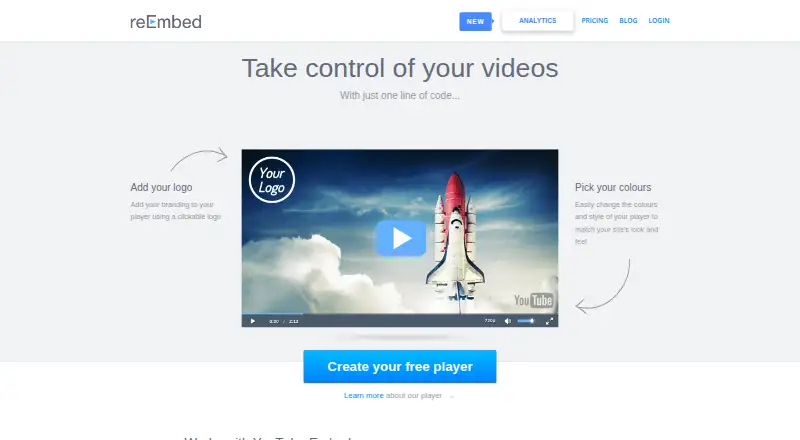
reEmbed is a customizable video player for websites, with support for YouTube, Vimeo, Dailymotion, and HTML5 video. Users can select a player style, add a logo, and choose colours. The maker says existing YouTube embeds can be replaced automatically by the reEmbed player. Its cloud-hosted analytics track plays, completions, shares, impressions, and where viewers watch. After playback, recommendation widgets can show a gallery linking to pages on the user’s site that contain embedded videos. The service can alert users when a YouTube video is blocked or removed and suggest alternatives when possible. Custom players can also be embedded on third-party sites or shared on Facebook and Twitter. Setup is described as pasting one line of code, without coding skills, and taking five minutes. A free plan is listed; the pricing page text shows no plan prices or limits. The HTML5 player supports iOS, Android, and Windows Mobile devices.
Who it suits
reEmbed suits website owners who want to customize embedded video and track viewer activity. It may also help people managing video libraries across the listed providers.
What it does well
- Supports YouTube, Vimeo, Dailymotion, and HTML5 video
- Custom player style, logo, and colour options
- Analytics cover plays, completions, shares, and impressions
- Alerts on blocked or removed YouTube videos
- Free plan listed
What to know first
- Pricing page text lists no plan prices or limits
- Mobile support listed for HTML5 player only
Plans
| Plan | Billed and limits | Price |
|---|---|---|
| Free player | Pricing page shows no plan price or limits | Free |
As reembed.com lists them, read 4 Oct 2026. The maker's own page has the final word.
Getting started
- Visit reembed.com.
- Sign up for the free plan.
- Choose a player style, add a logo, and select colours.
- Paste the player’s one line of code into your site.
- Embed the player on third-party sites or share it on Facebook or Twitter.
Verdict
reEmbed combines player customization, video analytics, recommendations, and alerts for website embeds. Its free plan is listed, but plan prices and limits are not shown in the pricing page text.
Questions
Is reEmbed free?
Yes. A free plan is available, and the listed Free player price costs nothing.
Which video providers does it support?
It supports YouTube, Vimeo, Dailymotion, and HTML5 videos.
Which mobile devices does the HTML5 player support?
It works on iOS, Android, and Windows Mobile devices.
How do I get started?
The maker describes setup as pasting one line of code into a website, a process it says takes five minutes and requires no coding skills.
Can I upgrade from the free plan?
Yes. Users can upgrade after creating an account.
Facts from reEmbed's own pages
- Analytics
- Analytics track video plays, completions, shares, impressions, and where viewers watch. · reembed.com, 4 Oct 2026
- Automatic replacement
- The maker says existing embedded YouTube videos on a site are automatically replaced with the reEmbed player. · reembed.com, 4 Oct 2026
- Broken video alerts
- The service can notify users when an embedded video is blocked or removed from YouTube and suggest alternatives when possible. · reembed.com, 4 Oct 2026
- Hosting
- The player is cloud hosted. · reembed.com, 4 Oct 2026
- Mobile support
- The HTML5 player works on iOS, Android, and Windows Mobile devices. · reembed.com, 4 Oct 2026
- Player customization
- Users can choose a player style, add a logo, and choose colours. · reembed.com, 4 Oct 2026
- Pricing availability
- The pricing page says users can upgrade after creating an account and links to free signup, but displays no plan prices or limits in the page text. · reembed.com, 4 Oct 2026
- Product
- reEmbed provides a customizable video player for websites. · reembed.com, 4 Oct 2026
- Recommendations
- After a video ends, recommendation widgets can show a gallery linking to pages on the user's site where videos are embedded. · reembed.com, 4 Oct 2026
- Setup
- The maker says setup takes five minutes and requires pasting one line of code, with no coding skills required. · reembed.com, 4 Oct 2026
- Sharing
- Custom players can be embedded on third-party sites and posted on Facebook and Twitter. · reembed.com, 4 Oct 2026
- Support
- The contact page lists a dedicated email address for service support. · reembed.com, 4 Oct 2026
- Video providers
- The player supports YouTube, Vimeo, Dailymotion, and HTML5 videos. · reembed.com, 4 Oct 2026
Where reEmbed stands on Freedom251
- Video Player Software#22 of 42