Freedom251 › Controller Mapping Software
Recontrol
What Recontrol is
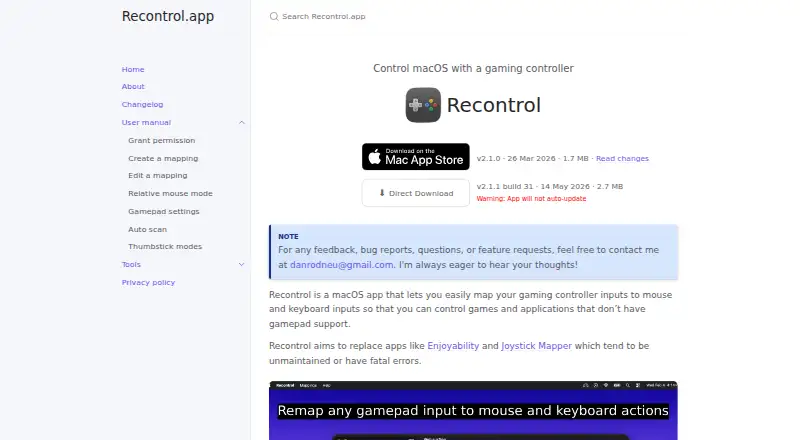
Recontrol is a free macOS app that maps game controller inputs to mouse and keyboard actions for games and applications without gamepad support. Users can create and switch among mappings, or set one to activate when a controller connects. Inputs can trigger keyboard keys, modifier combinations, macOS system keys, mouse movement, or scrolling. Thumbsticks offer Smooth mode for continuous control or 8-Way mode for discrete directions; mouse movement can use relative mode and linear or exponential response curves. Per-controller settings include a dead zone adjustable from 0% to 50% and calibration to correct thumbstick drift. An auto-scan feature jumps to an input’s configuration when that gamepad input is pressed, then listens for the keyboard input to map to it. Mappings can be imported and exported as JSON. Recontrol requires macOS Accessibility permission to remap a controller and send inputs. It supports one controller and one monitor at a time, and version 2.0 requires macOS 15.6 or later.
Who it suits
It suits Mac users who want to use a controller with games or applications that do not support gamepads. It may also help users who want separate mappings for different tasks and adjustable thumbstick controls.
What it does well
- Free to use.
- Mappings can activate when a controller connects.
- Supports keyboard, mouse movement, and scrolling.
- Thumbsticks offer Smooth and 8-Way modes.
- Mappings can be imported and exported as JSON.
What to know first
- Supports one controller at a time.
- Officially supports one monitor.
- Requires macOS 15.6 or later.
- Requires macOS Accessibility permission.
Limits
The app is limited to one controller and one officially supported monitor at a time. It requires macOS 15.6 or later, and its direct download does not update automatically.
Getting started
- Open the Recontrol website and download the app directly.
- Install it on a Mac running macOS 15.6 or later.
- Grant macOS Accessibility permission so it can remap controller inputs and send actions.
- Connect one controller and create a mapping for its inputs.
- Use Auto-scan to select inputs, then assign keyboard or mouse outputs.
- Optionally import or export mappings as JSON, or enable automatic activation on controller connection.
Verdict
Recontrol offers configurable controller-to-keyboard and mouse mappings for macOS, including thumbstick tuning and automatic mapping activation. Its one-controller and one-monitor limits, macOS requirement, and Accessibility permission are important setup constraints.
Questions
How much does Recontrol cost?
Recontrol is free, with a free plan.
Which platform does it support?
It supports macOS and requires macOS 15.6 or later.
What can it map?
Controller inputs can be assigned to keyboard keys and combinations, macOS system keys, mouse movement, and scrolling.
How many controllers can it use at once?
It supports one controller at a time.
Does Recontrol collect personal information?
Its privacy policy says it does not collect personal information or make network requests, and that data stays on the computer.
How do I get it?
The maker offers a direct download from the Recontrol website. The app will not auto-update.
Facts from Recontrol's own pages
- Active development
- The app is in active development and the maker is seeking early user feedback. · recontrol.danneu.com, 8 Oct 2026
- Auto scan
- Auto-scan jumps to an input's configuration when that gamepad input is pressed and then listens for the keyboard input to map to it. · recontrol.danneu.com, 8 Oct 2026
- Controller limit
- The app supports one controller at a time. · recontrol.danneu.com, 8 Oct 2026
- Controller tuning
- Per-controller settings include a dead zone adjustable from 0% to 50% and calibration to correct thumbstick drift. · recontrol.danneu.com, 8 Oct 2026
- Development status
- The home page describes Recontrol as in active development and seeking early user feedback. · recontrol.danneu.com, 8 Oct 2026
- Distribution
- The home page offers a direct download and warns that the app will not auto-update. · recontrol.danneu.com, 8 Oct 2026
- Gamepad settings
- Per-controller settings include dead zone adjustment from 0% to 50% and calibration to correct thumbstick drift. · recontrol.danneu.com, 8 Oct 2026
- Input options
- Mappings can assign inputs to keyboard keys and combinations of modifier keys, and can control mouse movement and scrolling. · recontrol.danneu.com, 8 Oct 2026
- Keyboard mappings
- Inputs can map to keyboard keys with modifier combinations, including modifier-only combinations and macOS system keys. · recontrol.danneu.com, 8 Oct 2026
- Limits
- The maker says the app officially supports one monitor and one controller at a time. · recontrol.danneu.com, 8 Oct 2026
- Maker
- Recontrol is built by Dan Neumann, who says he plans to publish its source code on GitHub after it is accepted into the macOS App Store. · recontrol.danneu.com, 8 Oct 2026
- Mapping
- Users can create mappings that pair gamepad inputs with mouse or keyboard outputs and switch between mappings for different tasks. · recontrol.danneu.com, 8 Oct 2026
- Mapping files
- Mappings can be imported and exported as JSON. · recontrol.danneu.com, 8 Oct 2026
- Mappings
- Users can create mappings that pair gamepad inputs with mouse or keyboard outputs and switch between mappings. · recontrol.danneu.com, 8 Oct 2026
- Mapping tools
- The app supports importing and exporting mappings as JSON and automatically enabling a mapping when a controller connects. · recontrol.danneu.com, 8 Oct 2026
- Minimum macOS
- The changelog says the minimum macOS version was raised to 15.6 in version 2.0. · recontrol.danneu.com, 8 Oct 2026
- Monitor limit
- The app officially supports one monitor. · recontrol.danneu.com, 8 Oct 2026
- Mouse control
- Features include smooth mouse movement, relative mouse mode, and linear or exponential response curves. · recontrol.danneu.com, 8 Oct 2026
- Permissions
- Recontrol requires macOS Accessibility permission to remap a gamepad and send inputs on the user’s behalf. · recontrol.danneu.com, 8 Oct 2026
- Privacy
- The privacy policy says the app does not collect personal information or make network requests, and that data stays local to the computer. · recontrol.danneu.com, 8 Oct 2026
- Purpose
- Recontrol maps gaming controller inputs to mouse and keyboard inputs for games and applications without gamepad support. · recontrol.danneu.com, 8 Oct 2026
- Support
- The maker invites feedback, bug reports, questions, and feature requests by email. · recontrol.danneu.com, 8 Oct 2026
- Thumbstick modes
- Each thumbstick can use continuous Smooth mode or 8-Way mode for discrete directional controls. · recontrol.danneu.com, 8 Oct 2026
Where Recontrol stands on Freedom251
- Controller Mapping Software#22 of 29