Freedom251 › Game Controller Mapper Software
Universal Control Remapper
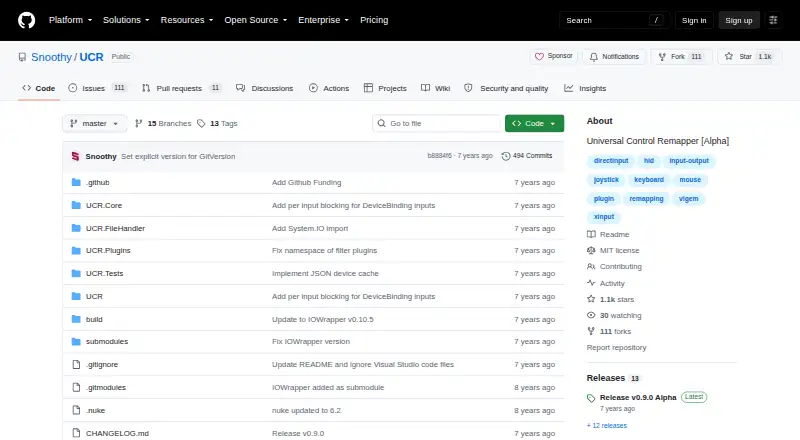
What Universal Control Remapper is
Universal Control Remapper (UCR) is a free, open-source Windows application for routing inputs from physical devices to virtual outputs. It can connect any number of inputs to any number of outputs, including analog input, and supports devices such as keyboards, mice, joysticks, racing wheels, and eye trackers. Listed inputs include Xbox 360 and DirectInput controllers, keyboards, mice, and Tobii eye trackers; outputs include Xbox 360 and DualShock 4 controllers, DirectInput controllers, keyboards, and mice. Device providers also cover Titan One, 3Dconnexion SpaceMouse, and MIDI devices.
Users can organize mappings into nested profiles and switch profiles through command-line parameters from external programs. Mappings and device order persist across reboots and when devices are unplugged. Plugins can add input and output transformations, while third-party providers can extend device support. Some providers require technical setup, command-line use, and administrator rights to install drivers; additional drivers may also be needed to create virtual Xbox or DirectInput controllers. The project says UCR uses no injection and works with games that use anti-tampering technologies such as Denuvo. UCR is labeled Alpha and remains under development, with the project warning of bugs, experimental features, and settings files that may not work across versions. Its latest listed release is v0.9.0 Alpha.
Who it suits
UCR suits Windows users who want to remap inputs across physical devices and virtual controllers, keyboards, or mice, including analog input. It is also suited to users who need nested profiles, external profile switching, or plugin and device-provider extensions and are comfortable with technical setup where required.
What it does well
- Maps any number of inputs to any number of outputs.
- Supports analog input and virtual controller output.
- Nested profiles can be switched by external programs.
- Mappings and device order persist across reboots and unplugging.
- Plugins and providers can extend transformations and device support.
What to know first
- Some providers require command-line setup and administrator rights.
- Extra drivers may be needed for virtual Xbox or DirectInput controllers.
- The project remains in Alpha and warns of bugs and experimental features.
- Settings files may not work across versions.
Plans
| Plan | Billed and limits | Price |
|---|---|---|
| Universal Control Remapper | Open source software released under the MIT license | Free |
As github.com lists them, read 8 Oct 2026. The maker's own page has the final word.
Getting started
- Open the UCR GitHub project website.
- Download the latest listed release, v0.9.0 Alpha, with its basic plugins.
- Install any additional drivers needed for virtual Xbox or DirectInput controllers.
- Configure input and output mappings and organize them into profiles.
- Use command-line parameters from an external program to switch profiles if needed.
Verdict
Choose UCR if you need flexible device remapping on Windows, analog support, and profiles that can be controlled externally. Look elsewhere if you need a project outside Alpha or cannot accommodate possible driver installation and technical setup.
Questions
How much does UCR cost?
The Universal Control Remapper plan is free. The project identifies UCR as open source software under the MIT license.
Which operating system does UCR support?
UCR supports Windows.
Can UCR switch profiles?
Yes. Profiles can be nested and switched by external programs using command-line parameters.
Does UCR support virtual controller output?
Yes. Listed outputs include Xbox 360 and DualShock 4 controllers, as well as DirectInput controllers. Additional drivers may be needed to create virtual Xbox or DirectInput controllers.
What devices can UCR remap?
Listed inputs include Xbox 360 and DirectInput controllers, keyboards, mice, and Tobii eye trackers. Provider documentation also lists Titan One, 3Dconnexion SpaceMouse, and MIDI devices.
Is UCR still in development?
The project labels UCR Alpha and says it is under development. Its latest listed release is v0.9.0 Alpha.
Facts from Universal Control Remapper's own pages
- Additional providers
- The provider documentation also lists Titan One, 3Dconnexion SpaceMouse, and MIDI devices. · github.com, 8 Oct 2026
- Anti-tampering compatibility
- The project says UCR uses no injection and is compatible with games using anti-tampering technologies such as Denuvo. · github.com, 8 Oct 2026
- Development status
- The wiki says UCR is still in Alpha and under development, and warns of bugs, experimental features, and settings files that are not supported across versions. · github.com, 8 Oct 2026
- Downloads
- The latest release is downloadable from GitHub with basic plugins; extra experimental or niche plugins are in the UCR-Plugins repository. · github.com, 8 Oct 2026
- Drivers
- Additional drivers may be needed to create virtual Xbox or DirectInput controllers. · github.com, 8 Oct 2026
- Extensibility
- Plugin and device-provider extensions can add remapping behavior and support for additional input and output devices. · github.com, 8 Oct 2026
- External drivers
- The project says additional drivers may be needed to create virtual Xbox or DirectInput controllers. · github.com, 8 Oct 2026
- Extra plugins
- The UCR-Plugins repository describes experimental and niche plugins, and notes that AxisToDelta and DeltaToAxis are known unstable. · github.com, 8 Oct 2026
- Game compatibility
- The project says UCR uses no injection and is compatible with games using anti-tampering technologies such as Denuvo. · github.com, 8 Oct 2026
- Latest listed release
- The releases page lists v0.9.0 Alpha, dated 2020-01-02, as the latest release. · github.com, 8 Oct 2026
- License
- The project identifies UCR as open source software released under the MIT license. · github.com, 8 Oct 2026
- Mapping
- It can remap any number of inputs to any number of outputs on emulated devices, with full analog support. · github.com, 8 Oct 2026
- Persistence
- Remapping and device order persist across reboots and device unplugging. · github.com, 8 Oct 2026
- Plugins
- Plugin extensions support additional input and output transformations, and third-party providers can add device support. · github.com, 8 Oct 2026
- Profiles
- Profiles can be nested, and profiles can be switched by external programs using command-line parameters. · github.com, 8 Oct 2026
- Purpose
- UCR is a Windows application for remapping inputs from devices such as keyboards, mice, joysticks, racing wheels, and eye trackers to virtual output devices. · github.com, 8 Oct 2026
- Release status
- The repository labels UCR Alpha, and its latest listed release is v0.9.0 Alpha. · github.com, 8 Oct 2026
- Remapping
- It transforms inputs through plugins and supports remapping any number of inputs to any number of outputs, including analog input. · github.com, 8 Oct 2026
- Setup requirements
- Some providers may require technical setup, command-line use, and administrator rights to install drivers. · github.com, 8 Oct 2026
- Support
- The project directs users to its issue tracker or the HidWizards Discord channel for support, discussion, and feedback. · github.com, 8 Oct 2026
- Supported inputs
- Listed inputs include Xbox 360 and DirectInput controllers, keyboards, mice, and Tobii eye trackers. · github.com, 8 Oct 2026
- Supported outputs
- Listed outputs include Xbox 360 and DualShock 4 controllers, DirectInput controllers, keyboards, and mice. · github.com, 8 Oct 2026
Where Universal Control Remapper stands on Freedom251
- Game Controller Mapper Software#17 of 27
- Controller Mapping Software#20 of 29