Freedom251 › AR Creation Software
Reality Composer
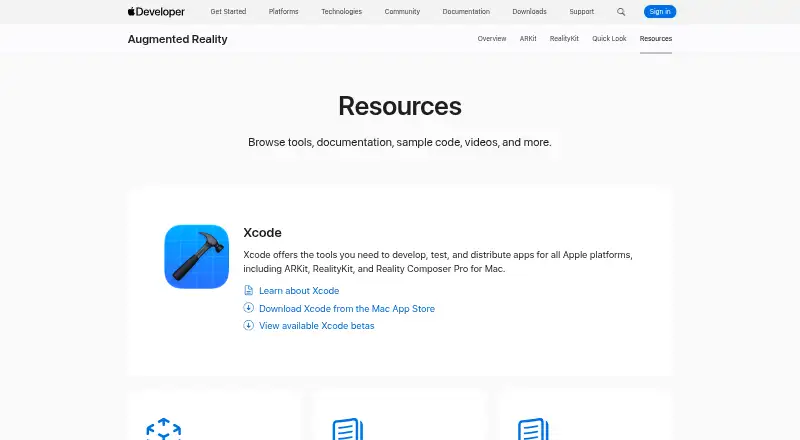
What Reality Composer is
Reality Composer is an Apple tool for prototyping and producing augmented reality experiences without prior 3D experience. Its editor lets you drag virtual objects into a scene or onto a canvas, then place and rotate them. You can import your own USDZ files or choose objects from its built-in AR content library, and export scenes as USDZ files. Guided photogrammetry capture uses LiDAR on iPhone 12 Pro or later and iPad Pro 5th generation or later. Projects can move between the iOS app and the Reality Composer app bundled with Xcode for Mac. You can share models and scenes for viewing on iPhone and iPad through AR Quick Look. The listed plan is free; the App Store listing requires iOS 17.0 or later on iPhone and iPadOS 17.0 or later on iPad. Apple says the app may collect usage data for product interaction analytics that is not linked to the user, and directs questions to Developer Forums. Reality Composer Pro 3 is a separate Mac tool for preparing 3D content for visionOS and iOS apps, with live preview on Apple Vision Pro.
Who it suits
Reality Composer suits people making or prototyping AR scenes who want to arrange virtual objects without prior 3D experience. It may also suit users moving projects between the iOS app and the version bundled with Xcode for Mac.
What it does well
- Free to use.
- Drag-and-drop scene building on a canvas or in AR.
- Imports and exports USDZ files.
- Supports guided LiDAR photogrammetry capture.
- Creations can be viewed through AR Quick Look.
What to know first
- The App Store listing requires iOS 17.0 or later.
- LiDAR capture requires specified newer iPhone or iPad Pro models.
- Apple may collect unlinked product interaction analytics.
Limits
Reality Composer is free. The App Store listing requires iOS 17.0 or later on iPhone and iPadOS 17.0 or later on iPad; guided LiDAR capture requires iPhone 12 Pro or later or iPad Pro 5th generation or later.
Plans
| Plan | Billed and limits | Price |
|---|---|---|
| Reality Composer | iPhone and iPad · Requires iOS 17.0 or later or iPadOS 17.0 or later | Free |
As developer.apple.com lists them, read 2 Oct 2026. The maker's own page has the final word.
Getting started
- Open Apple’s Reality Composer resources page.
- Use the iOS app on an iPhone or iPad that meets the listed operating system requirement.
- Choose objects from the built-in AR content library or import USDZ files.
- Place and rotate objects in a scene or on a canvas.
- Export the scene as a USDZ file or share it through AR Quick Look.
Verdict
Reality Composer offers object placement, USDZ asset handling, and guided capture for AR creation. Check the listed OS requirements and supported LiDAR devices if those features matter to your workflow.
Questions
How much does Reality Composer cost?
It is free, with a listed plan price of $0.
Which platforms does it support?
The listed platforms are iOS, macOS, and Windows. The App Store listing requires iOS 17.0 or later on iPhone and iPadOS 17.0 or later on iPad.
Can I import and export USDZ files?
Yes. You can import your own USDZ files and export scenes as USDZ files.
Does it support LiDAR capture?
Yes. Guided photogrammetry capture uses LiDAR on iPhone 12 Pro or later and iPad Pro 5th generation or later.
How can I get help with Reality Composer?
Apple directs users to Developer Forums to ask questions and discuss with Apple engineers and the developer community.
Facts from Reality Composer's own pages
- AR Quick Look
- Models and scenes made with Reality Composer can be shared and viewed on iPhone and iPad using AR Quick Look. · developer.apple.com, 2 Oct 2026
- Asset import
- Users can import their own USDZ files or use objects from Reality Composer’s built-in AR content library. · apps.apple.com, 2 Oct 2026
- Compatibility
- The App Store listing requires iOS 17.0 or later on iPhone and iPadOS 17.0 or later on iPad. · apps.apple.com, 2 Oct 2026
- Export
- Users can export scenes directly as USDZ files. · apps.apple.com, 2 Oct 2026
- Object Capture
- The app supports guided photogrammetry capture using LiDAR on iPhone 12 Pro or later and iPad Pro 5th generation or later. · apps.apple.com, 2 Oct 2026
- Privacy
- Apple indicates that the app may collect usage data for product interaction analytics that is not linked to the user. · apps.apple.com, 2 Oct 2026
- Purpose
- Reality Composer lets users prototype and produce augmented reality experiences without prior 3D experience. · apps.apple.com, 2 Oct 2026
- Reality Composer Pro distinction
- Apple describes Reality Composer Pro 3 as a separate Mac tool for preparing 3D content for visionOS and iOS apps, with live preview on Apple Vision Pro. · developer.apple.com, 2 Oct 2026
- Scene building
- Users can drag and drop virtual objects to place and rotate them in AR or on a canvas. · apps.apple.com, 2 Oct 2026
- Support
- Apple directs users to Developer Forums to ask questions and discuss with Apple engineers and the developer community. · developer.apple.com, 2 Oct 2026
- Xcode integration
- Projects can be transferred between the iOS app and the Reality Composer app bundled with Xcode for Mac. · apps.apple.com, 2 Oct 2026
Where Reality Composer stands on Freedom251
- AR Creation Software#12 of 25