Freedom251 › Embedded Systems Toolchains
Raspberry Pi Pico SDK
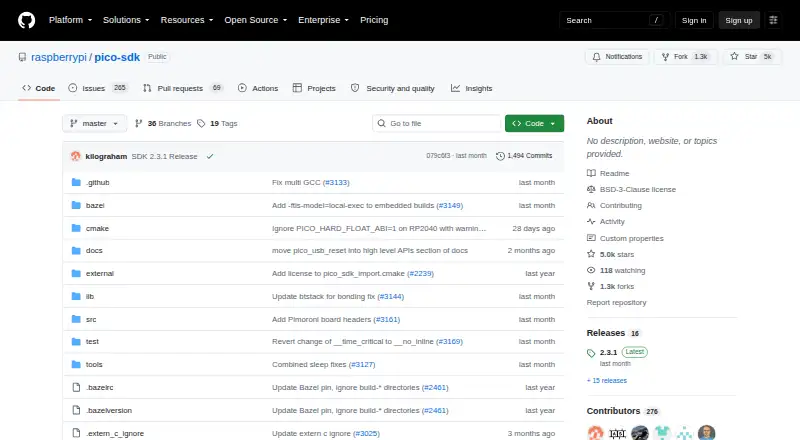
What Raspberry Pi Pico SDK is
Raspberry Pi Pico SDK is a free, open-source development kit for writing C, C++, and assembly programs for RP-series microcontrollers. It provides headers, libraries, hardware APIs, and a CMake build system. Its C-level interfaces expose RP-series hardware, including Programmable I/O (PIO), while higher-level libraries cover timers, synchronization, Wi-Fi and Bluetooth networking, USB, and multicore programming.
The SDK can be used for simple applications, runtime environments such as MicroPython, and low-level software such as the on-chip bootrom. Its target architectures include RP2040 Arm Cortex-M0+ and RP2350 Arm Cortex-M33 and Hazard3 RISC-V. Quick-start setup uses CMake and requires Python 3, a native compiler, and a GCC cross compiler. Developers can work from the command line or use Visual Studio Code or CLion. Raspberry Pi’s official VS Code extension adds project generation, automatic CMake configuration, SDK and tool version switching, and one-click compilation and debugging. It also supports MicroPython through MicroPico and project work for Rust and Zephyr. The SDK supports Windows, macOS, and Linux and uses the BSD-3-Clause license. Raspberry Pi provides API, getting-started, and Pico W-series connectivity documentation. The VS Code extension is unavailable on 32-bit Raspberry Pi OS and Raspberry Pi OS Lite.
Who it suits
The SDK suits developers building software for RP-series microcontrollers in C, C++, or assembly, from simple applications to runtime environments and low-level code. It also fits developers who want command-line or IDE workflows, including Visual Studio Code and CLion.
What it does well
- Includes hardware APIs, libraries, and a CMake build system.
- Provides access to PIO and other RP-series hardware.
- Higher-level libraries cover networking, USB, and multicore programming.
- Supports RP2040 and RP2350 target architectures.
- Official VS Code extension adds project setup and one-click builds and debugging.
- BSD-3-Clause open-source license.
What to know first
- Quick-start setup requires Python 3 and native and GCC cross compilers.
- VS Code extension does not support 32-bit Raspberry Pi OS.
- VS Code extension does not support Raspberry Pi OS Lite.
Plans
| Plan | Billed and limits | Price |
|---|---|---|
| Free | SDK source code is open source · for Raspberry Pi RP-series microcontrollers | Free |
As github.com lists them, read 5 Oct 2026. The maker's own page has the final word.
Getting started
- Choose a Windows, macOS, or Linux host platform.
- Install CMake, Python 3, a native compiler, and a GCC cross compiler.
- Use the command line, Visual Studio Code, or CLion to work with the C SDK.
- For the Visual Studio Code workflow, install Raspberry Pi’s official extension on a supported platform.
- Generate a project and build it; the extension also provides one-click compilation and debugging.
Verdict
Choose Raspberry Pi Pico SDK for free, open-source development on RP-series microcontrollers, particularly if you need its hardware libraries or CMake workflow. Developers who rely on the VS Code extension need a supported platform; it does not run on 32-bit Raspberry Pi OS or Raspberry Pi OS Lite.
Questions
What does Raspberry Pi Pico SDK cost?
It is free and open source. The repository identifies its license as BSD-3-Clause.
Which languages can I use?
The SDK provides support for C, C++, and assembly. The VS Code extension also supports MicroPython through MicroPico and project work for Rust and Zephyr.
Which host platforms does it support?
The SDK supports Windows, macOS, and Linux. The VS Code extension lists Raspberry Pi OS 64-bit, Windows 10/11, macOS Sonoma 14.0 or newer, and Linux x64 and arm64.
What tools are required for the quick start?
The quick-start instructions use CMake and require Python 3, a native compiler, and a GCC cross compiler.
Does the VS Code extension work on 32-bit Raspberry Pi OS or Raspberry Pi OS Lite?
No. The extension is not supported on either platform.
What hardware does the SDK target?
It targets RP-series microcontrollers, including RP2040 Arm Cortex-M0+ and RP2350 Arm Cortex-M33 and Hazard3 RISC-V.
Facts from Raspberry Pi Pico SDK's own pages
- Additional languages
- The VS Code extension supports MicroPython through MicroPico and offers project support for Rust and Zephyr. · github.com, 5 Oct 2026
- Build tools
- The quick-start instructions use CMake and require Python 3, a native compiler, and a GCC cross compiler. · github.com, 5 Oct 2026
- Documentation
- Raspberry Pi provides C/C++ SDK API documentation, getting-started material, and Wi-Fi and Bluetooth connectivity documentation for Pico W-series devices. · raspberrypi.com, 5 Oct 2026
- Editor support
- The official C SDK can be used from the command line or integrated development environments including Visual Studio Code and CLion. · raspberrypi.com, 5 Oct 2026
- Extension platforms
- The VS Code extension lists Raspberry Pi OS 64-bit, Windows 10/11, macOS Sonoma 14.0 or newer, and Linux x64 and arm64 as supported platforms. · github.com, 5 Oct 2026
- Hardware access
- Its C-level libraries and APIs provide access to RP-series hardware, including Programmable I/O (PIO). · github.com, 5 Oct 2026
- Headquarters
- Cambridge, United Kingdom · github.com, 28 Sept 2026
- Included libraries
- Higher-level libraries cover timers, synchronization, Wi-Fi and Bluetooth networking, USB, and multicore programming. · github.com, 5 Oct 2026
- Integration
- The VS Code extension can integrate with the CMake Tools extension for enhanced CMake parsing in complex projects. · github.com, 5 Oct 2026
- License
- The pico-sdk repository identifies its license as BSD-3-Clause. · github.com, 5 Oct 2026
- Platform limitation
- The Raspberry Pi VS Code extension is not supported on 32-bit Raspberry Pi OS or Raspberry Pi OS Lite. · raspberrypi.com, 5 Oct 2026
- Purpose
- The SDK provides the headers, libraries, and build system for writing C, C++, or assembly programs for RP-series microcontroller devices. · github.com, 5 Oct 2026
- Use cases
- The SDK can be used for simple applications, runtime environments such as MicroPython, and low-level software such as the on-chip bootrom. · github.com, 5 Oct 2026
- VS Code extension
- Raspberry Pi provides an official VS Code extension with project generation, automatic CMake configuration, SDK and tool version switching, and one-click compilation and debugging. · github.com, 5 Oct 2026
Where Raspberry Pi Pico SDK stands on Freedom251
- Embedded Systems Toolchains#12 of 30