Freedom251 › Model Registry Software
Radiant AI Cloud Model Registry
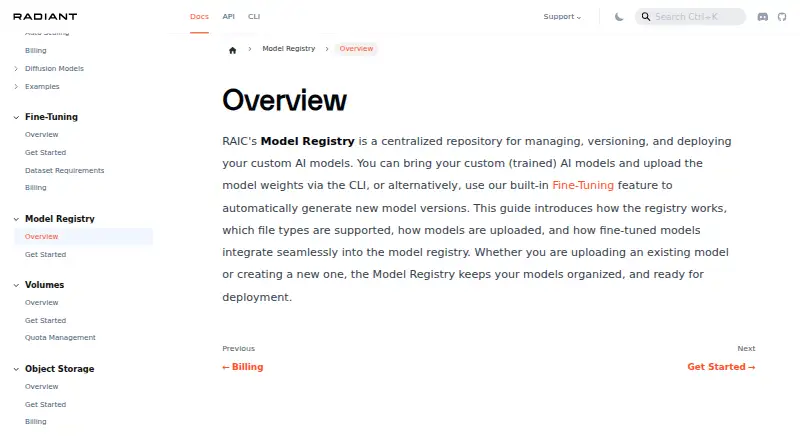
What Radiant AI Cloud Model Registry is
Radiant AI Cloud Model Registry gives teams a place to organize custom AI models, keep versions, and prepare them for deployment. Model weights are uploaded using the RAIC command-line interface, with supported files including .safetensors, .json, .md, .txt, .py, .gitattributes, .yml, and LICENSE. Organizations begin with a default registry and can create more, selecting where weights are stored. When defining a model, users can indicate multiple preferred GPU types so the platform can match it with compatible GPUs available at that registry location.
A version passes through Uploaded and Synchronizing before reaching Available status, which makes it ready for deployment to Endpoints. Fine-tuning jobs feed into the registry automatically: when a job finishes, it creates a model and adds checkpoint versions ready for deployment. Fine-tuning guidance covers public Hugging Face datasets and custom .jsonl or .csv datasets with prompt and completion columns. RAIC uses Low-Rank Adaptation (LoRA) and FlashAttention-2 during training. The service supports deployment tracking and artifact storage alongside versioning. Its documentation also describes optional multi-factor authentication using an authenticator-app code after login.
Who it suits
It suits teams that need a shared workflow for storing, versioning, and deploying custom AI models, especially when model creation is tied to fine-tuning jobs. Teams can also use it to specify preferred GPU types and organize weights across registries.
What it does well
- Supports model versioning, deployment tracking, and artifact storage.
- Completed fine-tuning jobs add checkpoint versions to the registry automatically.
- Users can create registries and choose model-weight storage locations.
- Preferred GPU types help match models to compatible available GPUs.
- Fine-tuning supports public Hugging Face and custom datasets.
What to know first
- Model weights must be uploaded through the RAIC CLI.
- The service is paid.
- The supported custom dataset formats are .jsonl and .csv with prompt and completion columns.
Getting started
- Visit the Radiant AI Cloud Model Registry documentation.
- Create an organization to receive its default registry.
- Create additional registries if needed and choose where weights will be stored.
- Use the RAIC CLI to upload model weights in a supported file type.
- Wait for a version to reach Available before deploying it to an Endpoint.
Verdict
Choose Radiant AI Cloud Model Registry if your team wants model versions, artifact storage, and a path from fine-tuning checkpoints to deployment. It is a paid service, and uploads use the RAIC CLI, so teams seeking a browser-only upload route should look elsewhere.
Questions
What does Radiant AI Cloud Model Registry do?
It organizes custom AI models, manages their versions, and prepares them for deployment. It also supports deployment tracking and artifact storage.
How much does it cost?
Its pricing model is paid.
How are model weights uploaded?
Users upload weights through the RAIC CLI. Supported file types include .safetensors, .json, .md, .txt, .py, .gitattributes, .yml, and LICENSE.
Does it connect fine-tuning to the registry?
Yes. Completed fine-tuning jobs create a registry model, add checkpoint versions, and make those versions available for deployment.
What security and compliance details are described?
Documentation describes optional MFA using an authenticator-app code after login. Radiant Infrastructure Ltd says it undergoes annual ISO 27001, SOC 2, and HIPAA audits; listed public-cloud data centers are marked SOC 2 or SOC 2/ISO 27001.
Where can users get support?
RAIC support resources include documentation, community discussions, a platform status page, and a support case portal.
Facts from Radiant AI Cloud Model Registry's own pages
- Compliance
- Radiant Infrastructure Ltd says it undergoes annual ISO 27001, SOC 2, and HIPAA audits; its listed public-cloud data centers are marked SOC 2 or SOC 2/ISO 27001. · docs.ori.co, 4 Oct 2026
- Dataset support
- The fine-tuning guide supports publicly available Hugging Face datasets and custom datasets in .jsonl or .csv format with prompt and completion columns. · docs.ori.co, 4 Oct 2026
- Fine-tuning integration
- Completed fine-tuning jobs automatically create a registry model, populate it with checkpoint versions, and make those versions available for deployment. · docs.ori.co, 4 Oct 2026
- Fine-tuning methods
- RAIC uses Low-Rank Adaptation (LoRA) for fine-tuning and enables FlashAttention-2 during training. · docs.ori.co, 4 Oct 2026
- GPU selection
- When creating a model, users can select multiple preferred GPU types so the platform can match it to compatible GPUs available in the registry location. · docs.ori.co, 4 Oct 2026
- Model uploads
- Users can upload model weights through the RAIC CLI. · docs.ori.co, 4 Oct 2026
- Purpose
- Radiant AI Cloud’s Model Registry is a centralized repository for managing, versioning, and preparing custom AI models for deployment. · docs.ori.co, 4 Oct 2026
- Registries
- Every new organization starts with a default registry, and users can create additional registries and choose where model weights are stored. · docs.ori.co, 4 Oct 2026
- Security
- The maker’s documentation describes an optional MFA setting that prompts users for an authenticator-app code after login. · docs.ori.co, 4 Oct 2026
- Support
- RAIC support resources include documentation, community discussions, a platform status page, and a support case portal. · docs.ori.co, 4 Oct 2026
- Supported files
- Supported upload file types include .safetensors, .json, .md, .txt, .py, .gitattributes, .yml, and LICENSE. · docs.ori.co, 4 Oct 2026
- Version status
- After upload, a model version progresses through Uploaded and Synchronizing to Available, at which point it is ready for deployment to Endpoints. · docs.ori.co, 4 Oct 2026
Where Radiant AI Cloud Model Registry stands on Freedom251
- Model Registry Software#23 of 36
- Model registries#29 of 38