Freedom251 › Data recovery software

R-Photo
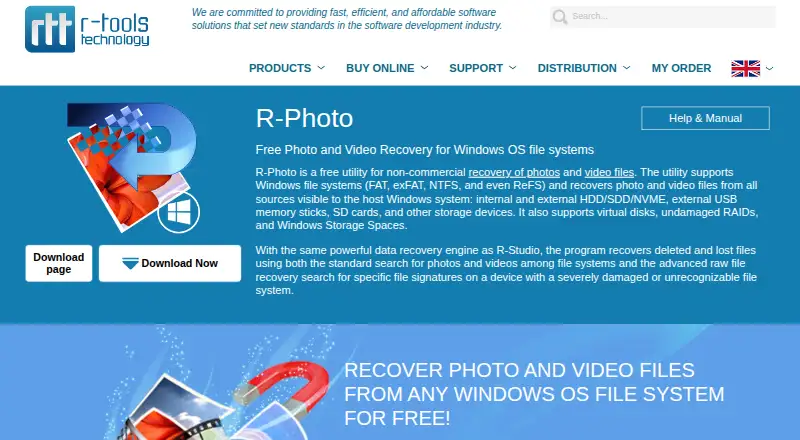
What R-Photo is
R-Photo is a Windows recovery tool for retrieving files from internal or external HDD, SSD, and NVMe devices, USB memory sticks, SD and CompactFlash cards, virtual disks, Windows Storage Spaces, and undamaged RAID arrays. It supports both memory card recovery and RAID recovery, and includes file preview. The listed operating systems are Windows XP, Vista, 7, 8, 8.1, 10, and 11.
R-Photo Free costs nothing and is available for non-commercial use. It requires no registration and includes automatic lifetime updates. That makes the stated setup direct for personal recovery: users can obtain the free plan without creating an account. Its supported sources span removable cards and USB sticks as well as several types of disks and storage arrays. The non-commercial condition defines when this free plan can be used.
Who it suits
R-Photo suits people who need to recover files for non-commercial use on a supported Windows system. It covers recovery from memory cards, USB sticks, disks, virtual disks, Windows Storage Spaces, and undamaged RAID arrays.
What it does well
- Free for non-commercial use at no cost
- No registration required
- Automatic lifetime updates
- Supports SD and CompactFlash card recovery
- Supports undamaged RAID arrays
- File preview is available
What to know first
- The free plan is restricted to non-commercial use
- Available on Windows only
Limits
R-Photo Free is for non-commercial use. It supports Windows XP, Vista, 7, 8, 8.1, 10, and 11.
Plans
| Plan | Billed and limits | Price |
|---|---|---|
| R-Photo Free | Free for non-commercial use · No registration required · Automatic lifetime updates | Free |
| R-Photo | Free for non-commercial use · no registration or activation required | Free |
As r-undelete.com lists them, read 21 Sept 2026. The maker's own page has the final word.
Getting started
- Visit the R-Photo website
- Use the free plan for non-commercial recovery
- Run it on a supported Windows system
Verdict
Choose R-Photo for non-commercial file recovery on Windows, especially when the source is a memory card, USB stick, disk, or undamaged RAID array. Its free plan requires no registration and includes lifetime updates. The stated use restriction makes it unsuitable for commercial recovery work.
Questions
How much does R-Photo cost?
R-Photo Free costs nothing.
Is there a free plan?
Yes. The plan is free for non-commercial use, requires no registration, and includes automatic lifetime updates.
Which operating systems does it support?
It supports Windows XP, Vista, 7, 8, 8.1, 10, and 11.
Can it recover files from memory cards or RAID arrays?
Yes. Memory card recovery and recovery from undamaged RAID arrays are supported.
What storage sources can it recover from?
Listed sources include HDD, SSD, and NVMe devices; USB memory sticks; SD and CompactFlash cards; virtual disks; Windows Storage Spaces; and undamaged RAID arrays.
Facts from R-Photo's own pages
- Disk imaging
- R-Photo can image failing disks so files can be recovered from the images, reducing load on the disks. · r-undelete.com, 11 Oct 2026
- File systems
- It supports FAT, exFAT, NTFS, and ReFS file systems. · r-undelete.com, 11 Oct 2026
- File types
- The maker says all photo and video file types are supported, including raw digital photos and modern video formats. · r-undelete.com, 11 Oct 2026
- Free plan
- Yes · r-undelete.com, 21 Sept 2026
- Memory card recovery
- Yes · r-undelete.com, 21 Sept 2026
- Operating systems
- Windows XP,Vista,7,8,8.1,10,and 11 · r-undelete.com, 21 Sept 2026
- Preview
- Its file viewer can preview photos and videos even when their codecs are not installed. · r-undelete.com, 11 Oct 2026
- File preview
- Yes · r-undelete.com, 21 Sept 2026
- Purpose
- R-Photo is a free utility for recovering photos and video files for non-commercial use. · r-undelete.com, 11 Oct 2026
- RAID recovery
- Yes · r-undelete.com, 21 Sept 2026
- Recovery methods
- It searches file systems and can use raw recovery to find files by signatures when a file system is severely damaged or unrecognizable. · r-undelete.com, 11 Oct 2026
- Recovery precaution
- The maker advises against installing applications, saving images, writing data, or recovering files on the same logical disk as the deleted files. · r-undelete.com, 11 Oct 2026
- Security and privacy
- R-TT's privacy policy says it takes measures to protect personal information and does not sell or give away customer or publisher personal information. · r-undelete.com, 11 Oct 2026
- Shredder
- A built-in shredder can wipe sensitive files so recovery software cannot retrieve their contents. · r-undelete.com, 11 Oct 2026
- Recovery sources
- Internal and external HDD,SSD,NVMe devices,USB memory sticks,SD and CompactFlash memory cards,virtual disks,Windows Storage Spaces,and undamaged RAID arrays · r-undelete.com, 21 Sept 2026
- Storage support
- It can recover from internal and external drives, USB memory sticks, SD cards, virtual disks, undamaged RAIDs, and Windows Storage Spaces visible to Windows. · r-undelete.com, 11 Oct 2026
- Support
- R-Tools Technology provides technical support information and inquiries, and lists its general contact address in Richmond Hill, Ontario, Canada. · r-tt.com, 11 Oct 2026
- Supported Windows versions
- The download page lists Windows 11, 10, 8.1, 8, 7, Vista, and XP on Intel-compatible platforms. · r-undelete.com, 11 Oct 2026
- System requirements
- The listed requirements include at least 256 MB RAM and administrative privileges to install and run R-Photo. · r-undelete.com, 11 Oct 2026
- Updates
- The maker says users receive automatic lifetime updates. · r-undelete.com, 11 Oct 2026
Where R-Photo stands on Freedom251
- Data recovery software#49 of 128
- Photo recovery software#19 of 46
- Photo Recovery Software#22 of 44