Freedom251 › Data recovery software

Mac Data Recovery Guru
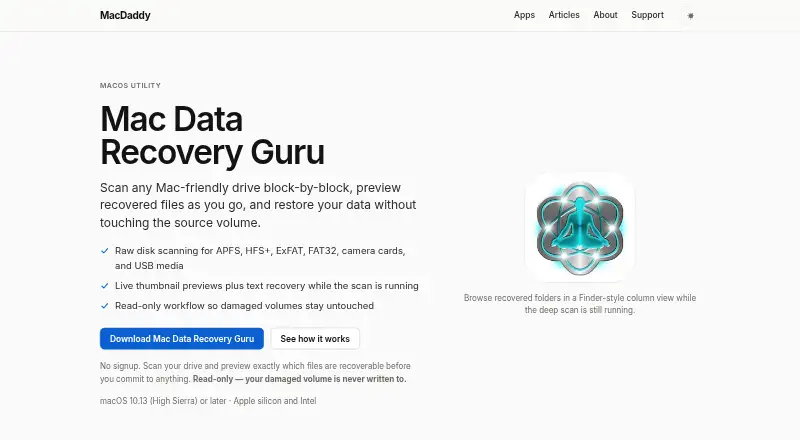
What Mac Data Recovery Guru is
Mac Data Recovery Guru is a macOS app for scanning drives and media for recoverable files. Its supported sources include APFS and HFS+ drives, ExFAT and FAT32 media, camera cards, USB media, disk images, and folders. It also supports memory card recovery and lets you preview recoverable files before recovery.
The free plan offers read-only drive scanning, so scans do not write to the drive, and previews of files identified as recoverable. It costs nothing. Mac Data Recovery Guru requires macOS 10.13 (High Sierra) or later. That makes the operating system requirement an important first check for Mac users considering a scan. The listed features let users inspect supported media and review recoverable files before recovery. The product’s website is the listed destination for getting started and learning about its free plan.
Who it suits
Mac Data Recovery Guru suits Mac users who want to scan supported drives or media and preview files before recovery. It may fit people checking camera cards, USB media, disk images, or folders, provided their Mac runs macOS 10.13 or later.
What it does well
- Scans APFS and HFS+ drives.
- Supports ExFAT and FAT32 media.
- Includes camera cards, USB media, disk images, and folders as sources.
- Supports memory card recovery.
- Previews recoverable files before recovery.
What to know first
- Requires macOS 10.13 (High Sierra) or later.
- The free plan provides read-only scanning and previews.
Limits
The free plan provides read-only drive scanning and previews of recoverable files before recovery.
Plans
| Plan | Billed and limits | Price |
|---|---|---|
| Free | Read-only drive scanning · Preview recoverable files before recovery | Free |
As macdaddy.io lists them, read 21 Sept 2026. The maker's own page has the final word.
Getting started
- Visit the Mac Data Recovery Guru website.
- Use a Mac running macOS 10.13 (High Sierra) or later.
- Choose a supported source, such as a drive, card, USB media, disk image, or folder.
- Use the free plan to scan read-only and preview recoverable files.
Verdict
Choose Mac Data Recovery Guru if you want to scan supported media on a compatible Mac and preview files before recovery. Its free plan stops at read-only scanning and previews, so look elsewhere if you need recovery beyond those listed capabilities.
Questions
How much does Mac Data Recovery Guru cost?
The listed Free plan costs nothing.
Which macOS versions does it support?
It requires macOS 10.13 (High Sierra) or later.
What sources can it scan?
Listed sources include APFS and HFS+ drives, ExFAT and FAT32 media, camera cards, USB media, disk images, and folders.
Can I preview files before recovery?
Yes. File preview is included, and the free plan allows previews of recoverable files before recovery.
Does it support memory cards?
Yes. Memory card recovery is supported.
Facts from Mac Data Recovery Guru's own pages
- Exports
- Users can select individual files or recover a whole folder to a destination drive. · macdaddy.io, 11 Oct 2026
- File types
- The scanner recognizes file structures for formats including ProRes, CinemaDNG, Office documents, and Lightroom libraries. · macdaddy.io, 11 Oct 2026
- Free plan
- Yes · macdaddy.io, 21 Sept 2026
- Installation
- The maker provides a ZIP download and says to uninstall by dragging the app to the Trash; it has no background services or extensions. · macdaddy.io, 11 Oct 2026
- License limit
- MacDaddy's terms allow unlimited copies for personal or commercial work, subject to restrictions against resale and misrepresenting the software's source. · macdaddy.io, 11 Oct 2026
- Live previews
- The app shows thumbnails and text recovery while a scan is running, with recovered items in a Finder-style column view. · macdaddy.io, 11 Oct 2026
- Maker
- MacDaddy says developer Benedict Slaney writes and supports its apps himself. · macdaddy.io, 11 Oct 2026
- Memory card recovery
- Yes · macdaddy.io, 21 Sept 2026
- Operating systems
- macOS 10.13 (High Sierra) or later · macdaddy.io, 21 Sept 2026
- File preview
- Yes · macdaddy.io, 21 Sept 2026
- Pricing access
- The product page says no signup is needed to scan a drive and preview recoverable files before committing to anything. · macdaddy.io, 11 Oct 2026
- Purpose
- Mac Data Recovery Guru scans Mac-friendly drives block by block and previews recoverable files before restoration. · macdaddy.io, 11 Oct 2026
- Read-only scanning
- The product says it opens source media read-only and does not write to the damaged volume. · macdaddy.io, 11 Oct 2026
- Recovery scope
- The maker says block-level scanning may find files after reformatting or partial overwriting. · macdaddy.io, 11 Oct 2026
- Requirements
- It requires macOS 10.13 (High Sierra) or later and supports Apple silicon and Intel Macs; the scan engine uses Rosetta on Apple silicon. · macdaddy.io, 11 Oct 2026
- Scan targets
- Users can scan a volume, a whole device, a disk image, or a single folder. · macdaddy.io, 11 Oct 2026
- Recovery sources
- APFS drives,HFS+ drives,ExFAT media,FAT32 media,camera cards,USB media,disk images,folders · macdaddy.io, 21 Sept 2026
- Support
- MacDaddy says it aims to respond to support requests within one business day and gives urgent recovery cases priority. · macdaddy.io, 11 Oct 2026
- Supported media
- It scans APFS, HFS+, ExFAT, FAT32, camera cards, and USB media. · macdaddy.io, 11 Oct 2026
- Support privacy
- The support page says submissions are encrypted in transit, handled directly by MacDaddy, and not posted publicly. · macdaddy.io, 11 Oct 2026
Where Mac Data Recovery Guru stands on Freedom251
- Data recovery software#46 of 128
- Photo Recovery Software#16 of 44
- SD card recovery software#19 of 52
- Photo recovery software#18 of 46
- SD Card Recovery Software#24 of 54