Freedom251 › Contractor Payment Software
QuickBooks Contractor Payments
What QuickBooks Contractor Payments is
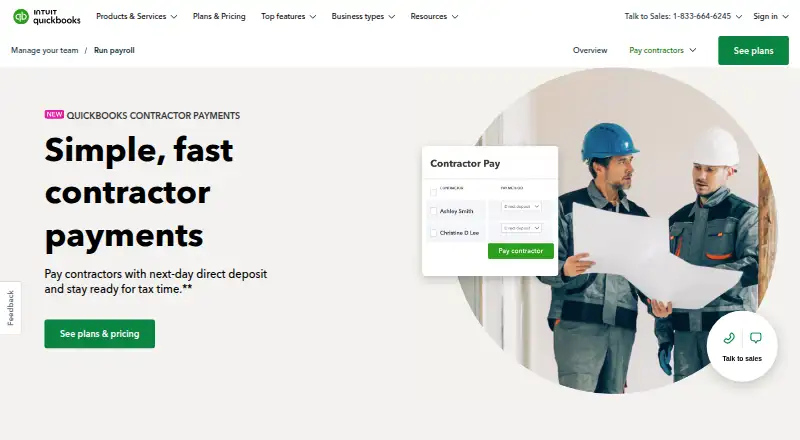
QuickBooks Contractor Payments helps businesses pay independent contractors and prepare 1099 filings. The Contractor Payments plan is listed at $12.50 a month, billed monthly, and includes up to 20 contractors; each additional contractor costs 2 USD. It includes unlimited payments and unlimited 1099 e-files. Next-day direct deposit is subject to eligibility and processing cutoffs. Businesses can create and e-file 1099s for the current filing year and payments recorded in QuickBooks. Contractors can use a free account to complete W-9s and provide bank deposit details online. Payment data syncs automatically with QuickBooks Online, and sensitive contractor tax information is encrypted. The service is available on Android, iOS, and the web. The product page lists a 30-day trial, although the separate free-trial field says no. Support resources include help articles, video tutorials, and an online community. Sales phone support is listed Monday through Friday, 5 AM to 6 PM PT, and Saturday, 7 AM to 4 PM PT.
Who it suits
This service suits businesses that pay independent contractors and need to file 1099s. It may fit businesses already using QuickBooks Online to keep contractor payment data synced with their books.
What it does well
- Unlimited contractor payments
- Unlimited 1099 e-files
- Contractors can complete W-9s online
- Payment data syncs with QuickBooks Online
- Available on Android, iOS, and web
What to know first
- No free plan
- Plan includes up to 20 contractors
- Additional contractors cost 2 USD each
- Next-day deposit depends on eligibility and cutoffs
Limits
The listed plan includes 20 contractors, with each additional contractor costing 2 USD. E-filing covers the current filing year and payments recorded in QuickBooks; next-day direct deposit is subject to eligibility and processing cutoffs.
Plans
| Plan | Billed and limits | Price |
|---|---|---|
| Contractor Payments | $12.50/mo; page also shows $25 and 50% off for 3 months · Includes 20 contractors · +$2/additional contractor · unlimited payments · unlimited 1099 e-files | $12.50 a month |
As quickbooks.intuit.com lists them, read 30 Sept 2026. The maker's own page has the final word.
Getting started
- Visit the QuickBooks Contractor Payments website.
- Choose the Contractor Payments plan or review the Simple Start bundle.
- Set up contractor access so contractors can complete W-9s and provide bank deposit details.
- Use the web service or an Android or iOS device to manage payments and 1099s.
- Use the support hub for help articles, video tutorials and community support.
Verdict
QuickBooks Contractor Payments combines contractor payouts, online W-9 collection, and 1099 e-filing with QuickBooks Online syncing. The listed monthly plan has a 20-contractor limit, and the trial details are inconsistent across the supplied listing.
Questions
How much does QuickBooks Contractor Payments cost?
The Contractor Payments plan is listed at $12.50 a month and includes 20 contractors. Each additional contractor costs 2 USD.
Is there a free plan or trial?
There is no free plan. The pricing note mentions a 30-day trial, while the free-trial field says no.
Which platforms does it support?
It is available on Android, iOS and the web.
Can contractors provide their own tax and bank details?
Yes. Contractors can use a free account to complete W-9s and provide bank deposit details online.
What does 1099 e-filing cover?
The plan includes unlimited 1099 e-files for the current filing year and payments recorded in QuickBooks.
Does it integrate with other services?
Contractor payment data syncs automatically with QuickBooks Online. The Contractor Payments + Simple Start bundle includes QuickBooks Payments invoicing and connects one online sales channel to QuickBooks.
Facts from QuickBooks Contractor Payments's own pages
- 1099 filing
- Users can create and e-file unlimited 1099s for contractors; e-filing covers the current filing year and payments recorded in QuickBooks. · quickbooks.intuit.com, 30 Sept 2026
- Books sync
- Contractor payment data automatically syncs with QuickBooks Online. · quickbooks.intuit.com, 30 Sept 2026
- Company headquarters
- Intuit lists Mountain View, California as its headquarters. · intuit.com, 30 Sept 2026
- Contractor setup
- Contractors can use a free account to complete W-9s and provide bank deposit details online. · quickbooks.intuit.com, 30 Sept 2026
- Founded
- 1983 · quickbooks.intuit.com, 28 Sept 2026
- Headquarters
- Mountain View, California, United States · quickbooks.intuit.com, 28 Sept 2026
- Integrations
- The Contractor Payments + Simple Start bundle includes QuickBooks Payments invoicing and connects one online sales channel to sync with QuickBooks. · quickbooks.intuit.com, 30 Sept 2026
- Intended users
- The page presents the service for businesses that pay independent contractors and need to e-file 1099s. · quickbooks.intuit.com, 30 Sept 2026
- Payments
- The plan includes unlimited contractor payments and next-day direct deposit, subject to eligibility and processing cutoffs. · quickbooks.intuit.com, 30 Sept 2026
- Purpose
- QuickBooks Contractor Payments lets businesses pay contractors and prepare for tax time. · quickbooks.intuit.com, 30 Sept 2026
- Sales support
- The product page lists sales phone support Monday through Friday, 5 AM to 6 PM PT, and Saturday, 7 AM to 4 PM PT. · quickbooks.intuit.com, 30 Sept 2026
- Security
- QuickBooks Online and QuickBooks Contractor Payments encrypt sensitive contractor tax information. · quickbooks.intuit.com, 30 Sept 2026
- Support
- The product page directs customers to a support hub with help articles, video tutorials, and an online community. · quickbooks.intuit.com, 30 Sept 2026
Where QuickBooks Contractor Payments stands on Freedom251
- Contractor Payment Software#19 of 26