Freedom251 › Church Text Messaging Software
Quick Send
What Quick Send is
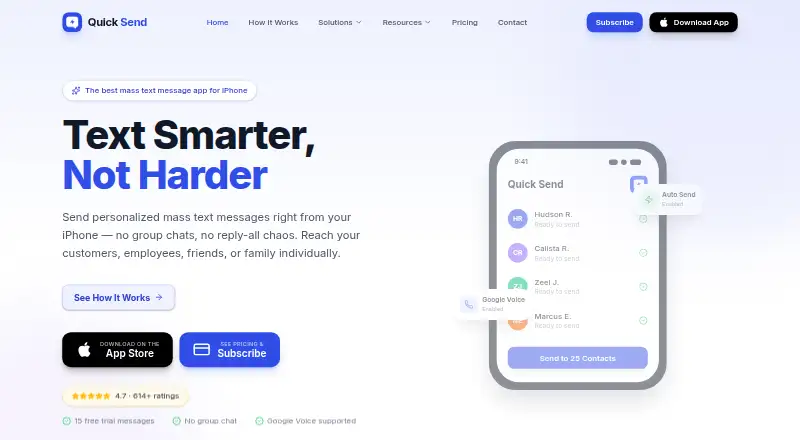
Quick Send is an iOS app for sending messages to many recipients individually, without creating a group chat. It sends through iMessage or SMS from the user's number, and Google Voice is available for sending from a separate business number. Contacts can be imported from an iPhone contact book, existing groups, or Google Sheets, or added manually. AutoText fields can insert recipient names and times. Users can choose saved templates, attach photos or files, add emojis, and preview each recipient's message. Messages may be reviewed and sent one at a time or sent to a list with one tap using an iOS Shortcut. The app also supports two-way, scheduled, and recurring messaging, along with audience segmentation. New users receive 15 messages without a credit card; Quick Send Pro has no message or contact limit. The yearly plan is $49.99 a year, billed annually at $4.17/mo. Its terms require recipient consent where needed and prohibit unsolicited marketing or spam.
Who it suits
Quick Send may suit people sending individualized messages to a list from an iPhone, including the small businesses and sectors named by its maker. It can also fit users who want to personalize, schedule, or segment messages rather than create a group chat.
What it does well
- 15 messages available without a credit card.
- Personalizes texts with recipient names and times.
- Supports contact imports from Google Sheets.
- Google Voice can use a separate business number.
- Pro removes message and contact limits.
What to know first
- iOS is the only listed platform.
- No free plan is listed.
- The free allowance is limited to 15 messages.
- The yearly plan costs $49.99 a year.
Limits
The free allowance provides 15 messages and requires no credit card. Quick Send Pro removes message and contact limits; its yearly plan is billed annually at $49.99 a year.
Plans
| Plan | Billed and limits | Price |
|---|---|---|
| Quick Send Pro - Yearly | $4.17/mo billed annually · Unlimited messages · Automatic sending via iOS Shortcut · Google Voice support · Priority support · Future feature updates | $49.99 a year |
As quicksendapp.com lists them, read 4 Oct 2026. The maker's own page has the final word.
Getting started
- Open the Quick Send website
- Install the iOS app
- Start with 15 messages without entering a credit card
- Import contacts or add them manually
- Choose a template or compose a message with attachments and personalization
- Review recipient messages and send individually or through an iOS Shortcut
- Choose Quick Send Pro for unlimited messages and contacts
Verdict
Quick Send is built around individualized list messaging, with contact imports, personalization, and several sending options. Consider its iOS-only availability, consent requirements, and annual Pro plan when deciding whether it fits.
Questions
Does Quick Send have a free plan?
No. New users can send 15 messages without a credit card as a free allowance, and a free trial is available.
How much does Quick Send Pro cost?
The yearly plan costs $49.99 a year, billed annually at $4.17 per month.
Which platforms does Quick Send support?
Quick Send is an iOS app.
Can Quick Send use Google Voice?
Yes. Google Voice can send from a separate business number.
Can messages be scheduled or repeated?
Yes. Quick Send supports scheduled and recurring messages, along with two-way messaging and audience segmentation.
Facts from Quick Send's own pages
- Contacts
- Contacts can be imported from an iPhone contact book, existing groups, or Google Sheets, or added manually. · quicksendapp.com, 4 Oct 2026
- Free allowance
- New users get 15 free messages with no credit card required. · quicksendapp.com, 4 Oct 2026
- Google Voice
- Quick Send supports Google Voice as an option for sending from a separate business number. · quicksendapp.com, 4 Oct 2026
- Intended users
- The maker presents Quick Send for use cases including small businesses, healthcare, education, events, real estate, sales, and personal messaging. · quicksendapp.com, 4 Oct 2026
- Limits
- Quick Send Pro has no limit on messages or contacts; the free trial is limited to 15 messages. · quicksendapp.com, 4 Oct 2026
- Message content
- Users can choose saved templates, attach photos or files, add emojis, and preview each recipient’s message. · quicksendapp.com, 4 Oct 2026
- Personalization
- AutoText fields can personalize messages with recipient names and times. · quicksendapp.com, 4 Oct 2026
- Phone number data
- The privacy policy says phone numbers may be stored for verification and messaging, shared with service providers for delivery, and are not sold, rented, or shared for third-party marketing. · apptout.com, 4 Oct 2026
- Privacy
- The privacy policy says Quick Send processes message content and recipient phone numbers to deliver messages and maintain service logs, and does not sell message data to third parties. · apptout.com, 4 Oct 2026
- Product
- Quick Send is an iOS app for sending individual mass text messages from an iPhone without creating a group chat. · quicksendapp.com, 4 Oct 2026
- Sending
- Messages can be reviewed and sent individually or sent to a list with one tap using an iOS Shortcut; sending uses iMessage or SMS from the user's number. · quicksendapp.com, 4 Oct 2026
- Support
- The maker says the fastest way to get help is through Menu → Support in the app, and also provides a contact form. · quicksendapp.com, 4 Oct 2026
- Terms
- The terms require users to have recipient consent where required and prohibit unsolicited marketing messages or spam. · apptout.com, 4 Oct 2026
Where Quick Send stands on Freedom251
- Church Text Messaging Software#20 of 25