Freedom251 › File Manager Software
QtFM
What QtFM is
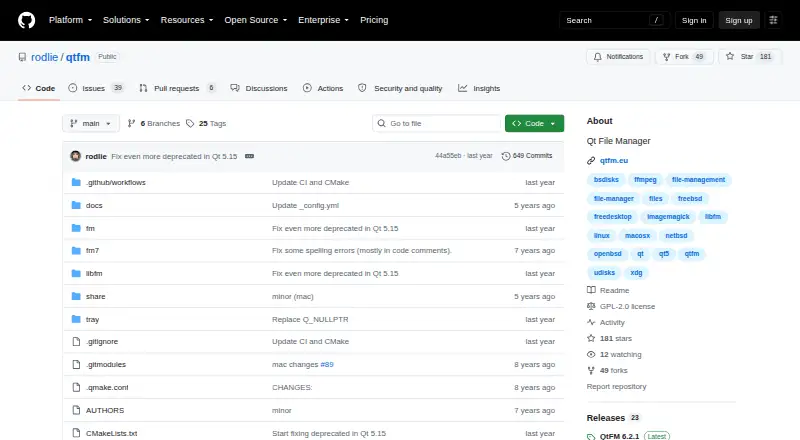
QtFM is a free Qt file manager for Linux and other listed desktop systems, including FreeBSD, NetBSD, OpenBSD and macOS. Its customizable interface supports tabs, drag-and-drop operations and user-defined key bindings. A custom command system and XDG integration add file and desktop controls. QtFM handles removable storage and includes a system-tray daemon that displays available storage and optical devices. The daemon can mount and open newly added devices or play CDs and DVDs automatically, although these actions are disabled by default. Thumbnail support covers images through ImageMagick, PDFs and related documents, videos through FFmpeg, and embedded media images. QtFM requires Qt 5.2 or newer and recommends hicolor plus Adwaita or similar icon themes. ImageMagick and FFmpeg are optional recommended dependencies. The project uses GPL-2.0, is maintained by rodlie, and directs support to GitHub Issues. The latest listed release is 6.2.1.
Who it suits
QtFM suits Linux and other supported desktop users who want a customizable file manager with tabs, removable-storage handling and optional thumbnail support.
What it does well
- Customizable tabs, drag-and-drop and key bindings
- Custom command system and XDG integration
- Removable-storage and optical-device support
- Thumbnail support through ImageMagick and FFmpeg
- Free GPL-2.0 project
What to know first
- Requires Qt 5.2 or higher
- Automatic device actions are off by default
- Thumbnail dependencies are optional installs
- Linux is the listed supported platform
Plans
| Plan | Billed and limits | Price |
|---|---|---|
| QtFM | Qt file manager for supported desktop operating systems | Free |
As github.com lists them, read 12 Oct 2026. The maker's own page has the final word.
Verdict
QtFM combines a customizable interface with commands, desktop integration and removable-storage tools. Its Qt 5.2 requirement and optional thumbnail dependencies matter when setting it up.
Facts from QtFM's own pages
- Automatic actions
- The tray daemon can automatically mount and open newly added storage or optical devices, and auto play CDs or DVDs; these actions are not enabled by default. · github.com, 12 Oct 2026
- Build requirements
- QtFM requires Qt 5.2 or higher, and the project recommends hicolor and Adwaita or similar icon themes. · github.com, 12 Oct 2026
- Commands
- QtFM includes a custom command system. · github.com, 12 Oct 2026
- Desktop integration
- QtFM provides XDG integration. · github.com, 12 Oct 2026
- Free plan
- Yes · github.com, 24 Sept 2026
- Interface
- The interface is customizable and supports tabs, drag and drop, and customizable key bindings. · github.com, 12 Oct 2026
- License
- The repository identifies the project license as GPL-2.0. · github.com, 12 Oct 2026
- Maintainer
- The project site says QtFM is maintained by rodlie, and the AUTHORS file names Ole-André Rodlie as maintainer from version 6.0. · github.com, 12 Oct 2026
- Notable limit
- QtFM 6.2.0 ended Qt 4 support and requires Qt 5.2 or higher. · github.com, 12 Oct 2026
- Optional dependencies
- ImageMagick and FFmpeg can improve thumbnail support; the project describes them as recommended dependencies and provides build options to enable them. · github.com, 12 Oct 2026
- Supported platforms
- linux · github.com, 24 Sept 2026
- Purpose
- QtFM is a Qt file manager for Linux, FreeBSD, NetBSD, OpenBSD and macOS. · github.com, 12 Oct 2026
- Release status
- The latest release shown on the GitHub releases page is QtFM 6.2.1. · github.com, 12 Oct 2026
- Removable storage
- It supports removable storage and includes a system tray daemon for showing available storage and optical devices. · github.com, 12 Oct 2026
- Support
- The project links to GitHub Issues for bug reports and support discussion. · qtfm.eu, 12 Oct 2026
- Thumbnails
- QtFM supports image thumbnails through ImageMagick, PDF and related document thumbnails, video thumbnails through FFmpeg, and embedded images in media files. · github.com, 12 Oct 2026
Where QtFM stands on Freedom251
- File Manager Software#72 of 100