Freedom251 › Version Control Software
QGit
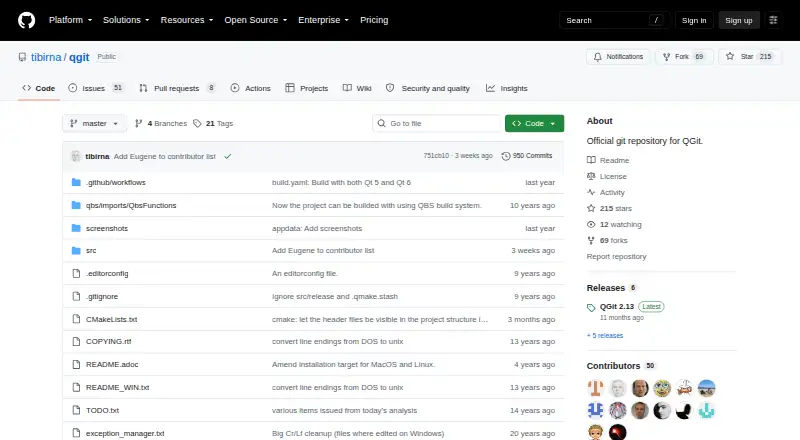
What QGit is
QGit is a free, open-source graphical viewer for Git repositories, available on Linux, macOS, and Windows. Its desktop interface brings revision history, patches, changed files, development branches, and a repository tree into view. Users can inspect diffs, file history, and file annotations, then commit selected modified files or amend the latest commit through the GUI. QGit also supports patch series: users can apply or save them from selected commits, and move commits between two QGit instances by drag and drop. If it detects a StGIT stack, it shows applied and unapplied patches and provides push, pop, import, and fold workflows. Custom actions can run Git or shell command sequences and external scripts, with results shown in a terminal window. QGit can invoke an external diff tool; Kompare is the default, and preferences allow another tool to be selected. The project license is GPL-2.0. Project metadata lists version 2.12, released 2025-07-13. Building QGit requires Qt developer libraries version 5.11.0 or later, a compiler, and Qt tools in the path.
Who it suits
QGit suits Git users who want a desktop graphical view of repository history, diffs, files, and branches across Linux, macOS, or Windows. Its commit, patch, StGIT, and custom-action workflows may be useful to developers who manage those tasks in a GUI.
What it does well
- Runs on Linux, macOS, and Windows
- Displays revisions, diffs, file history, and annotations
- Can commit selected files and amend the last commit
- Supports applying and saving patch series
- Custom actions can run Git, shell, or external scripts
What to know first
- Building requires Qt developer libraries version 5.11.0 or later
- Building also requires a compiler and Qt tools in the path
Limits
Building QGit requires Qt developer libraries version 5.11.0 or later, a compiler, and Qt tools in the path.
Plans
| Plan | Billed and limits | Price |
|---|---|---|
| QGit | GPL-2.0 licensed desktop Git GUI viewer | Free |
As github.com lists them, read 5 Oct 2026. The maker's own page has the final word.
Getting started
- Open the QGit project page on GitHub
- Choose the build route for Linux, macOS, or Windows
- For a build, prepare Qt developer libraries version 5.11.0 or later, a compiler, and Qt tools in the path
Verdict
Choose QGit if you want a free desktop GUI for inspecting Git history and handling commits, diffs, or patch workflows. Look elsewhere if you need a build that avoids the listed Qt libraries, compiler, and Qt-tool requirements.
Questions
How much does QGit cost?
QGit is free; its listed plan costs nothing.
Which platforms does QGit support?
The listed desktop platforms are Linux, macOS, and Windows.
Is QGit open source?
Yes. The project metadata identifies its license as GPL-2.0.
What can I inspect with QGit?
It displays revision history, diffs, file history, file annotations, changed files, branches, and a repository tree.
Can QGit work with StGIT patches?
When it detects a StGIT stack, it displays applied and unapplied patches and offers push, pop, import, and fold workflows.
What is the build requirement?
Building requires Qt developer libraries version 5.11.0 or later, a compiler, and Qt tools in the path.
Facts from QGit's own pages
- Build requirement
- Building QGit requires Qt developer libraries version 5.11.0 or later, plus a compiler and Qt tools in the path. · github.com, 5 Oct 2026
- Commit workflow
- Users can commit changes through the GUI by selecting modified files, and can amend the last commit. · github.com, 5 Oct 2026
- Custom actions
- Users can associate Git or shell command sequences and external scripts with custom actions, whose output appears in a terminal window. · github.com, 5 Oct 2026
- External diff
- QGit can invoke an external diff tool, with Kompare set as the default and a preference to choose another tool. · github.com, 5 Oct 2026
- History and diffs
- It can view revisions, diffs, file history, file annotations, and a repository tree. · github.com, 5 Oct 2026
- License
- The project metadata identifies QGit's project license as GPL-2.0. · github.com, 5 Oct 2026
- Patch workflow
- It can apply or save patch series from selected commits and transfer commits between two QGit instances by drag and drop. · github.com, 5 Oct 2026
- Platforms
- The installation instructions cover Unix/Linux, Windows, and Mac OS X. · github.com, 5 Oct 2026
- Purpose
- QGit is a graphical viewer for Git repositories that displays revision history, patch content, changed files, and development branches. · github.com, 5 Oct 2026
- Release
- The project metadata lists version 2.12 with a release date of 2025-07-13. · github.com, 5 Oct 2026
- StGIT integration
- When it detects a StGIT stack, QGit displays applied and unapplied patches and provides push, pop, import, and fold workflows. · github.com, 5 Oct 2026
- Support
- The README directs bug reports and feature requests to the [email protected] mailing list. · github.com, 5 Oct 2026
Where QGit stands on Freedom251
- Version Control Software#31 of 62
- Git GUI Clients#17 of 32