Freedom251 › Download Manager Software
pyLoad
What pyLoad is
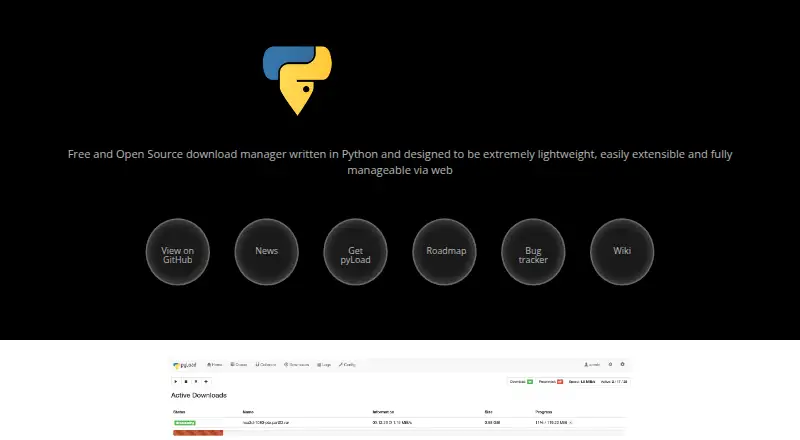
pyLoad is a free, pure-Python download manager with a browser interface and plugin ecosystem. It automates downloads from one-click hosters, cloud drives, and other sources, and supports premium accounts, captcha-solving services, and link decryption. The project describes hundreds of hosters, decrypters, and add-ons, including notifications, schedulers, and extractors. Downloads can be managed in a browser through a local web interface served on port 8000 by default, or through a REST API with an OpenAPI specification for generating client applications. pyLoad can run headless on servers, NAS devices, or desktops, and Docker deployment is documented. Listed operating systems are Linux, macOS, and Windows, with Python 3.9 or newer required; Android and API are also listed as platforms. The README says there is no stable release yet and that the project is in pre-release. Security guidance recommends changing the default web-interface username and password on first start. The security policy says pyLoad Next releases receive vulnerability patches, while older Python 2 versions receive plugin updates only.
Who it suits
It suits users who want to automate downloads from hosters and cloud drives through a browser interface or API. It can run on servers, NAS devices, or desktops, provided the supported software requirements fit.
What it does well
- Plugin ecosystem lists hundreds of hosters and add-ons.
- Browser interface and REST API are available.
- Can run headless on servers and NAS devices.
- Docker deployment is documented.
What to know first
- There is no stable release yet.
- Python 3.9 or newer is required.
- Older Python 2 versions receive plugin updates only.
Limits
The project is in pre-release and has no stable release yet. Its security policy says older Python 2 versions receive plugin updates only, while pyLoad Next releases receive vulnerability patches.
Plans
| Plan | Billed and limits | Price |
|---|---|---|
| Free and open-source | No price or usage limits stated | Free |
As pyload.net lists them, read 4 Oct 2026. The maker's own page has the final word.
Getting started
- Open https://pyload.net/ to get started.
- Choose a listed platform: Linux, macOS, Windows, Android, web, or API.
- For Linux, macOS, or Windows, use Python 3.9 or newer.
- Alternatively, follow the documented Docker deployment route.
- On first start, change the web interface’s default username and password.
- Manage downloads through the local web interface, served on port 8000 by default, or use the REST API.
Overview
pyLoad is a Python-based download manager for automating downloads from one-click hosters, cloud drives and other sources. It best suits people who want to run downloads on a server, NAS or desktop and manage them remotely. Its plugins and browser/API controls make it adaptable, but its pre-release status is a real drawback for anyone who needs a settled release.
Key features
Hundreds of plugins cover hosters, decrypters and add-ons such as extractors, notifications and schedulers. Support for premium accounts, captcha-solving services and link decryption gives pyLoad more reach for users dealing with host-specific download steps. That flexibility depends on a project that has not yet reached a stable release, so it is a harder fit where predictability matters more than breadth.
The browser interface is served locally on port 8000 by default, and a REST API with an OpenAPI specification can support generated client applications. Browser integration, scheduling, video downloading and remote control are supported. Headless operation suits a server or NAS, and documented Docker deployment gives administrators another deployment route.
Linux, macOS and Windows support requires Python 3.9 or newer. That dependency is worth accounting for before choosing pyLoad for a machine or deployment. On first start, change the web interface's default username and password. The security policy says pyLoad Next releases receive vulnerability patches; older Python 2 versions receive plugin updates only. Vulnerabilities can be reported by email, with confirmed issues patched as soon as possible depending on complexity.
Pricing
Free and open-source: free. The plan has no stated price or usage limits, making pyLoad a cost-free option for personal or self-hosted use. There are no paid tiers to weigh against it; the trade-off is accepting the pre-release status rather than paying for a more settled release.
Platforms
pyLoad supports web, Windows, macOS, Linux, Android and API access. It can run on desktops, servers and NAS devices, with Docker deployment documented. The Python 3.9-or-newer requirement applies to its supported Linux, macOS and Windows systems.
Who it's for
Choose pyLoad if you want automated downloads across a wide range of hosters, remote browser or API control, and the option to run headless on your own server or NAS. Its plugins, schedulers and extractors are particularly useful for varied sources and repeat workflows. Look elsewhere if you require a stable release or do not want to manage its Python dependency and first-start security change.
Pros and cons
- Pros: Broad plugin coverage, premium-account support and link decryption help handle varied download sources.
- Pros: Browser access, a documented REST API and headless deployment make it practical to control downloads away from the host machine.
- Pros: The free plan has no stated price or usage limits.
- Cons: The project is still in pre-release, which makes it less suitable when a stable release is essential.
- Cons: Users should change the default web-interface credentials on first start, and supported desktop/server systems require Python 3.9 or newer.
- Cons: Older Python 2 versions receive plugin updates only, not vulnerability patches.
Alternatives
Compare download manager software if you want to survey the wider category. Consider JDownloader as another free option, with Android, iOS, extension, web, API and desktop platform support and a GPL open-source edition. 4K Video Downloader+ is a freemium choice with a permanent free Starter plan for basic features and a free trial.
AB Download Manager offers a free, ad-free, open-source option across desktop, mobile and extension platforms. Gopeed is another free, open-source choice, with no ads or tracking and support for self-hosting. aria2 may suit readers seeking free software under GNU GPL v2 or later, with no paid tiers stated.
BitComet is free for private personal, non-commercial use. ClipGrab offers free video downloading and conversion as GPLv3 open-source software. DOWNitUP is another free choice, with no trial period or license fees.
Verdict
pyLoad is a strong fit for technically comfortable users who want free, remotely managed download automation across many sources, especially on a server or NAS. Its plugin breadth and API are the main reasons to choose it; its pre-release status is the main reason to look elsewhere if release stability is a priority.
Verdict
pyLoad offers download automation, plugins, and browser or API control at no stated price. Its pre-release status and the first-start password guidance are important considerations.
Questions
Is pyLoad free?
Yes. It has a Free and open-source plan priced at $0, and no price or usage limits are stated.
Which platforms does pyLoad support?
The listed platforms are web, Windows, macOS, Linux, Android, and API. The repository lists Linux, macOS, and Windows support with Python 3.9 or newer.
Can I manage downloads in a browser?
Yes. The browser-based interface is served locally at port 8000 by default.
Does pyLoad have an API?
Yes. It provides a REST API with an OpenAPI specification that can be used to generate client applications.
Is pyLoad a stable release?
No. The project says it is in pre-release and has no stable release yet.
Who makes pyLoad?
The provided facts identify the project as pyLoad and link to https://pyload.net/. They do not name a maker.
Facts from pyLoad's own pages
- API
- pyLoad provides a REST API with an OpenAPI specification that can be used to generate client applications. · github.com, 4 Oct 2026
- Deployment
- The project says it can run headless on servers, NAS devices, or desktops and documents Docker deployment. · github.com, 4 Oct 2026
- Download sources
- It automates downloads from one-click hosters, cloud drives, and other sources. · github.com, 4 Oct 2026
- Plugins
- The project describes hundreds of hosters, decrypters, and add-ons, including notifications, schedulers, and extractors. · github.com, 4 Oct 2026
- Premium accounts
- The software supports premium accounts, captcha-solving services, and link decryption. · github.com, 4 Oct 2026
- Purpose
- pyLoad is a lightweight, pure-Python download manager with a web interface and plugin ecosystem. · github.com, 4 Oct 2026
- Release status
- The README says there is no stable release yet and that pyLoad is in pre-release phase. · github.com, 4 Oct 2026
- Security guidance
- The project recommends changing the default web-interface username and password on first start. · github.com, 4 Oct 2026
- Security updates
- The security policy says pyLoad Next releases receive vulnerability patches, while old Python 2 versions receive plugin updates only. · github.com, 4 Oct 2026
- Supported systems
- The repository lists Linux, macOS, and Windows support with Python 3.9 or newer. · github.com, 4 Oct 2026
- Vulnerability reporting
- The security policy asks users to report vulnerabilities by email to [email protected] and says confirmed issues will be patched as soon as possible depending on complexity. · github.com, 4 Oct 2026
- Web access
- Users can manage downloads through a browser-based interface served locally at port 8000 by default. · github.com, 4 Oct 2026
Where pyLoad stands on Freedom251
- Download Manager Software#29 of 58