Freedom251 › Download Manager Software

DOWNitUP
What DOWNitUP is
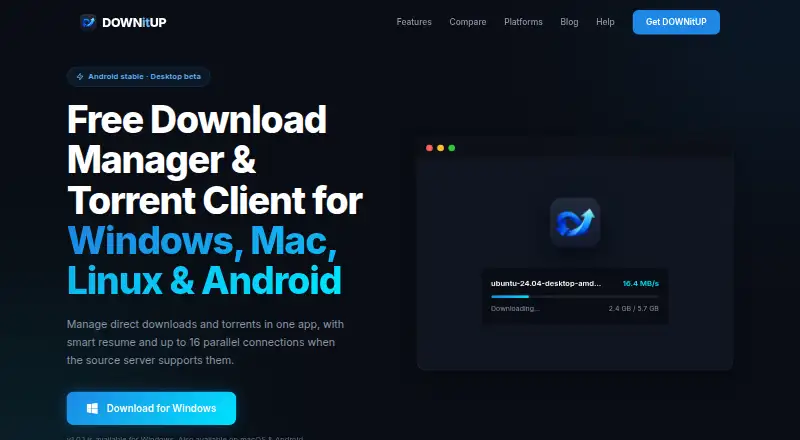
DOWNitUP combines a download manager with a torrent client for HTTP downloads and BitTorrent magnet links. It supports up to 16 parallel streams when the source server allows range requests, and Smart Resume can continue downloads after a network interruption or system restart. The app has a Material 3 interface with dark mode and runs on Android, Windows, macOS, and Linux. Listed requirements are Android 7.0+, Windows 10/11 64-bit, macOS 11+ on Apple Silicon or Intel, and 64-bit Linux packages in .deb and AppImage formats. Download URLs, magnet links, metadata, files, and settings are stored on the device; the policy says user data is not uploaded to or stored on the maker’s servers. Android users may watch optional rewarded ads, but ordinary downloads do not require them. A Firefox extension can send selected downloads to the local desktop service, with automatic capture optional. Torrent peers can see the device’s IP address. DOWNitUP is free, with no trial period or license fees.
Who it suits
DOWNitUP suits people who want direct downloads and torrents in one app across desktop and Android. It may also suit Firefox users who want to send selected browser downloads to a local desktop service.
What it does well
- Supports HTTP downloads and BitTorrent magnet links
- Up to 16 parallel streams when supported by server
- Smart Resume continues after interruptions or restarts
- Available on Android, Windows, macOS, and Linux
- Free, with no trial period or license fees
What to know first
- Torrent peers can see the device’s IP address
- Parallel streams depend on source server range requests
- macOS requires version 11 or later
- Android app offers optional rewarded ads
Plans
| Plan | Billed and limits | Price |
|---|---|---|
| Free | Free forever · no trial period or license fees | Free |
As downitup.com lists them, read 11 Oct 2026. The maker's own page has the final word.
Getting started
- Open the DOWNitUP website.
- Choose a download for Android, Windows, macOS or Linux.
- Install a version that meets the listed platform requirements.
- Optionally install the Firefox extension and connect it to the local desktop service.
Verdict
DOWNitUP brings direct downloads and torrents together, with resume support and optional Firefox integration. Note the visible IP address when using torrents and the platform-specific system requirements.
Questions
Is DOWNitUP free?
Yes. Its Free plan is listed as free, with no trial period or license fees.
Which platforms does DOWNitUP support?
It supports Android, Windows, macOS and Linux. Listed requirements are Android 7.0+, Windows 10/11 64-bit, macOS 11+ on Apple Silicon or Intel, and 64-bit Linux packages in .deb and AppImage formats.
What download types does it support?
DOWNitUP supports HTTP downloads and BitTorrent magnet links.
Does DOWNitUP include browser integration?
A Firefox extension can send selected browser downloads to the local desktop service at 127.0.0.1. Automatic capture is optional and can be disabled.
Where does DOWNitUP store download information?
Download URLs, magnet links, metadata, files and settings are stored locally on the device. The policy says user data is not uploaded to or stored on the maker’s servers.
What should torrent users know about privacy?
When using torrents, the device communicates with peers, and its IP address is visible to other peers in the swarm.
Facts from DOWNitUP's own pages
- Analytics
- The policy says the site uses anonymized Cloudflare Web Analytics and the app does not collect crash reports or track browsing activity or download history on its servers. · downitup.com, 11 Oct 2026
- Connections
- It supports up to 16 parallel download streams when the source server supports range requests. · downitup.com, 11 Oct 2026
- Firefox integration
- The Firefox extension can send selected browser downloads to the local desktop service at 127.0.0.1; automatic capture is optional and can be disabled. · downitup.com, 11 Oct 2026
- Headquarters
- Lucknow, Uttar Pradesh, India · downitup.com, 28 Sept 2026
- Interface
- The app has a Material 3 interface with dark mode support. · downitup.com, 11 Oct 2026
- Local storage
- Download URLs, magnet links, metadata, files, and settings are stored locally on the device; the policy says no user data is uploaded to or stored on the maker’s servers. · downitup.com, 11 Oct 2026
- Optional ads
- The Android app offers optional rewarded ads, and normal downloads do not require watching one. · downitup.com, 11 Oct 2026
- Platforms
- DOWNitUP is stable on Android and in beta for Windows, macOS, and Linux. · downitup.com, 11 Oct 2026
- Product
- DOWNitUP combines a download manager and torrent client for direct downloads and torrents. · downitup.com, 11 Oct 2026
- Protocols
- The app supports HTTP downloads and BitTorrent magnet links. · downitup.com, 11 Oct 2026
- Requirements
- The listed requirements are Android 7.0+, Windows 10/11 64-bit, macOS 11+ on Apple Silicon or Intel, and 64-bit Linux packages in .deb and AppImage formats. · downitup.com, 11 Oct 2026
- Resume
- Smart Resume picks up downloads after a network interruption or system restart. · downitup.com, 11 Oct 2026
- Support
- The site lists [email protected] as its support contact. · downitup.com, 11 Oct 2026
- Torrent privacy limit
- When using torrents, the device communicates with peers and its IP address is visible to other peers in the swarm. · downitup.com, 11 Oct 2026
Where DOWNitUP stands on Freedom251
- Download Manager Software#11 of 58