Freedom251 › File Sharing Software
Pushbullet
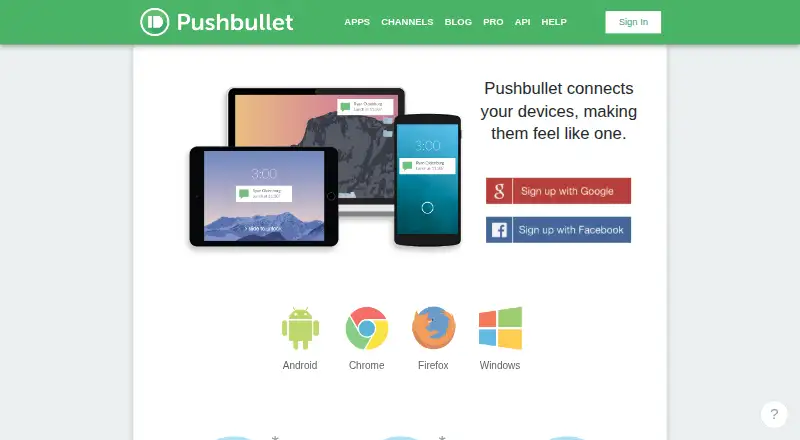
What Pushbullet is
Pushbullet connects phones, tablets, and computers so they can share information. It can display phone notifications, including messages and calls, on a computer. Through an Android phone, users can send and receive text messages on a computer; SMS sending is not supported through iPhones. Files can be sent through the website, Windows app, Android and iPhone apps, and browser extensions. Pushbullet Channels deliver alerts about topics users follow. Its API lets developers send and receive pushes and build clients or integrations for websites, home automation, sensors, and server alerts. Optional end-to-end encryption for notification mirroring, Universal Copy & Paste, and SMS uses AES-256-GCM, and encryption keys are not sent to the server. The free plan costs nothing and includes 2GB storage, 100 messages per month, and files up to 25MB. Pushbullet Pro costs $4.99 a month or $39.99 a year; both plans include 100GB storage, unlimited messages, and files up to 1GB. The listed platforms are Android, API, browser extension, iOS, web, and Windows.
Who it suits
Pushbullet may suit people who want to pass notifications or files between phones and computers. Developers can also use its API to build clients and integrations.
What it does well
- Shows phone messages and calls on a computer.
- Supports file sharing across apps, website, and extensions.
- Channels send notifications about followed topics.
- Optional end-to-end encryption covers notifications, clipboard, and SMS.
- API supports pushes and integrations.
What to know first
- Free-plan files must be under 25MB.
- SMS sending through iPhones is not supported.
- No free trial is listed.
Limits
The free plan includes 2GB storage, up to 100 messages per month, and files under 25MB. Pro allows files up to 1GB, 100GB storage, and unlimited messages.
Plans
| Plan | Billed and limits | Price |
|---|---|---|
| Pushbullet | Free plan · Files up to 25MB · 2GB storage · 100 messages/month | Free |
| Pushbullet Pro (yearly) | $39.99 per year ($3.33/mo shown) · Files up to 1GB · 100GB storage · Unlimited messages | $39.99 a year |
| Pushbullet Pro (monthly) | $4.99/mo · Files up to 1GB · 100GB storage · Unlimited messages | $4.99 a month |
As pushbullet.com lists them, read 10 Oct 2026. The maker's own page has the final word.
Getting started
- Visit the Pushbullet website.
- Choose the free plan or Pushbullet Pro monthly or yearly plan.
- Use the platform that fits your devices: Android, iOS, web, Windows, API, or a browser extension.
- Send files through the website, Windows app, mobile apps, or browser extensions.
Verdict
Pushbullet combines device notifications, file sharing, and an API, with a free plan and paid Pro options. Check the 25MB free file limit and the Android requirement for computer-based SMS.
Questions
Is Pushbullet free?
Yes. The Pushbullet plan costs nothing and includes 2GB storage, 100 messages per month, and files under 25MB.
How much does Pushbullet Pro cost?
Pushbullet Pro costs $4.99 a month or $39.99 a year. Both plans include 100GB storage, unlimited messages, and files up to 1GB.
Which platforms does Pushbullet support?
Its platforms include Android, iOS, web, Windows, API, and browser extensions. File-sharing extensions are listed for Chrome, Firefox, Safari, and Opera.
Can I send SMS from my computer?
Pushbullet supports sending and receiving SMS on a computer through an Android phone. SMS sending is not supported through iPhones.
Does Pushbullet offer end-to-end encryption?
Optional end-to-end encryption is available for notification mirroring, Universal Copy & Paste, and SMS. It uses AES-256-GCM, with keys not sent to the server.
Facts from Pushbullet's own pages
- API
- The Pushbullet API lets developers send and receive pushes and build clients or integrations, including for websites, home automation, sensors, and server alerts. · docs.pushbullet.com, 10 Oct 2026
- Browser support
- The maker’s help page lists Chrome, Firefox, Safari, and Opera browser extensions for file sharing. · help.pushbullet.com, 10 Oct 2026
- Channels
- Pushbullet Channels can deliver notifications about topics users follow. · get.pushbullet.com, 10 Oct 2026
- Company location
- Pushbullet says it is headquartered in San Francisco. · pushbullet.com, 10 Oct 2026
- Device connection
- Pushbullet connects phones, tablets, and computers so they can share information and work together. · get.pushbullet.com, 10 Oct 2026
- Encryption
- Pushbullet documents optional end-to-end encryption for notification mirroring, Universal Copy & Paste, and SMS, using AES-256-GCM; encryption keys are not sent to the server. · docs.pushbullet.com, 10 Oct 2026
- File sharing
- Users can send files through the website, Windows app, Android and iPhone apps, and browser extensions. · help.pushbullet.com, 10 Oct 2026
- Founded
- 2013 · pushbullet.com, 28 Sept 2026
- Free file limit
- Files must be under 25MB on the free plan; Pushbullet Pro raises the limit to 1GB. · help.pushbullet.com, 10 Oct 2026
- Headquarters
- San Francisco, California, United States · pushbullet.com, 28 Sept 2026
- Integration
- Pushbullet’s maker blog says its IFTTT channel can deliver notifications from more than 80 web apps. · blog.pushbullet.com, 10 Oct 2026
- Notifications
- It can show phone notifications, including messages and calls, on a computer. · get.pushbullet.com, 10 Oct 2026
- SMS
- Pushbullet supports sending and receiving text messages on a computer through an Android phone; SMS sending is not supported through iPhones. · help.pushbullet.com, 10 Oct 2026
- Support
- The maker’s API documentation directs users with questions to the Pushbullet tag on Stack Overflow and provides an email contact for other feedback. · docs.pushbullet.com, 10 Oct 2026
Where Pushbullet stands on Freedom251
- File Sharing Software#22 of 47