Freedom251 › AI Audio Restoration Software
PureRestore
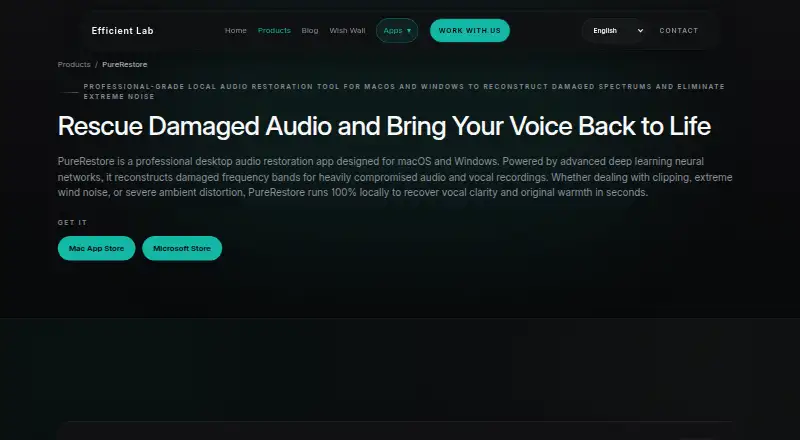
What PureRestore is
PureRestore is a desktop audio restoration app for macOS and Windows. It uses deep learning to rebuild damaged frequency bands in compromised audio and vocal recordings, with three modes for different restoration needs. Fast Restore applies lighter noise reduction and basic band correction to address background hiss and hum while using low CPU. Balanced Restore uses neural network models for multiband noise suppression, dereverberation, and vocal clarity compensation. Deep Restore targets more serious problems, including clipping, wind noise, and severe distortion, by reconstructing damaged frequency bands.
The maker says audio processing takes place locally, needs no network connection, and leaves files on the user's device. A graphical interface supports drag-and-drop processing of files or folders with progress tracking. Pro subscribers can also access the command-line interface, customize input and output paths, and run tasks quietly in automated scripts. The maker suggests restoring heavily distorted audio in PureRestore before polishing clean recordings in the related app PureRefine. Intended users include podcasters and vloggers, audio and post-production engineers, educators, professionals, and people automating workflows. The product is linked through the Mac App Store and Microsoft Store.
Who it suits
PureRestore suits podcasters, vloggers, educators, and professionals who need to restore compromised audio or vocal recordings. Audio and post-production engineers, as well as workflow automation users, may value its restoration modes and Pro command-line access.
What it does well
- Three restore modes address different levels and types of audio damage.
- Local processing works without a network connection.
- Drag-and-drop GUI handles files or folders with progress tracking.
- Pro CLI offers path controls and quiet execution for scripts.
- Available for macOS and Windows.
What to know first
- There is no free plan.
- Command-line access is limited to Pro subscribers.
- Mac App Store use requires macOS 14.0+ and an Apple M1 or later.
Limits
There is no free plan. CLI mode is available to Pro subscribers; the facts do not state a free-plan quota or trial.
Getting started
- Visit the PureRestore product page.
- Choose the Mac App Store or Microsoft Store distribution link.
- Install on a supported macOS or Windows device.
- Drag and drop audio files or a folder into the GUI to process them.
- For command-line workflows, subscribe to Pro and use its input and output path controls.
Verdict
Choose PureRestore if you need desktop tools for restoring noisy, distorted, or otherwise compromised audio, with local processing and a GUI batch workflow. It may be less suitable if you need a free plan or command-line access without a Pro subscription.
Questions
Is PureRestore free?
No. It is a paid product and has no free plan.
Which platforms does it support?
PureRestore is listed for macOS and Windows. The Mac App Store listing requires macOS 14.0 or later and a Mac with an Apple M1 chip or later.
Does it process audio online?
The maker says processing runs locally, requires no network connection, and leaves files on the user's device.
Can it process multiple files?
Its GUI supports drag-and-drop processing of files or folders with progress tracking.
Does PureRestore include command-line access?
Yes, command-line access is available to Pro subscribers, with input and output path controls and quiet background execution.
How does it fit with PureRefine?
The maker describes restoring heavily distorted audio in PureRestore first, then polishing clean recordings in PureRefine.
Facts from PureRestore's own pages
- Balanced Restore
- Balanced Restore uses neural network models for multiband noise suppression, dereverberation, and vocal clarity compensation. · efficient-lab.com, 4 Oct 2026
- Batch workflow
- The maker's launch announcement describes a GUI for drag-and-drop file or folder processing with progress tracking. · efficient-lab.com, 4 Oct 2026
- CLI
- The app provides command-line access for Pro subscribers, including input and output path controls and quiet background execution. · efficient-lab.com, 4 Oct 2026
- CLI access limit
- The maker says CLI mode is available to Pro subscribers. · efficient-lab.com, 4 Oct 2026
- Command line
- The CLI supports input and output path customization and secure folder access for automated script pipelines. · efficient-lab.com, 4 Oct 2026
- Deep Restore
- Deep Restore reconstructs damaged frequency bands and targets clipping, wind noise, and severe distortion. · efficient-lab.com, 4 Oct 2026
- Distribution
- The product page links to the Mac App Store and Microsoft Store. · efficient-lab.com, 4 Oct 2026
- Fast Restore
- Fast Restore applies light noise reduction and basic band correction to reduce background hiss and hum, with low CPU usage. · efficient-lab.com, 4 Oct 2026
- Intended users
- The maker lists podcasters and vloggers, audio and post-production engineers, educators and professionals, and workflow automation users as intended audiences. · efficient-lab.com, 4 Oct 2026
- Local processing
- The maker says processing runs locally, requires no network connection, and leaves files on the user's device. · efficient-lab.com, 4 Oct 2026
- Mac requirements
- The App Store listing requires macOS 14.0 or later and a Mac with an Apple M1 chip or later. · apps.apple.com, 4 Oct 2026
- Purpose
- PureRestore is a desktop audio restoration app that uses deep learning to reconstruct damaged frequency bands in compromised audio and vocal recordings. · efficient-lab.com, 4 Oct 2026
- Related product
- The maker describes a workflow that restores audio in PureRestore before polishing it in PureRefine. · efficient-lab.com, 4 Oct 2026
- Related product workflow
- The maker describes PureRestore as restoring heavily distorted audio and PureRefine as polishing clean recordings, and suggests using them in that order. · efficient-lab.com, 4 Oct 2026
- Support
- The maker offers support by email and GitHub Issues. · efficient-lab.com, 4 Oct 2026
Where PureRestore stands on Freedom251
- AI Audio Restoration Software#20 of 22