Freedom251 › Live TV streaming services
PulseCast
by PulseCast
What PulseCast is
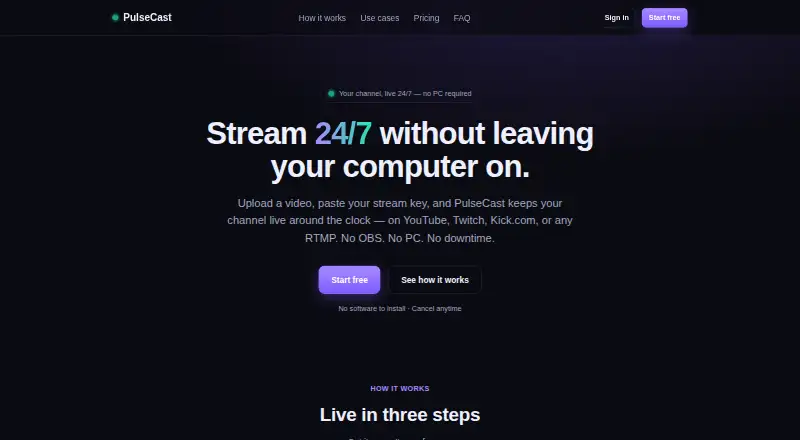
PulseCast is a web service that continuously loops an uploaded video from its servers to a chosen streaming destination. It supports YouTube, Twitch, Kick.com, Facebook and custom RTMP endpoints. Connecting a channel requires its RTMP URL and stream key, with no software installation. PulseCast can reconnect automatically after a dropped connection and shows the destination's reported reason in the dashboard. MP4 files using H.264 work best; other formats are converted once during upload. Listed uses include 24/7 music or radio, game replays, product showcases, ambient loops, church or event replays and trailers. The free plan runs for 48 hours on one channel at up to 720p with a PulseCast.tv watermark. Starter costs $19 a month for one 720p channel, while Pro costs $29 a month for three channels up to 1080p. Paid service is required after the free period.
Who it suits
It suits creators, organizations and businesses that need prerecorded video to run continuously on supported streaming destinations. It is also aimed at users who want server-based looping without installing streaming software.
What it does well
- Supports custom RTMP destinations
- Automatic reconnection after drops
- 24/7 looping streams
- No software installation required
- Free 48-hour plan
What to know first
- Resolution capped at 1080p
- Paid plan required after 48 hours
- Free plan adds a watermark
- Multistreaming is not supported
Plans
| Plan | Billed and limits | Price |
|---|---|---|
| Free | 48 hours · 1 channel · up to 720p · PulseCast.tv watermark | Free |
| Starter | monthly · 1 channel streaming 24/7 · up to 720p · up to 4 GB source video | $19 a month |
| Pro | monthly · 3 channels streaming 24/7 · up to 1080p · up to 6 GB source video · priority upload processing | $29 a month |
As pulsecast.tv lists them, read 7 Oct 2026. The maker's own page has the final word.
Verdict
PulseCast focuses on continuous prerecorded streaming with destination support, automatic recovery and monthly plans. Check the free-period limit, watermark, channel count and resolution ceiling before choosing a plan.
Facts from PulseCast's own pages
- Automatic recovery
- PulseCast automatically reconnects a stream if the connection drops, and the dashboard shows the destination's reported reason. · pulsecast.tv, 7 Oct 2026
- Billing and cancellation
- Paid plans are billed monthly; users can cancel anytime, and streams stop at the end of the current billing period. · pulsecast.tv, 7 Oct 2026
- Custom RTMP destinations
- Yes · pulsecast.tv, 20 Sept 2026
- Destinations
- It supports YouTube, Twitch, Kick.com, Facebook, and custom RTMP destinations. · pulsecast.tv, 7 Oct 2026
- Free plan
- No · pulsecast.tv, 20 Sept 2026
- Headquarters
- 17 Avenue de Lapeyrière, 31240 Saint-Jean, France · pulsecast.tv, 28 Sept 2026
- 24/7 looping
- Yes · pulsecast.tv, 20 Sept 2026
- Multistreaming
- No · pulsecast.tv, 20 Sept 2026
- Notable limits
- The service caps resolution at 1080p, and streams require an active paid plan after the free 48-hour period. · pulsecast.tv, 7 Oct 2026
- Pre-recorded streams
- Yes · pulsecast.tv, 20 Sept 2026
- Privacy and GDPR
- The privacy policy identifies Lucas Centomo as the EU/UK GDPR data controller and says PulseCast does not sell personal data. · pulsecast.tv, 7 Oct 2026
- Setup
- To connect a channel, users paste its RTMP URL and stream key; PulseCast says no software installation is needed. · pulsecast.tv, 7 Oct 2026
- Paid from
- 19 · pulsecast.tv, 20 Sept 2026
- Stream key security
- Stream keys are encrypted at rest, masked in logs, and not displayed back to users. · pulsecast.tv, 7 Oct 2026
- Support
- The maker lists [email protected] as its support contact. · pulsecast.tv, 7 Oct 2026
- Transport and access security
- The privacy policy states that PulseCast uses HTTPS/TLS encryption in transit, hashed passwords, and restricted access to production systems. · pulsecast.tv, 7 Oct 2026
- Use cases
- The maker lists 24/7 music and radio, game replays, product showcases, ambient loops, church or event replays, and trailers as use cases. · pulsecast.tv, 7 Oct 2026
- Video handling
- MP4 with H.264 works best; other formats are converted once on upload. · pulsecast.tv, 7 Oct 2026
- What it does
- PulseCast streams an uploaded video on a continuous loop from its servers to a destination you choose. · pulsecast.tv, 7 Oct 2026
Where PulseCast stands on Freedom251
- Live TV streaming services#77 of 169
- Live Streaming Software#76 of 137
- Live streaming software#77 of 134