Freedom251 › Panorama Stitching Software
PTAssembler
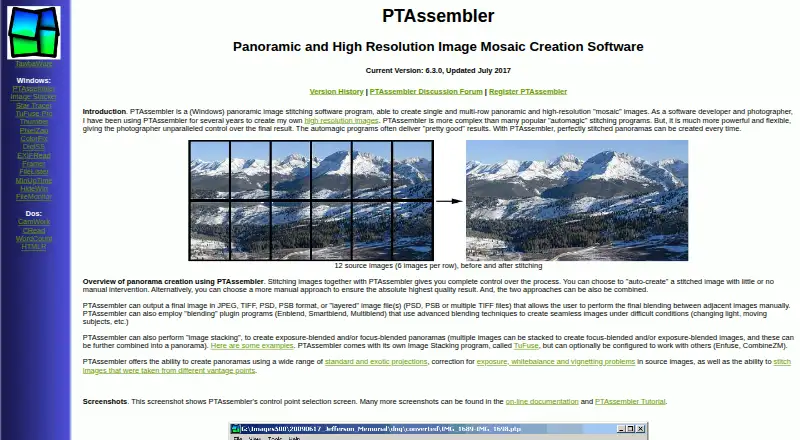
What PTAssembler is
PTAssembler is a Windows program for stitching single-row panoramas and multi-row, high-resolution mosaics. It offers both automated creation and manual control, with tools such as a graphical preview editor, a beginner wizard, automatic positioning optimization, image-stack alignment, batch processing, and drag-and-drop. It can stitch pictures taken from different vantage points, supports standard and exotic projections, and can correct exposure, white balance, and vignetting. Exposure- and focus-blended panoramas are supported; TuFuse is included, with optional Enfuse or CombineZM. Enblend, Smartblend, and Multiblend plugins can help blend images when lighting changes or subjects move. Output options include JPEG, TIFF, PSD, PSB, and layered PSD, PSB, or multiple TIFF files. The source-image screen can display JPEG, BMP, and TIFF files. PTAssembler requires Visual Basic 6 runtime files. Its maker lists version 6.3.0, updated July 2017, and provides documentation, a tutorial, and a discussion forum. A 30-day trial is available; registration unlocks the full version, while unregistered use has restricted features after the trial. No price is listed.
Who it suits
PTAssembler may suit Windows users who need panorama stitching with manual controls, batch processing, or exposure and focus blending. Its mix of automatic tools and manual options also accommodates users who want to control panorama creation themselves.
What it does well
- Supports single-row and multi-row panoramas.
- Includes batch processing and a preview editor.
- Supports exposure- and focus-blended panoramas.
- Can correct exposure, white balance, and vignetting.
- Offers JPEG, TIFF, PSD, and PSB output.
What to know first
- Windows program only.
- Requires Visual Basic 6 runtime files.
- Version 6.3.0 was updated July 2017.
- Unregistered features are restricted after 30 days.
Limits
Unregistered use works without restriction for 30 days; after that, some features are restricted until registration. The product has no free plan.
Plans
| Plan | Billed and limits | Price |
|---|---|---|
| PTAssembler license | Registration unlocks full version; unregistered use operates without restriction for 30 days, then some features are restricted | On request |
As tawbaware.com lists them, read 4 Oct 2026. The maker's own page has the final word.
Getting started
- Open the PTAssembler website
- Install the Windows program and required Visual Basic 6 runtime files
- Use the unregistered version during its 30-day trial
- Add JPEG, BMP, TIFF, image, or project files by drag and drop
- Create a panorama automatically or adjust it manually
- Register to unlock the full version
Verdict
PTAssembler combines broad panorama controls and output choices with blending and correction tools. Check the Windows requirement, runtime dependency, and listed 2017 update before choosing it.
Questions
Which platforms does it support?
PTAssembler supports Windows and requires Visual Basic 6 runtime files.
Can it blend exposures or focus stacks?
Yes. It supports exposure-blended and focus-blended panoramas, includes TuFuse, and can optionally use Enfuse or CombineZM.
What files can it create?
It can output JPEG, TIFF, PSD, PSB, and layered PSD, PSB, or multiple-TIFF files.
Does it support batch stitching?
Yes. Batch processing is included, along with automatic image-stack alignment and positioning optimization.
Who makes PTAssembler?
TawbaWare describes itself as home to software, photographs, and writings by Max Lyons.
Facts from PTAssembler's own pages
- Blending
- It can use Enblend, Smartblend, or Multiblend plugins to blend images, including in difficult conditions such as changing light or moving subjects. · tawbaware.com, 4 Oct 2026
- Control
- It supports automatic creation with little manual intervention as well as manual control over panorama creation. · tawbaware.com, 4 Oct 2026
- Image file support
- The documentation says the source-image screen can display JPEG, BMP, and TIFF files and can accept image or project files by drag and drop. · tawbaware.com, 4 Oct 2026
- Image stacking
- It supports exposure-blended and focus-blended panoramas, includes TuFuse, and can optionally use Enfuse or CombineZM. · tawbaware.com, 4 Oct 2026
- Maintenance
- The maker lists version 6.3.0, updated July 2017. · tawbaware.com, 4 Oct 2026
- Maker
- TawbaWare describes itself as home to software, photographs, and writings by Max Lyons. · tawbaware.com, 4 Oct 2026
- Optional plugins
- The feature list names Panomatic, Enblend, Smartblend, Enfuse, and other control-point, stacking, blending, and preprocessing plugins. · tawbaware.com, 4 Oct 2026
- Output formats
- It can output JPEG, TIFF, PSD, PSB, or layered files in PSD, PSB, or multiple TIFF format. · tawbaware.com, 4 Oct 2026
- Platform and runtime
- PTAssembler is a Windows program, and the maker says it requires Visual Basic 6 runtime files. · tawbaware.com, 4 Oct 2026
- Projection and correction
- It supports standard and exotic projections and can correct exposure, white balance, and vignetting problems in source images. · tawbaware.com, 4 Oct 2026
- Purpose
- PTAssembler stitches images into single-row panoramas and multi-row, high-resolution mosaic images. · tawbaware.com, 4 Oct 2026
- Support
- The maker provides online documentation, a tutorial, and a PTAssembler discussion forum. · tawbaware.com, 4 Oct 2026
- Vantage points
- It can stitch images taken from different vantage points. · tawbaware.com, 4 Oct 2026
- Warranty
- The maker states that PTAssembler comes with no warranty and disclaims responsibility for damages caused by using it. · tawbaware.com, 4 Oct 2026
- Workflow features
- Features include a graphical preview editor, a beginner wizard, automatic positioning optimization, automatic image-stack alignment, batch processing, and drag-and-drop. · tawbaware.com, 4 Oct 2026
Where PTAssembler stands on Freedom251
- Panorama Stitching Software#21 of 23