Freedom251 › Panorama Stitching Software
PANOVOLO
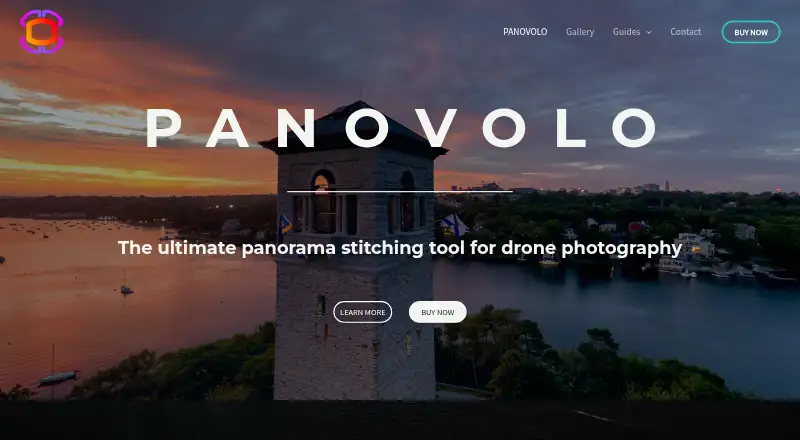
What PANOVOLO is
PANOVOLO is panorama stitching software designed for drone photography. It combines DNG (RAW), TIFF, and JPEG images from drones, 360 cameras, DSLRs, mirrorless cameras, and smartphones, then saves panoramas in those formats. Batch mode processes folders with predefined settings and places the results in a chosen folder. It can create fully spherical 360×180° panoramas, with an interactive photo sphere viewer, and offers Spherical, Cylindrical, Rectilinear, Mercator, and Stereographic projections. Review tools display image connections, boundaries, and alignments, and let users adjust the central point or correct stitching errors. A 3D Map review tool shows the drone and gimbal position and orientation for each image. Processing takes place locally; the maker says images are not sent to the cloud. PANOVOLO runs on Windows 10 or 11 (64-bit) and macOS 13 Ventura or newer. The Full license is $39.99, paid once, for up to two computers simultaneously, with no image-count limit and free updates for the current major version.
Who it suits
PANOVOLO suits photographers stitching panoramas from drone or other camera images, especially those who need batch processing or spherical output. It is available for Windows and macOS.
What it does well
- Accepts DNG (RAW), TIFF, and JPEG images.
- Batch mode stitches folders with predefined settings.
- Creates spherical 360×180° panoramas.
- Review tools help inspect and correct stitching.
- Processing is local, according to the maker.
What to know first
- No free plan is offered.
- Unlicensed panoramas are watermarked.
- Batch saving is disabled without a license.
- Requires Windows 10 or 11, or macOS 13+.
Limits
Without a license, panoramas carry a watermark and saving panoramas through batch mode is disabled. The Full license supports up to two computers simultaneously, has no image-count limit and includes free updates for the current major version.
Plans
| Plan | Billed and limits | Price |
|---|---|---|
| Full license | One time payment. No subscriptions or recurring fees. · Perpetual license · up to 2 computers simultaneously · no image-count limit · free updates for the current major version | $39.99, paid once |
As panovolo.com lists them, read 2 Oct 2026. The maker's own page has the final word.
Getting started
- Visit https://www.panovolo.com/.
- Use the free trial or choose the Full license for 39.99 USD as a one-time payment.
- Install on macOS 13 Ventura or newer, or 64-bit Windows 10 or 11.
- Import compatible DNG, TIFF or JPEG images from a supported camera.
- Use review tools or batch mode, then save the panorama in DNG, TIFF or JPEG.
Verdict
PANOVOLO combines broad camera and format support with batch stitching, spherical output, and review tools. The paid Full license costs $39.99, paid once; a free trial is available, but unlicensed output is watermarked and batch saving is disabled.
Questions
How much does PANOVOLO cost?
The Full license is $39.99, paid once, as a one-time payment with no subscriptions or recurring fees.
Is there a free plan or trial?
There is no free plan, but a free trial is available. Without a license, panoramas are watermarked and batch-mode saving is disabled.
Which platforms does PANOVOLO support?
It supports macOS 13 Ventura or newer and 64-bit Windows 10 or 11.
What image formats can it use?
It stitches DNG (RAW), TIFF and JPEG images and can save panoramas in DNG, TIFF or JPEG.
How many computers does the Full license cover?
It permits use on up to two computers simultaneously and has no image-count limit.
Where does image processing happen?
Processing is local. The maker says source images and stitched panoramas are not sent to the cloud.
Facts from PANOVOLO's own pages
- Batch processing
- Batch mode automatically stitches panoramas from folders using predefined settings and saves results to a chosen folder. · panovolo.com, 2 Oct 2026
- Compatible cameras
- It supports images from drones, 360 cameras, DSLRs, mirrorless cameras and smartphones. · panovolo.com, 2 Oct 2026
- Current camera support
- Version 1.12.1 added support for stitching DJI Osmo 360 II DNG files and added DJI Avata 360 30 Mpx mode support. · panovolo.com, 2 Oct 2026
- Drone map
- Its 3D Map review tool displays the drone and gimbal position and orientation for each captured image. · panovolo.com, 2 Oct 2026
- Editing and review
- The Review tools show image connections, boundaries and alignments, and let users adjust the panorama central point and fix stitching errors. · panovolo.com, 2 Oct 2026
- Headquarters
- Halifax, Nova Scotia, Canada · panovolo.com, 28 Sept 2026
- Input and output
- It stitches DNG (RAW), TIFF and JPEG images and can save panoramas in DNG, TIFF or JPEG formats. · panovolo.com, 2 Oct 2026
- License limit
- Without a license, panoramic images are watermarked and saving panoramas in batch mode is disabled. · panovolo.com, 2 Oct 2026
- Privacy policy
- The website privacy policy says it may collect names, email addresses, browser log data and cookie information, and says it cannot guarantee absolute security. · panovolo.com, 2 Oct 2026
- Projections
- Supported output projections include Spherical, Cylindrical, Rectilinear, Mercator and Stereographic. · panovolo.com, 2 Oct 2026
- Purpose
- PANOVOLO is a panorama stitching tool designed for drone photography. · panovolo.com, 2 Oct 2026
- Security and processing
- Panorama processing is local, and the maker says source images and stitched panoramas are not sent to the cloud. · panovolo.com, 2 Oct 2026
- Spherical panoramas
- It creates fully spherical 360×180° panoramas and includes an interactive photo sphere viewer. · panovolo.com, 2 Oct 2026
- Support
- Questions, support requests and bug reports can be sent by email or the contact form; bug reports should include the software version. · panovolo.com, 2 Oct 2026
- System requirements
- Windows 10 or 11 (64-bit) and macOS 13 Ventura or newer are supported; the maker lists 8 GB RAM minimum and 10 GB available disk space. · panovolo.com, 2 Oct 2026
Where PANOVOLO stands on Freedom251
- Panorama Stitching Software#16 of 23