Freedom251 › Financial Forecasting Software
ProjectionHub
What ProjectionHub is
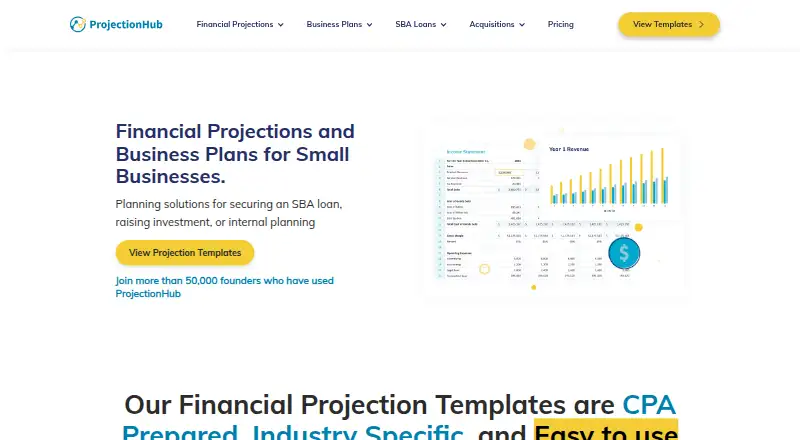
ProjectionHub provides financial projection templates and expert services for business plans, SBA loans, investment raising, and internal planning. Its library has more than 100 CPA-developed templates for specific industries. The templates produce five-year income statements, cash flow statements, and balance sheets, with monthly and annual views. Industry-specific revenue models, highlighted input areas, and customizable models help shape projections for a business. Templates are designed for Excel and compatible with Google Sheets; Apple Numbers usually works, though it receives less support.
Individual projection templates and an SBA Readiness Review are free. ProjectionHub+ costs $499 once for lifetime access to all templates for one user or a small team; larger organizations need a custom license. Other one-time options include a $150 SBA Expert Consultation, $500 SBA Pre-Qualification, $750 Financial Projections, a $2,500 Business Plan + Projections, and a $3,500 projections, business plan, and SBA concierge package. Weekday support is offered by chat, email, and screenshare demonstrations, generally 9–5 EST.
Who it suits
ProjectionHub may suit business owners preparing projections for planning, loans, or investment raising, as well as advisors and consultants who need industry-specific templates. Its ProjectionHub+ plan is intended for individual consultants, business advisors, and very small teams.
What it does well
- More than 100 CPA-developed, industry-specific templates
- Five-year projections include monthly and annual statements
- Templates work with Excel and Google Sheets
- Complimentary weekday support by chat, email, and screenshare
What to know first
- Apple Numbers receives less support
- ProjectionHub+ is limited to one user or a small team
- Templates may not be resold
Limits
The free individual template plan includes 100+ templates to choose from, five years of projections, support, and a complimentary projection review. ProjectionHub+ costs $499 one time for lifetime access and covers one user or a small team; larger teams need a custom license. Templates may be used for client deliverables or internal planning but may not be resold.
Plans
| Plan | Billed and limits | Price |
|---|---|---|
| SBA Readiness Review | Expert review and advice · SBA eligibility determination · maximum loan calculation · approval-odds estimate · lender and loan-program recommendations | Free |
| Individual Projection Templates | 100+ CPA-developed templates · 5 years of projections · industry-specific revenue and expenses · charts, graphs and ratios · email/live-chat support · complimentary projection review | Free |
| SBA Expert Consultation | One 60-minute strategy call · eligibility analysis · SBA questions answered · business-model and loan-request validation | $150, paid once |
| SaaS Bundle | Shown reduced from $499 · Five templates: SaaS, SaaS Enterprise, SaaS Free Trial, Hardware + Software, Mobile App · unlimited access · five-year pro formas · repair and troubleshooting support | $179, paid once |
| Business Plan + Projections | Custom SBA-ready business plan · complete financial projections · market research · custom graphics and visuals · unlimited revisions · first draft in two to four business days | $2,500, paid once |
| Financial Projections + Business Plan Package + SBA Concierge Service | Shown against $4,250; save $750 · Financial projections · 20+ page business plan · SBA strategy planning · document preparation and review · lender introductions · closing-process guidance · SBA approval guarantee | $3,500, paid once |
| ProjectionHub+ | One Time Payment · Lifetime access to 100+ templates · private download portal · priority human support · future templates and versions · SBA Lender Finder Tool · Industry Data Tool | $499, paid once |
| ProjectionHub+ (ALL templates) | One Time Payment · Lifetime access to all 100+ templates · one user or small team; larger teams need a custom license | $499, paid once |
The first 8 of 10 plans, as projectionhub.com lists them, read 14 Oct 2026. The maker's own page has the final word. Every plan
Getting started
- Visit https://www.projectionhub.com/
- Choose a free individual template or a listed service or package
- Use the templates in Excel or Google Sheets; Apple Numbers is also supported to a lesser extent
- Contact weekday support by chat, email, or screenshare for assistance
ProjectionHub is a spreadsheet-based forecasting library paired with optional business-planning and SBA services. It is best suited to business owners who need projections for planning or financing, and advisers who work with a small number of clients. Its appeal is a free route into industry-specific models, with paid expert help when a template is not enough.
Overview
Founded in 2012 by two brothers in Indiana, ProjectionHub focuses on financial projections rather than a broad planning platform. Its templates and services address business plans, SBA loans, investment raising, and internal planning. A business owner can start with an individual template, while a consultant can buy broader template access or commission a finished deliverable. Template use is limited to the purchaser or a small team, however, and resale is not allowed.
Key features
The library contains more than 100 CPA-developed templates tailored to industries. Models include industry-specific revenue assumptions, highlighted input areas, and customizable financial logic. They produce five-year income statements, cash-flow statements, and balance sheets, with monthly and annual projections. That gives owners a structured starting point for forecasts without requiring a separate forecasting platform, though the model’s usefulness depends on choosing a template that fits the business.
Templates are designed for Excel and also work with Google Sheets. Apple Numbers usually works, but is a less-supported option, so it is a weaker fit for teams committed to that spreadsheet. ProjectionHub offers complimentary weekday help by chat, email, and screenshare video demonstrations, generally from 9–5 EST.
Beyond templates, ProjectionHub sells expert-created projections, custom business plans, SBA pre-qualification, and custom financial modeling. These options make the service useful when a business needs expert input or a lender-oriented deliverable, rather than just a model to edit.
Pricing
The two free offers make it possible to try the service without an upfront purchase. Individual Projection Templates gives access to 100+ templates to choose from, five years of projections, human email and live chat support, and a complimentary projection review. The free SBA Readiness Review adds expert advice, video analysis, an SBA eligibility determination, and estimates of maximum loan amount and approval odds. There is no free trial; these are free offers rather than a time-limited trial.
Paid services use one-time charges, not recurring subscriptions. The $150 SBA Expert Consultation buys one 60-minute strategy call, making it the lowest-cost route to direct SBA advice. At $500, SBA Pre-Qualification adds a 1:1 strategy consultation, lender-ready executive summary, and calls with two SBA lenders. This is aimed at borrowers who want help preparing for lender conversations, not just an eligibility estimate.
Financial Projections costs $750 and includes complete projections, unlimited revisions, a custom explanation video, and a first draft in two business days. Business Plan + Projections costs $2,500 for a custom SBA-ready plan, integrated financial projections, industry and target-market research, and unlimited revisions. The $3,500 Financial Projections + Business Plan Package + SBA Concierge Service combines projections, a custom business plan, and concierge support; its concierge portion is refundable if SBA approval is not obtained.
ProjectionHub+ costs $499 as a one-time payment for lifetime access to all 100+ templates. It suits consultants, business advisers, serial entrepreneurs, and entrepreneurial support organizations that expect to reuse models. The license covers one user or a small team; larger organizations need custom pricing. Templates may support client deliverables or internal planning, but cannot be resold.
Platforms
ProjectionHub lists web, macOS, and Windows platforms. The templates themselves are spreadsheet files intended primarily for Excel and Google Sheets, with Apple Numbers supported to a lesser extent.
Who it's for
ProjectionHub is a sensible fit for small-business owners preparing forecasts for a plan, loan, investment raise, or internal decisions, especially if they want to start with a free template. Advisers with a small team can consider ProjectionHub+ for repeated client work. It is less suitable for organizations that need a broadly licensed template library or for teams that require strong Apple Numbers support.
Pros and cons
- Pros: Free individual templates include five-year forecasts and a complimentary projection review, lowering the barrier to building a first model.
- Pros: More than 100 industry-specific templates and editable spreadsheet formats offer a focused starting point for different business types.
- Pros: One-time paid options span a single expert call through custom plans and SBA concierge support, so buyers can pay for the level of help they need.
- Cons: ProjectionHub+ is limited to one user or a small team, while larger organizations must seek a custom license.
- Cons: Template resale is prohibited, limiting how advisers can package model access in their own offerings.
- Cons: Apple Numbers receives less support than Excel and Google Sheets, making it a less dependable choice for Numbers-first teams.
Alternatives
For a broader comparison of tools, see Financial Forecasting Software.
Choose LivePlan instead if you want a paid monthly plan with a stated company and contributor allowance: its Standard plan is $20 a month for one active company, five contributors, and unlimited guests; ProjectionHub offers free individual templates and one-time service fees instead.
OneStream is another paid option, with Android, iOS, web, Windows, API, and self-hosted platform availability; choose it if that platform range suits your needs better. Calumo is a paid web and self-hosted option with pricing by request and a demo offered. Aimplan is a paid web and API option. CashAnalytics is a paid web option with pricing on request and a demo. CCH Tagetik is a paid web and self-hosted option with quotes or demos by request. Cube is a paid web and API option, with a Bronze plan that includes full platform access, custom roles, unlimited dimensions and users, and unlimited dashboards. Decerio is a paid web option.
Verdict
Choose ProjectionHub if you need editable, industry-specific financial projections for a small business or a small advisory practice, and value free templates with the option to pay for SBA or business-plan expertise. Look elsewhere if you need broad team licensing, resale rights, or a spreadsheet workflow centered on Apple Numbers.
Verdict
ProjectionHub combines reusable projection templates with paid advisory and business-plan services. Its free individual templates offer a starting point, while ProjectionHub+ and custom services have one-time listed prices.
Questions
Is there a free plan?
Yes. Individual projection templates are free, and the SBA Readiness Review is also listed as free.
How much does ProjectionHub+ cost?
ProjectionHub+ is $499 USD one time for lifetime access to all 100+ templates for one user or a small team.
Which spreadsheet apps work with the templates?
The templates are designed for Excel and are compatible with Google Sheets. Apple Numbers usually works, but receives less support.
What services are available?
Options include an SBA expert consultation for $150 once, SBA pre-qualification for $500 once, financial projections for $750 once, and business plan and projection services. A projections, business plan, and SBA concierge package is listed at $3,500 once.
Can I resell a template?
No. The template terms allow purchaser or small-team use for client deliverables or internal planning, but prohibit resale.
When is support available?
Complimentary weekday support is offered through chat, email, and screenshare video demonstrations, generally 9–5 EST.
Facts from ProjectionHub's own pages
- API and SDKs
- The reviewed official pages provide no public API, SDK or developer documentation. · projectionhub.com, 14 Oct 2026
- Audience
- ProjectionHub+ is aimed at business advisors, consultants, serial entrepreneurs, and entrepreneurial support organizations. · projectionhub.com, 7 Oct 2026
- Business-plan service
- The company writes custom SBA-ready business plans and can integrate its financial projections into them. · projectionhub.com, 14 Oct 2026
- Company
- ProjectionHub says it was founded in 2012 by two brothers from Indiana and identifies the company as Executive Plan LLC in its privacy policy. · projectionhub.com, 7 Oct 2026
- Company history
- ProjectionHub was founded in 2012 by brothers Adam and Brandon Hoeksema in Indiana. · projectionhub.com, 14 Oct 2026
- Company size and headquarters
- LinkedIn lists ProjectionHub as a 2–10 employee partnership headquartered in Indianapolis. · linkedin.com, 14 Oct 2026
- Core output
- Its models produce five-year income-statement, cash-flow and balance-sheet pro formas. · projectionhub.com, 14 Oct 2026
- Currencies
- The documented projection app supports USD, EUR, GBP, INR, AUD and CAD. · blog.projectionhub.com, 14 Oct 2026
- Customization
- Templates include industry-specific revenue models, highlighted input areas, and customizable financial models. · projectionhub.com, 7 Oct 2026
- Custom modeling
- ProjectionHub staff, including CPA Grace Cisna, build bespoke Excel financial models to client specifications. · projectionhub.com, 14 Oct 2026
- Documentation depth
- Public help material includes FAQs and troubleshooting guides for downloads, added revenue and expenses, employees, hidden tabs, formula errors, charts, currencies and printing. · projectionhub.com, 14 Oct 2026
- Downloads
- The former web application documentation says projections can be downloaded as PDF and Excel files. · blog.projectionhub.com, 14 Oct 2026
- Expert review
- Users can upload completed templates and receive a custom video review from ProjectionHub experts. · projectionhub.com, 14 Oct 2026
- File formats
- Templates are designed for Excel, convert to Google Sheets with stated 99.99% accuracy, and also work in Apple Numbers with less support. · projectionhub.com, 14 Oct 2026
- Financial statements
- Its templates produce five-year income statement, cash flow, and balance sheet projections with monthly and annual statements. · projectionhub.com, 7 Oct 2026
- Founded
- 2012 · projectionhub.com, 28 Sept 2026
- Funding
- Owler reports no identified funding and estimates annual revenue below $1 million. · owler.com, 14 Oct 2026
- Guided input
- Template input cells are highlighted and organized into tabs to guide users through entering assumptions. · projectionhub.com, 14 Oct 2026
- Headquarters
- Indiana, United States · projectionhub.com, 28 Sept 2026
- Industry revenue modeling
- Templates calculate industry-specific revenue drivers instead of relying only on generic revenue inputs. · projectionhub.com, 14 Oct 2026
- Integrations
- The maker states templates can be used in Excel and Google Sheets, with Apple Numbers also supported to a lesser extent. · projectionhub.com, 7 Oct 2026
- Legal entity
- Crunchbase identifies the legal name as ExecutivePlan LLC and lists the operating status as active. · crunchbase.com, 14 Oct 2026
- Limit: flexibility
- A customer testimonial says the reporting structure could be more flexible. · projectionhub.com, 14 Oct 2026
- Limit: QuickBooks integration
- Two G2 reviews say ProjectionHub does not integrate with QuickBooks. · g2.com, 14 Oct 2026
Where ProjectionHub stands on Freedom251
- Financial Forecasting Software#1 of 75