Freedom251 › Nintendo 64 Emulators
Project64
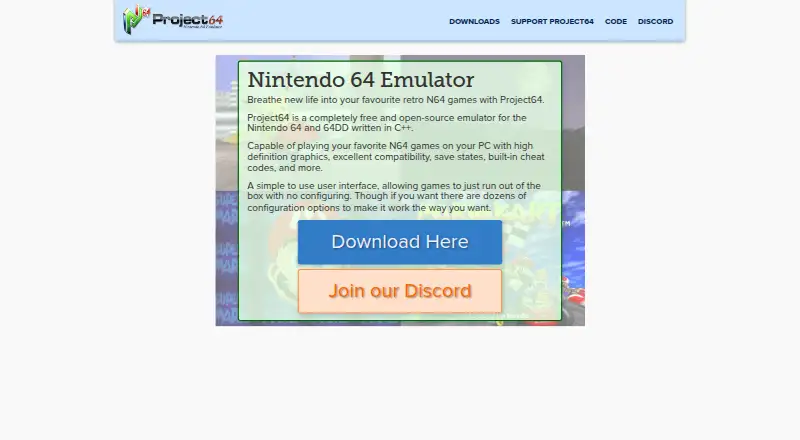
What Project64 is
Project64 is a free, open-source emulator for Nintendo 64 and Nintendo 64 Disk Drive (64DD) systems, available for Windows. Its maker says it can run N64 games on a PC with high-definition graphics and compatibility, and graphics upscaling is supported. Players can use save states, built-in cheat codes, controller support, and many popular N64 emulator plugins. Games can run without configuration, while dozens of optional settings are available. The project also lists development and debugging tools, and its source code is available from its Git repository. The emulator's features are available without contributing; a contribution provides a code that removes the support prompt. The public release does not include games, and the project asks users not to request ROMs. The listed minimum requirements are 64-bit Windows 10 or 11, a 1 GHz or faster Intel or AMD processor with SSE2, and at least 2 GB of RAM. Development builds include newer code but are less tested than public releases.
Who it suits
Project64 suits Windows users looking for an emulator for Nintendo 64 or 64DD games, with optional configuration and development tools. Users need to supply their own games and meet the listed system requirements.
What it does well
- Free and open-source, with no feature paywall.
- Supports Nintendo 64 and 64DD.
- Includes save states and built-in cheat codes.
- Offers graphics upscaling and controller support.
- Source code is available in its Git repository.
What to know first
- Available only for Windows.
- Games are not included.
- Development builds are less tested than public releases.
- Minimum requirements specify 64-bit Windows 10 or 11.
Limits
The emulator does not include games. Minimum requirements are 64-bit Windows 10 or 11, a 1 GHz or faster Intel or AMD processor with SSE2, and at least 2 GB of RAM.
Plans
| Plan | Billed and limits | Price |
|---|---|---|
| Project64 | Free and open-source emulator; games not included | Free |
As pj64-emu.com lists them, read 4 Oct 2026. The maker's own page has the final word.
Getting started
- Visit the Project64 website.
- Download and run Project64 on a 64-bit Windows 10 or 11 computer that meets the listed minimum requirements.
- Use games you provide; games are not included with the public release.
- Run a game without configuration, or adjust the optional settings and controller or plugin support as needed.
- Visit the Project64 Discord server for support and questions.
Verdict
Project64 offers core emulation features without a charge, alongside optional settings and development tools. Its Windows-only availability and lack of included games are important considerations before choosing it.
Questions
Is Project64 free?
Yes. It is free and open-source, and all emulator features are available without supporting the project.
Which systems does it emulate?
Project64 supports Nintendo 64 and Nintendo 64 Disk Drive (64DD).
Which operating system does it support?
The listed desktop operating system is Windows. The minimum requirements specify 64-bit Windows 10 or 11.
Are games included?
No. Games are not included with the public release, and the project asks users not to request ROMs.
Where can I get support?
The maker directs users to its Discord server for support and questions.
What does supporting the project provide?
Supporting the project provides a code to remove the prompt asking users to support it.
Facts from Project64's own pages
- Configuration
- The interface is described as simple to use, with games able to run without configuring and dozens of optional configuration settings. · pj64-emu.com, 4 Oct 2026
- Contribution benefit
- Supporting the project provides a code to remove the prompt asking for support. · pj64-emu.com, 4 Oct 2026
- Controller and plugins
- The project lists controller support and support for many popular N64 emulator plugins. · github.com, 4 Oct 2026
- Development tools
- The project lists development and debugging tools among its features. · github.com, 4 Oct 2026
- Gameplay features
- The emulator includes save states and built-in cheat codes. · pj64-emu.com, 4 Oct 2026
- Graphics
- The maker says it can play N64 games on a PC with high definition graphics and excellent compatibility. · pj64-emu.com, 4 Oct 2026
- Minimum requirements
- The repository lists 64-bit Windows 10 and 11, a 1 GHz or faster Intel or AMD processor with SSE2, and 2 GB or more of RAM. · github.com, 4 Oct 2026
- Open source
- The source code is available from the Project64 Git repository. · pj64-emu.com, 4 Oct 2026
- Optional contribution
- Project64 says it will stay free and that all emulator features are available without supporting the project. · pj64-emu.com, 4 Oct 2026
- Purpose
- Project64 is an emulator for the Nintendo 64 and 64DD, written in C++. · pj64-emu.com, 4 Oct 2026
- Release status
- Development builds contain the latest code but are less tested than public releases. · pj64-emu.com, 4 Oct 2026
- ROMs
- The public release page says games are not included and asks users not to request ROMs. · pj64-emu.com, 4 Oct 2026
- Support
- The maker directs users to its Discord server for support and questions. · github.com, 4 Oct 2026
Where Project64 stands on Freedom251
- Nintendo 64 Emulators#18 of 24
- Game Console Emulators#33 of 35