Freedom251 › Presentation software
presenterm
What presenterm is
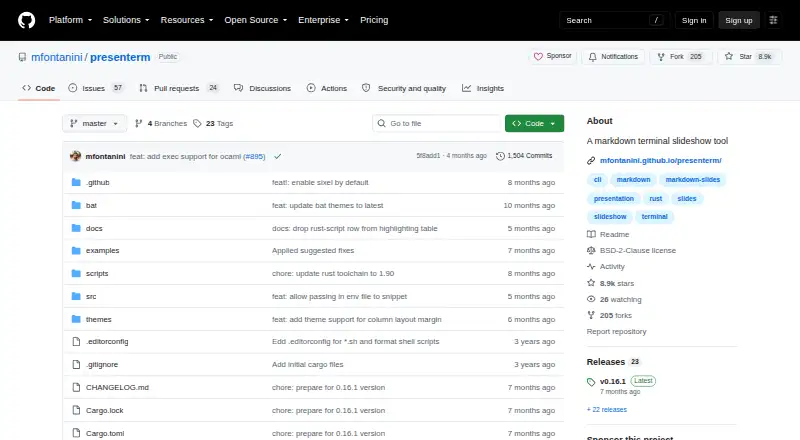
presenterm is free, open-source software for creating Markdown presentations directly in a terminal. It runs on Linux, macOS, and Windows and includes a presenter mode. Slides can contain images, animated GIFs, customizable themes, code highlighting, column layouts, and Mermaid or D2 diagrams. LaTeX and Typst formulas are also listed. Images display in terminals supporting the iTerm2, Kitty, or sixel graphics protocols, while remote images are not supported by design. Presentations export to HTML or PDF; HTML needs no extra dependencies, whereas PDF export requires WeasyPrint. Code snippets can execute when explicitly enabled, with documentation warning users to run code at their own risk. Speaker notes can appear in another presenterm instance through localhost UDP. Files reload automatically outside presentation mode. Installation routes include binaries, cargo, Homebrew, Nix, Arch Linux, Scoop, and WinGet. The project uses the BSD-2-Clause license.
Who it suits
It suits people who want Markdown-based terminal presentations on Linux, macOS, or Windows. It is also useful for presenters needing diagrams, formulas, exports, or optional executable code snippets.
What it does well
- Free plan and open-source BSD-2-Clause license
- Runs on Linux, macOS, and Windows
- Supports Mermaid, D2, LaTeX, and Typst
- Exports presentations to HTML and PDF
- Offers presenter mode and speaker notes
What to know first
- Remote images are unsupported by design
- PDF export requires WeasyPrint
- Code execution must be explicitly enabled
- Images require supported terminal graphics protocols
Plans
| Plan | Billed and limits | Price |
|---|---|---|
| Free and open source | No paid plans or pricing stated | Free |
As github.com lists them, read 11 Oct 2026. The maker's own page has the final word.
Verdict
presenterm combines Markdown authoring with terminal presentation features across three operating systems. Its export, diagram, formula, and speaker-note options cover several presentation workflows, while code execution and terminal image requirements need attention.
Facts from presenterm's own pages
- Code snippets
- Code snippets can be executed in presentations, but execution must be explicitly enabled and the documentation warns to run code at your own risk. · mfontanini.github.io, 11 Oct 2026
- Development workflow
- Unless run in presentation mode, presenterm automatically reloads the presentation when its file changes. · mfontanini.github.io, 11 Oct 2026
- Distribution
- The guide recommends downloading a pre-built binary and also documents cargo, Homebrew, Nix, Arch Linux, Scoop, and WinGet installation routes. · mfontanini.github.io, 11 Oct 2026
- Exports
- Presentations can be exported to PDF and HTML; PDF export requires WeasyPrint, while HTML export requires no extra dependencies. · mfontanini.github.io, 11 Oct 2026
- Free plan
- Yes · github.com, 20 Sept 2026
- Layouts and diagrams
- Features include column layouts and Mermaid and D2 graph rendering. · github.com, 11 Oct 2026
- License
- The GitHub repository identifies the project license as BSD-2-Clause. · github.com, 11 Oct 2026
- Math
- The project lists LaTeX and Typst formula rendering among its features. · github.com, 11 Oct 2026
- Media and themes
- It supports images and animated GIFs, customizable themes, and code highlighting. · github.com, 11 Oct 2026
- Presenter mode
- Yes · github.com, 20 Sept 2026
- Purpose
- presenterm creates presentations in Markdown and runs them in a terminal. · github.com, 11 Oct 2026
- Security
- GitHub reports that the repository has no SECURITY.md policy and no published security advisories. · github.com, 11 Oct 2026
- Speaker notes
- Speaker notes can be shown in a separate presenterm instance, with communication over UDP sockets on localhost. · mfontanini.github.io, 11 Oct 2026
- Support
- The README invites users to open an issue or pull request to have a talk using presenterm featured. · github.com, 11 Oct 2026
- Supported platforms
- Linux,macOS,Windows · github.com, 20 Sept 2026
- Supported systems
- The installation guide says presenterm works on Linux, macOS, and Windows. · mfontanini.github.io, 11 Oct 2026
- Terminal support
- Images can render in terminals supporting the iTerm2, Kitty, or sixel graphics protocols; remote images are not supported by design. · mfontanini.github.io, 11 Oct 2026
Where presenterm stands on Freedom251
- Presentation software#52 of 93