Freedom251 › AI Podcast Generators
Podframes
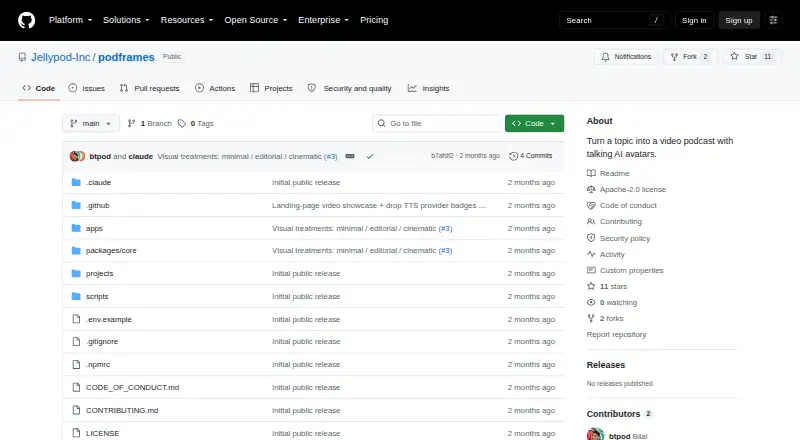
What Podframes is
Podframes is an open-source project that turns a topic into a two-host video podcast featuring AI avatars. It creates a script, generates and mixes speech, animates the avatars, adds B-roll and captions, and renders an MP4. Users can work through a command-line runner or a local web studio. Each host can use a different text-to-speech provider, including Google, ElevenLabs, OpenAI, and Cartesia; Speechbase handles mixing and word-level timing. P-Video Avatar through Replicate is the default video provider for lip-sync, while LTX-2.3 through fal.ai is an alternative. The studio has eight caption styles and exports word-timed SRT and VTT files. Users can choose a host’s avatar image separately from its voice, revise selected lines or clips, and see an estimated cost before video generation. Podframes runs locally, reads API keys from a local environment file, and stores project files on disk. Running from source requires Node.js 22 or later, pnpm, ffmpeg, and keys for the services used. The project is credited to Jellypod, Inc. and licensed under Apache-2.0.
Who it suits
Podframes may suit creators who want to build a two-host video podcast from a topic using a command-line runner or local web studio. It is also suited to users comfortable setting up the listed software and service API keys.
What it does well
- Creates scripts, speech, avatar video, B-roll, and captions
- Supports different speech providers for each host
- Exports word-timed SRT and VTT captions
- Shows an estimated cost before video generation
- Can regenerate selected lines or clips
What to know first
- Requires Node.js 22 or later, pnpm, and ffmpeg
- Requires API keys for the services used
- Local web app has no authentication layer
- README warns against public deployment as-is
Limits
Podframes itself has no listed subscription plans. The workflow depends on external service API keys, and the README cites Speechbase’s free tier for demos plus separate approximate image and video API costs.
Getting started
- Open the Podframes repository on GitHub
- Install Node.js 22 or later, pnpm, and ffmpeg
- Provide API keys for the services you plan to use in the local environment file
- Run the command-line runner or launch the local web studio
- Enter a topic and configure hosts, voices, avatars, captions, and video provider
Verdict
Podframes provides a topic-to-video-podcast workflow with voice, avatar, and caption options. Its local setup and unauthenticated web app are important constraints, especially for deployment.
Questions
Is Podframes free?
Yes. It is listed as free and open source, with an Apache-2.0 license.
Where does Podframes run?
It runs as a self-hosted local tool with a command-line interface and a local web studio.
Which speech providers can hosts use?
Each host can use a different provider, including Google, ElevenLabs, OpenAI, or Cartesia, routed through Speechbase.
Which avatar video providers are supported?
P-Video Avatar through Replicate is the default, and LTX-2.3 through fal.ai is an alternative.
Can it export captions?
The studio offers eight caption styles and exports word-timed SRT and VTT captions.
Who makes Podframes?
The repository credits Jellypod, Inc. as its maker.
Facts from Podframes's own pages
- Captions
- The studio offers eight caption styles and can export word-timed SRT and VTT captions. · github.com, 4 Oct 2026
- Costs
- The README says Speechbase's free tier covers demos and gives approximate image and video API costs; it does not list Podframes subscription plans. · github.com, 4 Oct 2026
- Cost visibility
- The studio displays an estimated cost before video generation and can regenerate only the edited lines or selected clips. · github.com, 9 Oct 2026
- Deployment limitation
- The web studio proxies API keys from a local .env.local file and reads and writes project files on disk; the README says it has no authentication layer and should not be deployed publicly as-is. · github.com, 9 Oct 2026
- Editing
- The studio can regenerate selected lines or clips and displays a cost estimate before animation runs. · github.com, 4 Oct 2026
- Editing and captions
- The studio offers eight caption styles and lets users choose an avatar image for each host independently of the voice. · github.com, 9 Oct 2026
- Interfaces
- The project includes a command-line runner and a local web studio. · github.com, 4 Oct 2026
- License
- The public repository is licensed under Apache-2.0. · github.com, 9 Oct 2026
- Local operation
- The README describes Podframes as a local tool that uses API keys supplied in a local environment file and stores project files on disk. · github.com, 4 Oct 2026
- Local setup
- Running from source requires Node.js 22 or newer, pnpm, ffmpeg, and API keys for the services used. · github.com, 9 Oct 2026
- Maker
- The repository credits Jellypod, Inc. as the maker; the Podframes pages opened did not state its headquarters or founding year. · github.com, 9 Oct 2026
- Purpose
- Podframes turns a topic into a two-host video podcast with AI avatars, mixed voices, lip-synced clips, and timed captions. · github.com, 9 Oct 2026
- Requirements
- The quickstart lists Node.js 22 or later, pnpm, ffmpeg, and API keys for the services used. · github.com, 4 Oct 2026
- Security limitation
- The local web app has no authentication layer, and the README warns against deploying it publicly as-is. · github.com, 4 Oct 2026
- Security reporting
- The security policy asks users to report vulnerabilities by email and not through a public GitHub issue. · github.com, 9 Oct 2026
- Speech providers
- Each host can use a different text-to-speech provider, including Google, ElevenLabs, OpenAI, and Cartesia, routed through Speechbase. · github.com, 9 Oct 2026
- Video providers
- The default video provider is P-Video Avatar through Replicate, with LTX-2.3 through fal.ai as an alternative. · github.com, 9 Oct 2026
- Visual treatments
- The composition offers Minimal, Editorial, and Cinematic treatments. · github.com, 4 Oct 2026
- Voice providers
- Each host can use a different text-to-speech provider, with the audio mixed and aligned to word-level timestamps through Speechbase. · github.com, 4 Oct 2026
- Ways to use it
- Podframes can be run through a command-line interface or a local web studio. · github.com, 9 Oct 2026
- Workflow
- Its pipeline writes a script with Gemini, creates speech through Speechbase, animates host avatars, adds optional B-roll, and renders a captioned MP4. · github.com, 9 Oct 2026
Where Podframes stands on Freedom251
- AI Podcast Generators#23 of 23