Freedom251 › Podcast Cover Maker Software
Podcastools Podcast Cover Art Maker
Visit Podcastools Podcast Cover Art Maker Alternatives Pricing
What Podcastools Podcast Cover Art Maker is
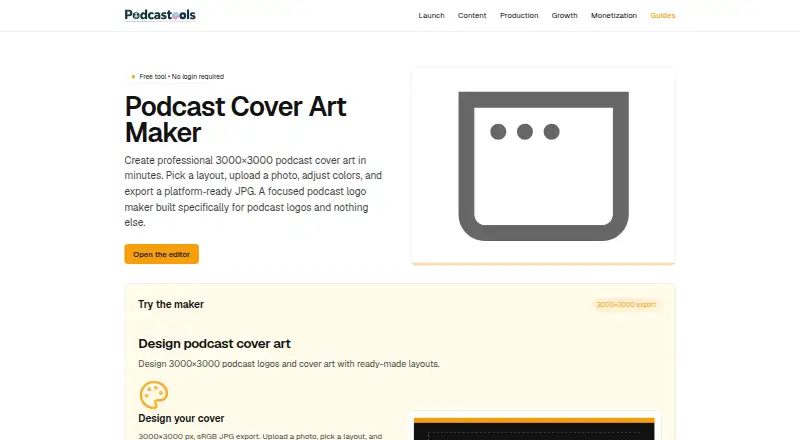
Podcastools Podcast Cover Art Maker is a browser-based editor for podcast cover art and podcast logos. It exports a 3000×3000 pixel sRGB JPG intended for podcast directories. Choose from four layouts—Centered, Bold Title Top, Left Banner, or Diagonal Stripe—and add a photo with adjustable zoom and X/Y position. The editor sizes the title to the chosen layout and offers color controls, including a button that derives background and accent colors from a photo. A toggle shows a dashed guide for recommended safe areas, helping keep text clear of thumbnail crops.
The free editor requires no account, and designs can be saved locally. It supports touch for sliders and basic interactions on mobile, though a mouse or trackpad is more comfortable for precise photo placement. The maker focuses on podcast artwork and logos rather than other graphics. Export is currently JPG; PNG is not supported. The service is available on Android, iOS, and the web.
Who it suits
It suits podcasters who need to create cover art or a podcast logo in a browser, including on a mobile device. It is not intended for making other kinds of graphics.
What it does well
- Free plan with no login required
- Four presets for cover layouts
- Photo zoom and position controls
- 3000×3000 sRGB JPG export
- Safe-area overlay helps guide text placement
What to know first
- Exports JPG only; PNG is unsupported
- Focused only on podcast art and logos
- Precise photo positioning is more comfortable with mouse or trackpad
Limits
The free plan exports a 3000×3000 sRGB JPG and does not support PNG. Transparent export, a brand kit, and AI image generation are unavailable, and the maker is limited to podcast cover art and logos.
Plans
| Plan | Billed and limits | Price |
|---|---|---|
| Free | No login required · 3000×3000 sRGB JPG export · PNG not supported | Free |
As podcastools.com lists them, read 30 Sept 2026. The maker's own page has the final word.
Getting started
- Open the Podcastools Podcast Cover Art Maker in a browser.
- Choose one of the four layouts.
- Upload a photo and adjust its zoom, position, and colors as needed.
- Set the title and use the safe-area guide if helpful.
- Export the design as a 3000×3000 pixel sRGB JPG and save locally.
Verdict
Podcastools offers a focused, free way to make podcast cover art and logos, with photo, color, and layout controls. Its main limits are JPG-only export and a scope restricted to podcast artwork.
Questions
How much does it cost?
The Free plan costs nothing.
Is there a free plan or trial?
The maker has a free plan and no free trial.
Do I need an account?
No. You can open the editor and design without signing up, then save locally.
What does it export?
It exports a 3000×3000 pixel sRGB JPG designed for podcast directories. PNG is not currently supported.
Which platforms does it support?
The listed platforms are Android, iOS, and web. The browser editor supports touch for sliders and basic interactions.
Who makes the tool?
Podcastools describes itself as a collection of focused web tools for podcast planning, production, publishing, growth, and monetization.
Facts from Podcastools Podcast Cover Art Maker's own pages
- Color controls
- The editor lets users tune colors and includes a button that selects background and accent colors from a photo. · podcastools.com, 30 Sept 2026
- Export
- It exports a 3000×3000 pixel sRGB JPG designed for podcast directories. · podcastools.com, 30 Sept 2026
- Format limit
- The FAQ says PNG support may be added later; the current export is JPG. · podcastools.com, 30 Sept 2026
- Layouts
- It offers four presets: Centered, Bold Title Top, Left Banner, and Diagonal Stripe. · podcastools.com, 30 Sept 2026
- Maker description
- Podcastools describes itself as a collection of focused web tools for podcast planning, production, publishing, growth, and monetization. · podcastools.com, 30 Sept 2026
- Mobile support
- The browser editor supports touch for sliders and basic interactions; the page says a trackpad or mouse is more comfortable for precise photo positioning. · podcastools.com, 30 Sept 2026
- No account
- The page says users can open the editor and design without signing up, and save locally. · podcastools.com, 30 Sept 2026
- Photo controls
- Users can upload a photo and adjust its zoom and X/Y position. · podcastools.com, 30 Sept 2026
- Purpose
- The browser-based maker creates podcast cover art and podcast logos. · podcastools.com, 30 Sept 2026
- Safe margins
- A toggle displays a dashed overlay for recommended safe areas to help keep text from being cropped in thumbnails. · podcastools.com, 30 Sept 2026
- Scope limit
- The maker focuses exclusively on podcast cover art and podcast logos, and does not design other graphics. · podcastools.com, 30 Sept 2026
- Support
- Podcastools invites corrections and feedback by email at [email protected]. · podcastools.com, 30 Sept 2026
- Text fitting
- The editor sizes the title to fit the selected layout. · podcastools.com, 30 Sept 2026
Where Podcastools Podcast Cover Art Maker stands on Freedom251
- Podcast Cover Maker Software#25 of 35