Freedom251 › Game Console Emulators
Play!
What Play! is
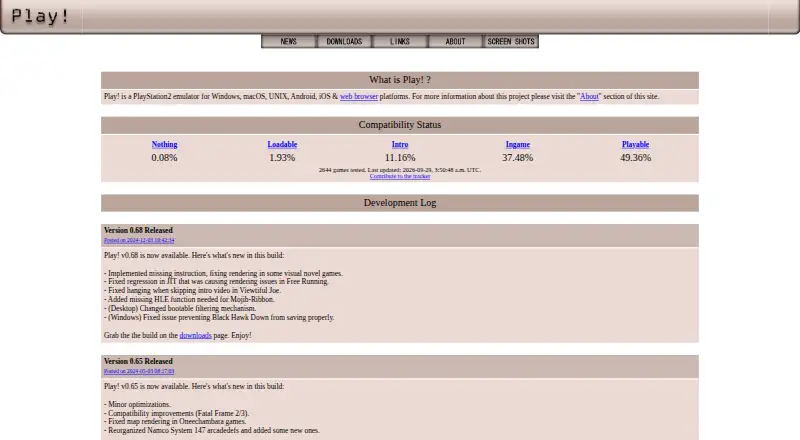
Play! is a free, open-source emulator for PlayStation 2 games, with builds for Windows, macOS, Linux, Android, and iOS, plus an experimental browser version. It uses high-level emulation, so a BIOS is not required, and the project says users do not need custom settings to fix individual games. Games can be started by inserting a disc; desktop builds also offer command-line options for disc images, ELF files, arcade games, save-state slots, and fullscreen mode. The browser port, Play!.js, supports ISO, CSO, CHD, ISZ, BIN, and ELF files, but is not intended to play every game supported on desktop and mobile. The emulator has preliminary support for Namco System 246 and 256 arcade games; 246 support was described as desktop-only in release notes. A compatibility tracker reports statuses from Nothing to Playable. On iOS, playing requires JIT code generation, with device, jailbreak, or alternative JIT requirements documented by the project. Automatic JIT activation through AltServer requires it to run on the same network as the iOS device. General discussion is directed to Discord, and game issues can be raised through the compatibility tracker.
Who it suits
Play! suits people looking for a PlayStation 2 emulator across desktop and mobile platforms. iOS users should account for the documented JIT requirement; the browser version is experimental.
What it does well
- Free and open source
- Does not require a BIOS
- Desktop builds provide command-line options
- Compatibility tracker reports game statuses
What to know first
- iOS play requires JIT code generation
- Browser version is experimental and not intended for all games
- Arcade support is preliminary
Verdict
Play! offers a free, open-source way to emulate PlayStation 2 games across several platforms. Platform-specific limits matter: iOS requires JIT, and the browser port is not intended to run every supported game.
Facts from Play!'s own pages
- Arcade support
- Play! has preliminary support for Namco System 246 and 256 arcade games; the 246 support was described as desktop-only in the release notes. · purei.org, 30 Sept 2026
- Author
- The site names Jean-Philip Desjardins as the author. · purei.org, 30 Sept 2026
- BIOS
- Play! uses a built-in high-level emulation BIOS, so an external BIOS file is neither necessary nor possible. · github.com, 30 Sept 2026
- Browser file formats
- Play!.js supports ISO, CSO, CHD, ISZ, BIN and ELF files. · playjs.purei.org, 30 Sept 2026
- Browser version
- Play!.js is an experimental browser port that is not intended to play all games supported on desktop and mobile. · playjs.purei.org, 30 Sept 2026
- Command line
- Windows, macOS and Linux builds provide command-line options for disc images, ELF files, arcade games, save-state slots and fullscreen mode. · github.com, 30 Sept 2026
- Community support
- The project README directs users to Discord for general discussion and to the compatibility tracker for game issues. · github.com, 30 Sept 2026
- Compatibility
- The development log reported over 930 confirmed playable games in version 0.61. · purei.org, 30 Sept 2026
- Configuration
- The project says Play! is easy to configure and does not require custom settings to fix specific games. · purei.org, 30 Sept 2026
- Desktop downloads
- The official downloads page lists Win32 x86, Win32 x64, macOS, Linux, Android and iOS builds. · purei.org, 30 Sept 2026
- Disc images
- The project describes playing by inserting a game disc; its documentation also lists a command-line option to boot a disc image. · purei.org, 30 Sept 2026
- Downloads
- The downloads page lists builds for Windows, macOS, Linux, Android, and iOS, and links to Google Play, Flathub, and a Cydia repository. · purei.org, 30 Sept 2026
- Funding
- The author says financial contributions allow more time for project work and lists Patreon and PayPal as contribution channels. · purei.org, 30 Sept 2026
- Game compatibility
- The site links to a compatibility tracker that reports game test statuses including Nothing, Loadable, Intro, Ingame, and Playable. · purei.org, 30 Sept 2026
- Integrations
- Play! implements automatic iOS JIT activation through AltServer, which must run on the same network as the iOS device. · github.com, 30 Sept 2026
- iOS limitation
- On iOS, Play! requires JIT code generation and the project documents device, jailbreak or alternative JIT requirements. · github.com, 30 Sept 2026
- iOS requirement
- The project documentation says playing a game on iOS requires JIT; it lists supported older iOS/device combinations and jailbreaking as one way to meet requirements. · github.com, 30 Sept 2026
- Product
- Play! is a portable PlayStation 2 emulator focused on making emulation easy and accessible. · purei.org, 30 Sept 2026
- Source code
- The official downloads page links to the Play! source code on GitHub. · purei.org, 30 Sept 2026
- Support
- The maker identifies Jean-Philip Desjardins as the author and provides an email contact address. · purei.org, 30 Sept 2026
- Supported platforms
- Play! supports Windows, macOS, UNIX, Android, iOS and web browsers. · purei.org, 30 Sept 2026
- What it does
- Play! is a portable PlayStation2 emulator focused on making PlayStation2 emulation easy and accessible. · purei.org, 30 Sept 2026
Where Play! stands on Freedom251
- Game Console Emulators#28 of 35