Freedom251 › 2D Game Animation Software
PixelOver
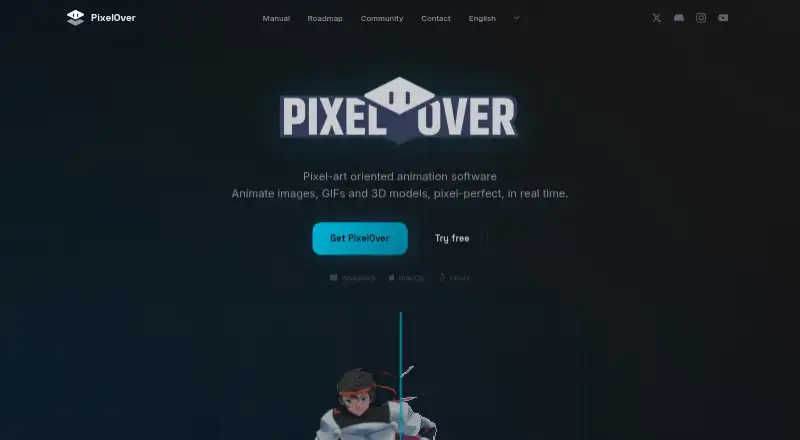
What PixelOver is
PixelOver converts images, GIFs, spritesheets, and 3D models into pixel art, with tools for real-time animation. Color features include live adjustment, palette indexing, and dithering. Animation options include keyframes, bone rigging with inverse kinematics, mesh deformation, and color cycling. Users can import 3D models, rotate them automatically, and export sprites in multiple directions. The software exports images, GIFs, and sprite sheets for games, with PNG, GIF, and Aseprite listed as formats. PixelOver runs on Windows, macOS, and Linux. Its free demo includes the features but disables export; projects saved in the demo work with the full version. The paid version costs 19.99 USD as a one-time payment and includes future updates. The maker says the software uses deterministic pixel-art algorithms, does not generate AI content or train on other people’s art, and keeps application data local without collecting or transmitting personal data. PixelOver is under active development, according to its maker.
Who it suits
PixelOver suits game artists and other creators who want to convert images or 3D models into pixel art and animate the results. It may also suit users who want projects saved in the demo to carry over to the full version.
What it does well
- Converts images, GIFs, spritesheets, and 3D models.
- Includes keyframe animation and bone rigging.
- Exports PNG, GIF, and Aseprite files.
- One-time payment includes future updates.
- Available for Windows, macOS, and Linux.
What to know first
- Free demo disables export.
- The maker says the software is under active development.
Limits
The free demo includes the features but cannot export. The full PixelOver plan is a 19.99 USD one-time payment.
Plans
| Plan | Billed and limits | Price |
|---|---|---|
| PixelOver | One-time payment · Windows, macOS & Linux executables · sample projects · free updates · export disabled in free demo | $19.99, paid once |
As pixelover.io lists them, read 9 Oct 2026. The maker's own page has the final word.
Getting started
- Open https://pixelover.io/
- Download the Windows, macOS or Linux executable
- Use the free demo to create and save projects
- Purchase the PixelOver plan for export and full use
- Open saved demo projects in the full version
Verdict
PixelOver combines pixel-art conversion, palette tools, animation, and multi-directional 3D sprite export. The free demo lets users try its features, but exporting requires the paid version.
Questions
How much does PixelOver cost?
The PixelOver plan costs 19.99 USD as a one-time payment and includes future updates.
Is there a free version?
There is a free demo, but no free plan. The demo disables export while retaining the other features.
Which platforms are supported?
PixelOver provides executables for Windows, macOS and Linux.
What can it export?
It exports images, GIFs and sprite sheets, with PNG, GIF and Aseprite formats listed.
Does PixelOver use generative AI?
The maker says it uses deterministic pixel-art algorithms, does not generate AI content and does not train on other people's art.
Where is application data kept?
The maker says application data remains local and the app does not collect, process, transmit or store personal data.
Facts from PixelOver's own pages
- 3D support
- Users can import 3D models and auto-rotate them to export sprites in multiple directions. · pixelover.io, 9 Oct 2026
- Animation
- It supports keyframe animation, bone rigging with inverse kinematics, mesh deformation and color cycling. · pixelover.io, 9 Oct 2026
- Development status
- The maker says the software is under active development and its price reflects the current feature set. · pixelover.io, 9 Oct 2026
- Export
- It exports images, GIFs and sprite sheets for use in games. · pixelover.io, 9 Oct 2026
- Free demo limit
- The free demo includes all features except export, and projects saved in the demo work with the full version. · pixelover.io, 9 Oct 2026
- Maker
- The legal notice identifies Deakcor as the website publisher and a sole proprietor. · pixelover.io, 9 Oct 2026
- No generative AI
- The maker says PixelOver uses deterministic pixel-art algorithms and does not generate AI content or train on other people's art. · pixelover.io, 9 Oct 2026
- Palette and effects
- Features include real-time color adjustment, palette indexing and dithering. · pixelover.io, 9 Oct 2026
- Privacy
- The maker says the application does not collect, process, transmit or store personal data, and application data remains local on the user's device. · pixelover.io, 9 Oct 2026
- Purchase and updates
- The maker says the purchase is a one-time payment and includes future updates; an itch.io purchase includes a Steam key. · pixelover.io, 9 Oct 2026
- Support
- The maker directs users to its community bug section to check or report bugs and to its community request section for feature suggestions. · pixelover.io, 9 Oct 2026
- What it does
- PixelOver converts images, GIFs, spritesheets and 3D models into pixel art and supports real-time animation. · pixelover.io, 9 Oct 2026
Where PixelOver stands on Freedom251
- 2D Game Animation Software#20 of 25
- Pixel Art Software#59 of 70
- Game Animation Software#28 of 32