
Pixelmator Pro
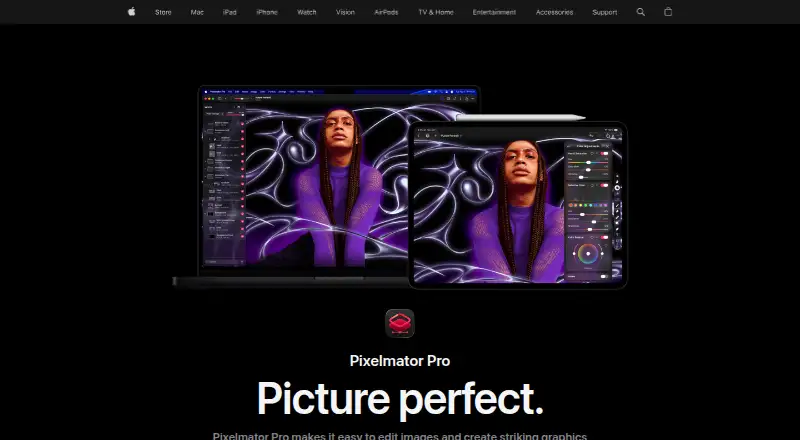
What Pixelmator Pro is
Pixelmator Pro is an image editing and graphic creation app for Mac and iPad. It edits RAW photographs, supports color adjustments, masking, retouching and nondestructive layer work, and handles raster, vector, video and photo files, including more than 750 RAW formats. Built-in tools include Super Resolution, background removal, Deband, Auto Enhance and Auto Crop. Design tools provide vector drawing, Smart Shapes, typography, templates and mockups. Apple lists Photos app editing, Universal Clipboard, Universal Control and edit syncing between Mac and iPad. On iPad, Multi-Touch and pressure-sensitive Apple Pencil input are supported. The Mac version has a $49.99 a month listing described as a one-time purchase. Apple Creator Studio costs $12.99 a month after a 30-day free trial and is required for iPad access. Education plans are listed at $2.99 a month. macOS 26 or iPadOS 26 is required.
Who it suits
It suits Mac and iPad users who need photo editing, graphic design, RAW support and layer-based workflows. Apple Creator Studio subscribers and verified students or educators have listed access options.
What it does well
- Supports more than 750 RAW formats
- Includes masking and nondestructive layers
- Provides vector and typography tools
- Works with Mac and iPad
- Offers AI image tools
What to know first
- No free plan
- iPad access requires Apple Creator Studio
- Requires macOS 26 or iPadOS 26
- Some features require internet access
Plans
| Plan | Billed and limits | Price |
|---|---|---|
| Apple Creator Studio | $12.99 per month after a 30-day free trial · Pixelmator Pro included with Logic Pro, Final Cut Pro and other creative apps · subscription required for Pixelmator Pro on iPad | $12.99 a month |
| Apple Creator Studio Education | billed monthly · For verified college students and educators · Includes Pixelmator Pro | $2.99 a month |
| Apple Creator Studio | $129 per year after a 30-day free trial · Pixelmator Pro included with Logic Pro, Final Cut Pro and other creative apps · subscription required for Pixelmator Pro on iPad | $129 a year |
| Apple Creator Studio for students and educators | $2.99 per month · Student and educator subscription to Apple Creator Studio | $2.99 a month |
| Apple Creator Studio for students and educators | $29.99 per year · Student and educator subscription to Apple Creator Studio | $29.99 a year |
| Pixelmator Pro for Mac | One-time purchase · Mac only · does not include the Apple Creator Studio version's Warp Tool | $49.99, paid once |
As apple.com lists them, read 7 Oct 2026. The maker's own page has the final word.
Verdict
Pixelmator Pro combines photo editing, design tools and AI features across Mac and iPad. Check the operating-system requirements and the separate Mac, Creator Studio or education pricing before choosing it.
Facts from Pixelmator Pro's own pages
- AI features
- Built-in tools include Super Resolution, background removal, Deband, Auto Enhance and Auto Crop. · apple.com, 7 Oct 2026
- AI retouching
- Yes · apple.com, 20 Sept 2026
- Cloud sync
- Yes · apple.com, 20 Sept 2026
- Design
- It includes vector drawing tools, Smart Shapes, typography tools, templates and mockups. · apple.com, 7 Oct 2026
- File support
- Pixelmator Pro supports raster, vector, video and photo files, including more than 750 RAW formats. · apple.com, 7 Oct 2026
- Free plan
- No · apple.com, 20 Sept 2026
- Integrations
- Apple lists Photos app editing, Universal Clipboard, Universal Control and syncing edits between Mac and iPad among its ecosystem features. · apple.com, 7 Oct 2026
- Internet and account
- An Apple Account and internet connection are required to subscribe to Apple Creator Studio, and some features require internet access. · apple.com, 7 Oct 2026
- iPad input
- The iPad version supports Multi-Touch and Apple Pencil, including pressure sensitivity. · apple.com, 7 Oct 2026
- Layer editing
- Yes · apple.com, 20 Sept 2026
- Masking tools
- Yes · apple.com, 20 Sept 2026
- Notable limitation
- Apple says the one-time purchase is available for Mac, while the Apple Creator Studio version includes access to the Warp Tool. · apple.com, 7 Oct 2026
- Photo editing
- It supports RAW photo editing, color adjustments, masking, retouching and nondestructive layer editing. · apple.com, 7 Oct 2026
- Platform
- multi-platform · apple.com, 20 Sept 2026
- Privacy
- Apple says Pixelmator Pro analytics can include usage, document, device and performance information, and users can opt out of certain analytics collection. · apple.com, 7 Oct 2026
- Privacy identifiers
- Apple says Pixelmator Pro analytics are stored against rotating random identifiers that are not associated with the user's Apple Account. · apple.com, 7 Oct 2026
- Purpose
- Pixelmator Pro is an image editing and graphic creation app for Mac and iPad. · apple.com, 7 Oct 2026
- RAW photo support
- Yes · apple.com, 20 Sept 2026
- Support
- Apple provides separate Pixelmator Pro user guides for Mac and iPad. · support.apple.com, 7 Oct 2026
- System requirements
- Pixelmator Pro requires macOS 26 or iPadOS 26, and the iPad version requires an iPad with an M1 chip or later, iPad (A16), or iPad mini (A17 Pro). · apple.com, 7 Oct 2026
- Third-party features
- Some Apple Creator Studio features powered by Google Cloud are identified as third-party features, and Apple says users control when they use them. · apple.com, 7 Oct 2026
Where Pixelmator Pro stands on Freedom251
- Photo editors#77 of 96
- Photo Editing Software#128 of 159
- AI Photo Editors#85 of 96