Freedom251 › Photo Book Software

Pixellu SmartAlbums
What Pixellu SmartAlbums is
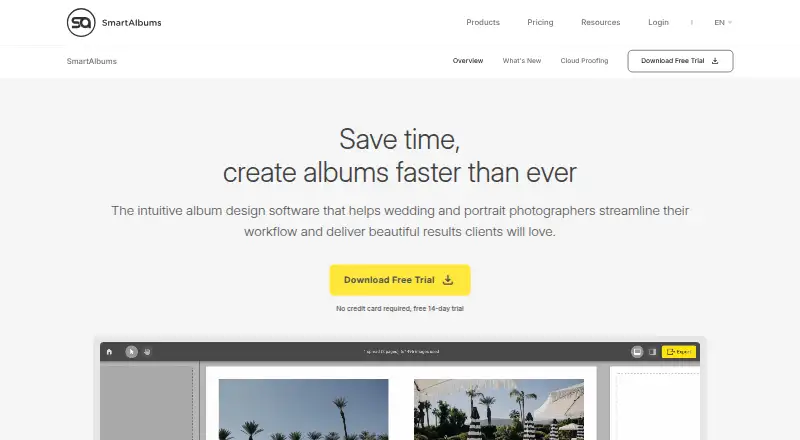
Pixellu SmartAlbums is desktop album-design software for wedding and portrait photographers on macOS and Windows. Auto-Build uses image metadata and algorithms to create layouts after users arrange photos in a timeline and make cuts. Editing controls cover photos, frames, text, colors, backgrounds, patterns, focus points, opacity, borders, and color tones. SmartAlbums syncs changes to Adobe-edited files and exports albums as PSD or IDML for Photoshop or InDesign. Cloud Proofing lets photographers publish drafts, share them with clients, review feedback, and revise within the application. The software includes specifications for more than 170 print labs and safety checks intended to prevent misprints. A 14-day trial requires no credit card, but trial exports are watermarked. The paid license can be activated by one user on up to two computers, including Windows and Mac machines. Minimum requirements include macOS Big Sur 11.3 or Windows 10, 8 GB RAM, and a compatible graphics processor. Support includes tutorials, articles, a Facebook group, and a contact form.
Who it suits
It suits wedding and portrait photographers building albums, collaborating with clients, and preparing files for print or Adobe editing. Users need a supported Mac or Windows computer.
What it does well
- Automatic album layouts from photo metadata
- Timeline-based story planning
- Cloud client proofing and revisions
- Exports PSD and IDML files
- Specifications for over 170 print labs
What to know first
- Paid software with watermarked trial exports
- License activation limited to two computers
- Requires macOS Big Sur or Windows 10
- Needs 8 GB RAM and compatible graphics
Verdict
SmartAlbums combines automatic layout building, detailed editing, client proofing, and print-lab specifications for album production. Its trial is accessible without a card, while ongoing use requires a paid license and supported desktop hardware.
Facts from Pixellu SmartAlbums's own pages
- Activation limit
- Each license can be activated on up to two computers by a single user. · smartalbums.com, 11 Oct 2026
- Adobe integration
- The product syncs changes to files edited in Adobe and can export albums as PSD or IDML for Photoshop or InDesign. · smartalbums.com, 11 Oct 2026
- Adobe workflow
- The product syncs changes to files edited in Adobe and can export albums as PSD or IDML for Photoshop or InDesign. · smartalbums.com, 11 Oct 2026
- Auto-build
- Auto-Build uses algorithms and image metadata to automatically create album layouts. · smartalbums.com, 11 Oct 2026
- Cloud Proofing
- Users can publish album drafts, share them with clients, review feedback, and make revisions within SmartAlbums. · smartalbums.com, 11 Oct 2026
- Company history
- SmartAlbums says it was co-founded in 2010 by wedding photographers. · smartalbums.com, 11 Oct 2026
- Computer limit
- One license can be activated on up to two computers by a single user. · smartalbums.com, 11 Oct 2026
- Editing
- Users can adjust photos, frames, text, colors, backgrounds, patterns, focus points, opacity, borders, and color tones. · smartalbums.com, 11 Oct 2026
- Print specifications
- The product includes specifications for more than 170 print labs and safety checks intended to prevent misprints. · smartalbums.com, 11 Oct 2026
- Privacy and security
- The privacy policy says safeguards include encryption, access controls, limiting access by job role, deleting data when no longer necessary, and periodic security reviews. · smartalbums.com, 11 Oct 2026
- Product
- SmartAlbums is album design software for wedding and portrait photographers. · smartalbums.com, 11 Oct 2026
- Purpose
- SmartAlbums is album design software for wedding and portrait photographers. · smartalbums.com, 11 Oct 2026
- Security
- The privacy policy says safeguards include encryption, access controls, data deletion when no longer necessary, and periodic security reviews. · smartalbums.com, 11 Oct 2026
- Story-first workflow
- Users can arrange photos in a timeline and have layouts build into spreads. · smartalbums.com, 11 Oct 2026
- Support
- The company provides customer and technical support through support communications and an online chat forum on its website. · smartalbums.com, 11 Oct 2026
- Supported computers
- A single license can activate the software on Windows/PC and Mac computers. · smartalbums.com, 11 Oct 2026
- System requirements
- The minimum requirements include macOS Big Sur 11.3 or Windows 10, 8 GB RAM, and a compatible graphics processor. · smartalbums.com, 11 Oct 2026
- Timeline
- The Timeline lets users make cuts between photos before the layouts build themselves. · smartalbums.com, 11 Oct 2026
- Trial
- The 14-day trial requires no credit card, and exported spreads are watermarked during the trial. · smartalbums.com, 11 Oct 2026
Where Pixellu SmartAlbums stands on Freedom251
- Photo Book Software#25 of 32