
PigeonPost
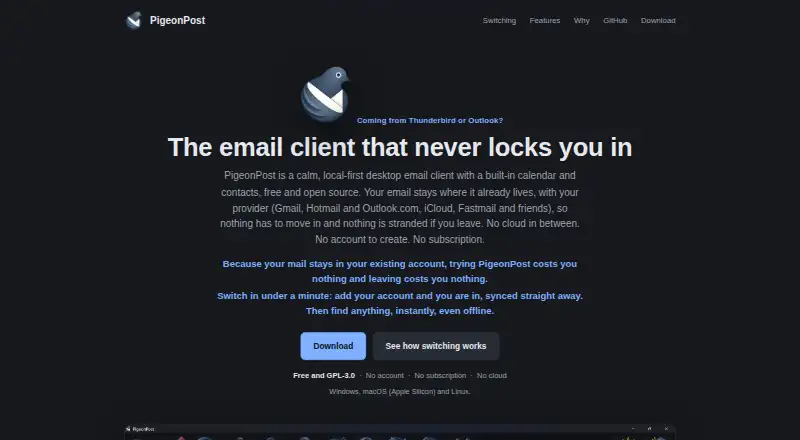
What PigeonPost is
PigeonPost is a free, open-source desktop email client for Linux, macOS, and Windows. It combines mail with a calendar and contacts, while leaving messages with the user's email provider and maintaining a local copy for offline access. It supports IMAP and POP3 mailboxes and sends through SMTP. Users can manage several accounts or use an optional unified mailbox, and organize messages with templates, drafts, filters, snoozing, and conversation view. Offline search uses a local index to find subjects, senders, recipients, attachment names, and full text from mail that has been opened. The calendar includes recurring events and reminders, plus .ics import and export; contacts can be transferred using vCard or CSV. Presets cover Gmail, iCloud, Yahoo, Zoho, Fastmail, and StartMail with app passwords, while Microsoft accounts use browser sign-in. Passwords and Microsoft sign-in tokens are stored in the operating system keychain. Message HTML is sandboxed and remote images are blocked until loaded. The maker says PigeonPost has no telemetry, account, or cloud relay, although its local cache is not encrypted at rest. It is licensed under GPL-3.0, with source on GitHub.
Who it suits
PigeonPost is suited to desktop users whose mailboxes use IMAP or POP3, supported provider accounts, or Microsoft sign-in. It also fits people who want local offline mail access alongside calendar and contact tools, and prefer open-source software.
What it does well
- Free, open-source client with no paid tier or subscription.
- Works offline using a local copy of provider-held mail.
- Combines mail, calendar, and contacts.
- Supports multiple accounts and an optional unified mailbox.
- Local search can find opened mail text while offline.
- Stores passwords and Microsoft tokens in the operating system keychain.
What to know first
- Google Workspace work and school accounts are unsupported.
- The local cache is not encrypted at rest.
- Downloads are limited to 64-bit Windows 10 or 11, Apple Silicon Macs, and Flatpak-compatible Linux distributions.
Limits
PigeonPost has no paid tier, subscription, or features reserved behind donations. Google Workspace work or school accounts are unsupported because they require OAuth and do not accept app passwords.
Plans
| Plan | Billed and limits | Price |
|---|---|---|
| Free | No paid tier · No subscription · No features held back behind donations | Free |
As pigeonpost.ink lists them, read 9 Oct 2026. The maker's own page has the final word.
Getting started
- Visit https://pigeonpost.ink/.
- Download the build for 64-bit Windows 10 or 11, an Apple Silicon Mac, or a Linux distribution with Flatpak.
- Add an IMAP or POP3 mailbox, using a provider preset where available.
- Use app passwords with Gmail, iCloud, Yahoo, Zoho, Fastmail, or StartMail; use browser sign-in for Microsoft accounts.
Verdict
Choose PigeonPost if you want a free, open-source desktop client that brings email, calendar, and contacts together with offline access. It supports common IMAP and POP3 use and Microsoft sign-in, but Google Workspace work or school accounts are not supported. Its local cache is also not encrypted at rest.
Questions
How much does PigeonPost cost?
PigeonPost is free, with no paid tier or subscription.
Which platforms can run PigeonPost?
It has downloads for 64-bit Windows 10 or 11, Apple Silicon Macs, and Linux distributions with Flatpak.
Which mail protocols does it support?
PigeonPost supports IMAP and POP3 mailboxes and uses SMTP to send mail.
Does PigeonPost work offline?
Yes. It keeps a local copy of mail for offline access, and search uses a local index. Mail remains with the user's email provider.
Is PigeonPost open source?
Yes. It is released under GPL-3.0, and its source is on GitHub.
Can I use a Google Workspace work or school account?
No. Those accounts are unsupported because they require OAuth and do not accept app passwords.
Facts from PigeonPost's own pages
- App coverage
- desktop · pigeonpost.ink, 23 Sept 2026
- Calendar and contacts
- The calendar supports recurring events, reminders and .ics import and export, while contacts support vCard and CSV import and export. · pigeonpost.ink, 9 Oct 2026
- Calendar tools
- Yes · pigeonpost.ink, 23 Sept 2026
- Compatibility limit
- Google Workspace work or school accounts are unsupported because they require OAuth and do not accept app passwords. · pigeonpost.ink, 9 Oct 2026
- Free plan
- Yes · pigeonpost.ink, 23 Sept 2026
- Integrations
- Provider presets cover Gmail, iCloud, Yahoo, Zoho, Fastmail and StartMail using app passwords; Microsoft accounts use browser sign-in. · pigeonpost.ink, 9 Oct 2026
- Intended users
- The maker describes PigeonPost as suited to people using IMAP or POP3, supported provider accounts, or Microsoft accounts through Microsoft sign-in. · pigeonpost.ink, 9 Oct 2026
- Local-first
- Mail remains with the user's email provider while PigeonPost keeps a local copy for offline use. · pigeonpost.ink, 9 Oct 2026
- Mail features
- Features include multiple accounts, an optional unified mailbox, message templates and drafts, filter rules, snoozing and conversation view. · pigeonpost.ink, 9 Oct 2026
- Mail protocols
- The client supports IMAP and POP3 mailboxes and uses SMTP for sending mail. · pigeonpost.ink, 9 Oct 2026
- Offline access
- Yes · pigeonpost.ink, 23 Sept 2026
- Offline search
- Search runs against a local index and can find subjects, senders, recipients, attachment names and the full text of opened mail while offline. · pigeonpost.ink, 9 Oct 2026
- Platform details
- Downloads are available for 64-bit Windows 10 or 11, Apple Silicon Macs and Linux distributions with Flatpak. · pigeonpost.ink, 9 Oct 2026
- Privacy
- The maker says PigeonPost has no telemetry, account or cloud relay; its local cache is not encrypted at rest. · pigeonpost.ink, 9 Oct 2026
- Product
- PigeonPost is a free, open-source desktop email client with a built-in calendar and contacts. · pigeonpost.ink, 9 Oct 2026
- Security
- Passwords and Microsoft sign-in tokens are stored in the operating system keychain, and message HTML is sandboxed with remote images blocked until loaded. · pigeonpost.ink, 9 Oct 2026
- Scheduled sending
- Yes · pigeonpost.ink, 23 Sept 2026
- Support and license
- PigeonPost is released under GPL-3.0 with its source on GitHub, and the maker invites donations to support maintenance and development. · pigeonpost.ink, 9 Oct 2026
- Unified inbox
- Yes · pigeonpost.ink, 23 Sept 2026
Where PigeonPost stands on Freedom251
- Email clients#25 of 142