Freedom251 › AI Photo Animation Tools

Picto.Video
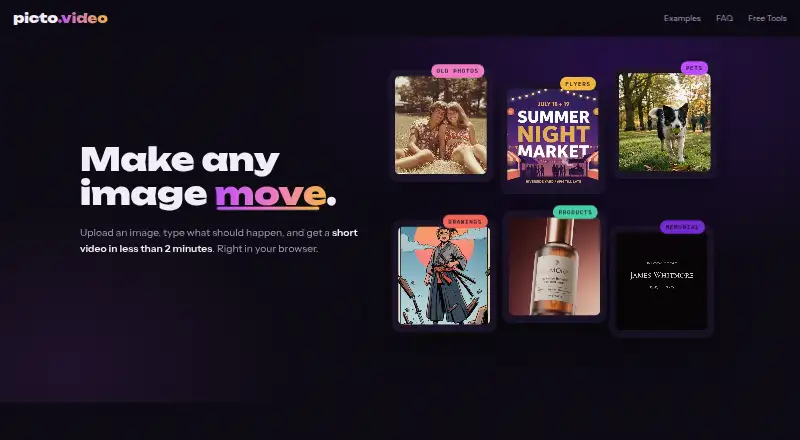
What Picto.Video is
Picto.Video uses AI to turn still images into short videos in a browser. Upload a JPG, PNG, or WebP image and describe the movement you want; it works from images, not text alone. The site says it can animate photos, logos, flyers, hand-drawn artwork, and product shots. Each result is a five-second MP4 for download and sharing, and videos are usually ready in under two minutes, depending on demand. A separate Tribute Maker creates a film from photos of a loved one, with music and titles. The first website video costs $1.00 USD as a one-time payment, with credits used for each generation. There is no free plan or trial. Website credits do not expire and can only be used on Picto.Video; failed generations receive automatic credit refunds. The site says uploaded images are used to create videos, stored in a private gallery, and can be deleted. App support says iPhone photos are deleted from servers within 24 hours and are not used to train AI models.
Who it suits
Picto.Video suits people who want to animate existing images, including photos, logos, flyers, artwork, or product shots. Its Tribute Maker is aimed at people making a photo film about a loved one.
What it does well
- Accepts JPG, PNG, and WebP images.
- Creates five-second MP4 videos for download and sharing.
- Tribute Maker adds music and titles to photo films.
- Website credits do not expire.
- Failed generations receive automatic credit refunds.
What to know first
- No free plan or free trial.
- Videos are limited to five seconds.
- No Android app is available.
- Website credits work only on Picto.Video.
Limits
The listed first-video plan costs $1 one time and produces a five-second MP4 using website credits. There is no free plan or trial, and the iOS app requires iOS 15 or later.
Plans
| Plan | Billed and limits | Price |
|---|---|---|
| Website first video | One-time payment; no subscription. The first video costs $1. · 5-second MP4 · credits used per generation · video only usable with website credits | $1, paid once |
As picto.video lists them, read 9 Oct 2026. The maker's own page has the final word.
Getting started
- Open https://picto.video/en/ in a browser or use the iOS app
- Upload a JPG, PNG, or WebP image
- Describe the motion you want
- Buy the first website video for $1 as a one-time payment
- Generate the five-second MP4
- Download or share the result
Verdict
Picto.Video focuses on turning still images into brief, prompted animations, with a dedicated tool for tribute films. Check the five-second output limit and paid credit model before choosing it.
Questions
How much does the first website video cost?
The Website first video plan is $1.00 as a one-time payment, with no subscription.
Does Picto.Video offer a free plan or trial?
No. The pricing facts list neither a free plan nor a free trial.
What platforms are supported?
Picto.Video lists iOS and web. The app support page specifies iPhone with iOS 15 or later and says there is no Android version.
What input files can I upload?
The website accepts JPG, PNG, and WebP images, including photos, logos, flyers, hand-drawn art, and product shots.
How long are generated videos?
Each generated video is a five-second MP4.
Do website credits expire?
Unused website credits do not expire and can only be used on Picto.Video.
Facts from Picto.Video's own pages
- App availability
- The app support page lists iPhone running iOS 15 or later and says there is no Android version. · picto.video, 9 Oct 2026
- App privacy
- The app support page says uploaded photos are deleted from its servers within 24 hours and are not used to train AI models. · picto.video, 9 Oct 2026
- Commercial use
- The website says users own their videos and may use them for social media, ads, client work and personal projects. · picto.video, 9 Oct 2026
- Credit limits
- Website credit prices are displayed at checkout and may change; unused website credits do not expire and can only be used on Picto.Video. · picto.video, 9 Oct 2026
- Failed generations
- The website FAQ says credits are refunded automatically if a generation fails. · picto.video, 9 Oct 2026
- Free plan
- No · picto.video, 19 Sept 2026
- Generation time
- The website says videos are usually ready in less than two minutes, depending on demand. · picto.video, 9 Oct 2026
- Image-to-video
- Yes · picto.video, 19 Sept 2026
- Maximum video length
- 0.0833 · picto.video, 19 Sept 2026
- Output
- Each generated video is a 5-second MP4 that can be downloaded and shared. · picto.video, 9 Oct 2026
- Payments
- Website payments are processed by Stripe, and website credit purchases are one-time transactions unless stated otherwise. · picto.video, 9 Oct 2026
- Product
- Picto.Video uses AI to turn still images into short videos in a browser. · picto.video, 9 Oct 2026
- Prompted animation
- Users upload an image and describe the motion they want in their own words. · picto.video, 9 Oct 2026
- Support
- The app support page directs users with purchase issues to email support and provides steps to restore App Store purchases. · picto.video, 9 Oct 2026
- Supported content
- The website says it animates photos, logos, flyers, hand-drawn art and product shots, and accepts JPG, PNG and WebP images. · picto.video, 9 Oct 2026
- Text-to-video
- No · picto.video, 19 Sept 2026
- Tribute Maker
- The dedicated Tribute Maker creates a film from photos of a loved one, with music and titles. · picto.video, 9 Oct 2026
- Upload privacy
- The website says uploaded images are used only to create videos, kept in a private gallery and deletable by the user. · picto.video, 9 Oct 2026
Where Picto.Video stands on Freedom251
- AI Photo Animation Tools#22 of 25
- AI video generators#229 of 242
- Photo Animation Software#26 of 27