Freedom251 › Infographic Software

PicDoc
What PicDoc is
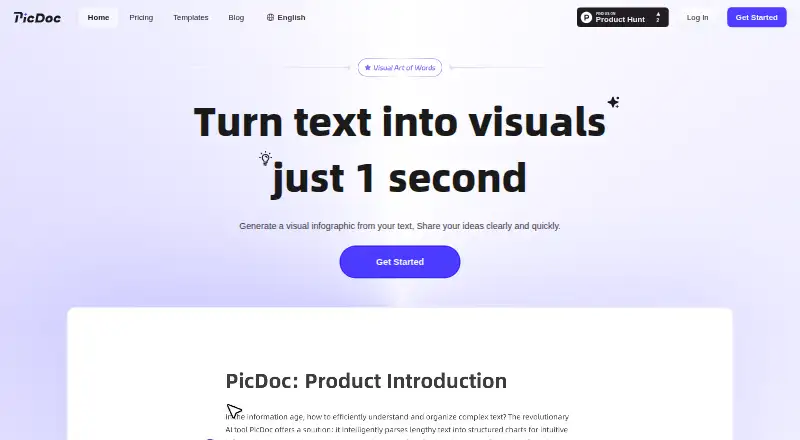
PicDoc is a web tool for turning text into visual documents such as charts, infographics, and flowcharts. Users can enter or paste text, have AI generate text, or upload files for content extraction. Its guide describes a workflow that accepts up to three PDF, DOCX, PNG, or JPG files. After creating a visual, users can edit its text, position, font, color, alignment, and icons; PicDoc says text can become a visual in one second. Diagrams can be downloaded as PNG, JPG, PDF, or PPT, while whole pages can be saved as PNG or PDF. Pages can also be shared through viewable links. The service lists team whiteboard markups, AI-assisted brainstorming, and daily inspiration notes as use cases. PicDoc can be viewed on mobile, though it recommends a computer for editing and interaction. Its home page says all functions, including membership features, are free during beta. The Free tier lists 1,000 credits per week. Basic and Pro list 20,000 and 60,000 monthly credits, respectively, but their prices are not shown.
Who it suits
PicDoc suits people who want to turn text or uploaded files into editable visuals and share them by link. Mobile viewing is supported, but the service recommends a computer for editing and interaction.
What it does well
- Accepts text, AI-generated text, and file uploads
- Exports diagrams as PNG, JPG, PDF, or PPT
- Pages can be shared by viewable link
- Free tier lists 1,000 credits per week
What to know first
- Basic and Pro prices are not shown
- Computer recommended for editing and interaction
- Commercial use is not allowed for images made after the free trial
Limits
The Free tier lists 1,000 credits per week, standard-resolution image export, and three watermark-free exports. It includes unlimited PNG and PDF export, but does not list PPT export or commercial use; those are listed for Basic and Pro.
Plans
| Plan | Billed and limits | Price |
|---|---|---|
| Free | 1,000 credits/week · standard-resolution image export · unlimited PNG and PDF export · 3 watermark-free exports · unlimited file creation · limited AI writing assistance · multi-format file parsing | Free |
| Basic | Monthly or yearly billing is offered; prices are not shown on the opened page. · 20,000 credits/month · HD image export · PPT export · watermark-free export · high-quality image generation · commercial use · unlimited custom styles · invoice and exclusive customer support | On request |
| Pro | Monthly or yearly billing is offered; prices are not shown on the opened page. · 60,000 credits/month · HD image export · PPT export · watermark-free export · high-quality image generation · commercial use · unlimited custom styles · invoice and exclusive customer support | On request |
As picdoc.ai lists them, read 11 Oct 2026. The maker's own page has the final word.
Getting started
- Open https://www.picdoc.ai/ in a web browser.
- Enter or paste text, generate text with AI, or upload content.
- Use the editing controls to adjust the visual.
- Download the diagram or page, or share a page by link.
Verdict
PicDoc brings text input, file parsing, visual editing, and several export formats together in a web service. Check the credit allowances and commercial-use terms that apply to your use.
Questions
What does PicDoc do?
It turns text into visual documents such as charts, infographics, and flowcharts. Users can edit the resulting visuals and download or share them.
Is PicDoc free?
PicDoc has a Free tier at no cost. Its homepage says all functions, including membership functions, are free during beta.
What does the Free tier include?
It lists 1,000 credits per week, standard-resolution image export, unlimited PNG and PDF export, three watermark-free exports, unlimited file creation, limited AI writing assistance, and multi-format file parsing.
Which platforms does PicDoc support?
PicDoc runs on the web and can be viewed on mobile. It recommends a computer for better editing and interaction.
Can I use PicDoc images commercially?
Images made during the free trial can be used commercially. Images made after the trial cannot; commercial use is listed for the Basic and Pro tiers.
Who provides PicDoc, and how does it handle AI input?
The privacy policy identifies Chuangkit (Hong Kong) Ltd. as the provider. PicDoc says user input sent to third-party language models is not used to train those models.
Facts from PicDoc's own pages
- AI and privacy
- PicDoc says inputs sent through third-party language models are used to provide features and are not used to train third-party models. · picdoc.ai, 5 Oct 2026
- AI data use
- The privacy policy says user input is not used to train third-party models and private data is not used for model training without explicit authorization. · picdoc.ai, 11 Oct 2026
- Commercial use
- The pricing page says images generated during the free trial period can be used commercially, but images generated after that period cannot. · picdoc.ai, 11 Oct 2026
- Data location
- The privacy policy says information collected through the service is stored and processed in the United States. · picdoc.ai, 11 Oct 2026
- Editing
- PicDoc offers AI color matching, outline adjustment, multiple visual styles, and AI icon pairing. · picdoc.ai, 11 Oct 2026
- Exports
- The site says users can export graphics and documents as PNG, JPG, or PDF, and the pricing page lists PPT export for paid tiers. · picdoc.ai, 11 Oct 2026
- Free access
- The home page says PicDoc is in beta and all functions, including membership functions, can be used for free during beta. · picdoc.ai, 5 Oct 2026
- Free beta
- The homepage says PicDoc is currently in beta and that all functions, including membership functions, can be used free during beta. · picdoc.ai, 11 Oct 2026
- Input options
- Users can enter text online, generate text with AI, or upload files for content extraction. · picdoc.ai, 11 Oct 2026
- Inputs
- Users can enter or paste text, upload files, or use AI to generate text. · picdoc.ai, 5 Oct 2026
- Integrations
- PicDoc says exported documents and images can be placed in Word or PPT. · picdoc.ai, 11 Oct 2026
- Maker
- The privacy policy identifies the service provider as Chuangkit (Hong Kong) Ltd. · picdoc.ai, 11 Oct 2026
- Mobile
- PicDoc says it can be viewed on mobile, while recommending a computer for better editing and interaction. · picdoc.ai, 5 Oct 2026
- Mobile access
- PicDoc says documents can be viewed on mobile, while better editing capabilities and interactive experiences are recommended on a computer. · picdoc.ai, 11 Oct 2026
- Pricing limits
- The pricing page lists 1000 credits per week in its first tier and 20000 or 60000 credits per month in its other two tiers. · picdoc.ai, 5 Oct 2026
- Product
- PicDoc turns text into visual infographics and says it can generate a visual from text in one second. · picdoc.ai, 5 Oct 2026
- Security
- The privacy policy says PicDoc uses access controls, encryption, and anonymization techniques for data processed through large language models. · picdoc.ai, 11 Oct 2026
- Sharing
- Users can share article links for collaboration. · picdoc.ai, 11 Oct 2026
- Support
- The homepage directs users with questions to the contact methods listed at the bottom of the page. · picdoc.ai, 11 Oct 2026
- Trial commercial use
- The pricing FAQ says images made during the free trial can be used commercially, but images made after the trial cannot. · picdoc.ai, 5 Oct 2026
- Uploads
- The user guide says PicDoc accepts PDF, DOCX, PNG, and JPG uploads, up to three files in its described workflow. · picdoc.ai, 5 Oct 2026
- Use cases
- The home page describes team whiteboard markups, AI-assisted brainstorming, and daily inspiration notes as uses for PicDoc. · picdoc.ai, 5 Oct 2026
- What it does
- PicDoc turns text into visual documents, including charts, infographics, and flowcharts. · picdoc.ai, 11 Oct 2026
Where PicDoc stands on Freedom251
- Infographic Software#32 of 42