Freedom251 › Photo Editing Software
Photo Ninja
by Photo Ninja
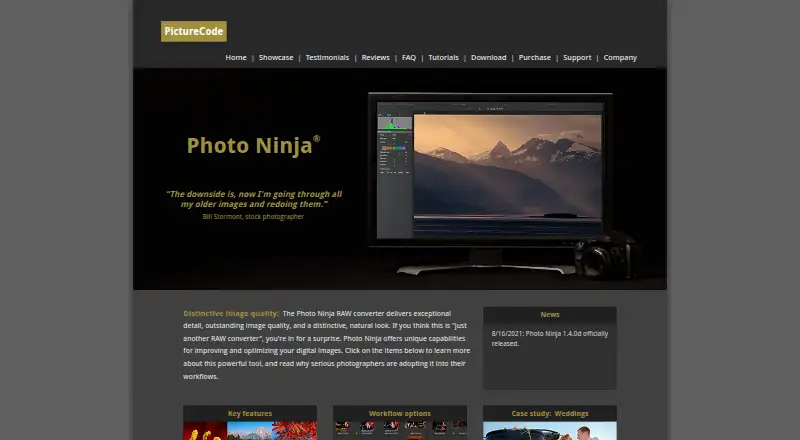
What Photo Ninja is
Photo Ninja is a paid RAW converter for Windows and macOS that improves and optimizes digital images. Its adjustment tools include adaptive lighting, detail enhancement, highlight recovery, noise reduction, color enhancement, monochrome processing, chromatic aberration correction, color correction, and distortion correction. Highlight recovery works only with RAW images. It can run as a standalone application with a built-in browser that works directly with the file system, without importing images into a catalog or library. A batch processor handles unattended sets of images using presets. Photo Ninja reads JPEG and common RGB TIFF files and saves JPEG or TIFF output. The maker describes external-editor use with Photo Mechanic and Lightroom, and support for most popular Bayer RGB and Fujifilm X-Trans cameras, with exceptions. Canon CR3 users are advised to convert files to DNG for now. Downloads are free, but rendering and saving require a license; a two-week trial key is available by email.
Who it suits
It suits professional and serious amateur photographers working with RAW files on Windows or macOS. It is also useful for photographers needing standalone browsing, preset-based batch processing, or external-editor workflows.
What it does well
- Extensive lighting, color, detail, and correction tools
- Standalone file-system browser avoids catalog importing
- Unattended preset-based batch processing
- JPEG and TIFF input and output
- Works with Photo Mechanic and Lightroom
What to know first
- Render and File Save disabled without a license
- Canon CR3 support requires DNG conversion for now
- Computationally and memory intensive
- Supports Windows and macOS only
Limits
Without a license, Render and File Save are disabled. The trial lasts two weeks. The listed new license includes one year of upgrades and use on two computers per user.
Plans
| Plan | Billed and limits | Price |
|---|---|---|
| Photo Ninja license key | Perpetual license with one year of upgrades · Installs on two computers per user · Windows and Mac OS X · Email delivery | $119, paid once |
| Photo Ninja upgrade key | Renews upgrades for another year · For an existing Photo Ninja license key | $49 a year |
| Noise Ninja to Photo Ninja upgrade | Upgrade a legacy Noise Ninja license key to Photo Ninja | $69, paid once |
As picturecode.com lists them, read 8 Oct 2026. The maker's own page has the final word.
Getting started
- Open https://www.picturecode.com/.
- Download and install the software for Windows or macOS.
- Request a two-week trial license key by email, or choose a license option.
- Open files with the built-in browser, or use Photo Ninja as an external editor with Photo Mechanic or Lightroom.
- Choose adjustments and process images; use the batch processor for a set of images.
Verdict
Photo Ninja combines broad RAW adjustments with standalone browsing and unattended batch processing. Its free installation is limited until licensed, and Canon CR3 users may need an interim conversion step.
Questions
How much does Photo Ninja cost?
The new Photo Ninja license key is listed at $119 a month, the upgrade key at $49 a month, and the Noise Ninja to Photo Ninja upgrade at $69 a month.
Is there a free plan or trial?
The software can be downloaded and installed free, but Render and File Save are disabled without a license. A two-week trial license key is available by email request.
Which platforms does Photo Ninja support?
It is available for Windows and macOS.
What formats can it read and save?
It reads JPEG and common RGB TIFF files and saves processed images as JPEG or TIFF. Highlight recovery works only with RAW images.
Can Photo Ninja be used with other photo software?
The maker describes using it as an external editor with Photo Mechanic and Lightroom.
Who makes Photo Ninja?
The maker is Photo Ninja, founded in 2003 and based in Austin, Texas, United States.
Facts from Photo Ninja's own pages
- Batch processing
- The batch processor supports unattended processing of a set of images. · picturecode.com, 8 Oct 2026
- Camera support
- It supports most popular digital cameras using conventional Bayer RGB or Fujifilm X-Trans arrays, with some exceptions and a partial camera list. · picturecode.com, 8 Oct 2026
- File formats
- It reads JPEG and common RGB TIFF files and saves processed images as JPEG or TIFF; highlight recovery only works with RAW images. · picturecode.com, 8 Oct 2026
- Founded
- 2003 · picturecode.com, 28 Sept 2026
- Free download and trial
- The software can be downloaded and installed free, but Render and File Save are disabled without a license; the maker offers a two-week trial license key by email request. · picturecode.com, 8 Oct 2026
- Free plan
- No · picturecode.com, 20 Sept 2026
- Hardware guidance
- The maker says Photo Ninja is computationally and memory intensive, recommends a contemporary processor with at least four cores and 8 GB RAM, and highly recommends an SSD. · picturecode.com, 8 Oct 2026
- Headquarters
- Austin, Texas, United States · picturecode.com, 28 Sept 2026
- Image adjustments
- Its tools include adaptive lighting, detail enhancement, highlight recovery, noise reduction, color enhancement, monochrome processing, chromatic aberration correction, color correction, and distortion correction. · picturecode.com, 8 Oct 2026
- Integrations
- The maker describes using Photo Ninja as an external editor with Photo Mechanic and Lightroom. · picturecode.com, 8 Oct 2026
- Intended users
- PictureCode says its products are used by professional and serious amateur photographers around the world. · picturecode.com, 8 Oct 2026
- Notable limit
- The maker says Canon CR3 support was targeted for version 1.4.1 and suggests converting CR3 files to DNG in the meantime. · picturecode.com, 8 Oct 2026
- Privacy and security
- PictureCode says it does not store credit card numbers on its site servers and may use measures such as firewalls, password hashes, and SSL; its privacy policy was last updated August 21, 2012. · picturecode.com, 8 Oct 2026
- Purpose
- Photo Ninja is a RAW converter for improving and optimizing digital images. · picturecode.com, 8 Oct 2026
- Standalone use
- Photo Ninja can run as a standalone RAW converter with a built-in browser that works directly with the file system without importing images into a catalog or library. · picturecode.com, 8 Oct 2026
- Support
- Customer support is available by email, and the maker also provides tutorials, in-app help, and an FAQ. · picturecode.com, 8 Oct 2026
Where Photo Ninja stands on Freedom251
- Photo Editing Software#59 of 159
- Batch Photo Processing Software#20 of 36